Export Multiple Domains
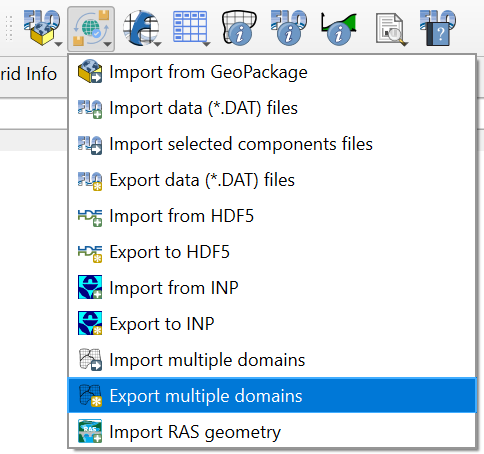
This tool will export the *.DAT files for selected or all subdomains. Once the multiple domains have been created and schematized use this button to export the domains.
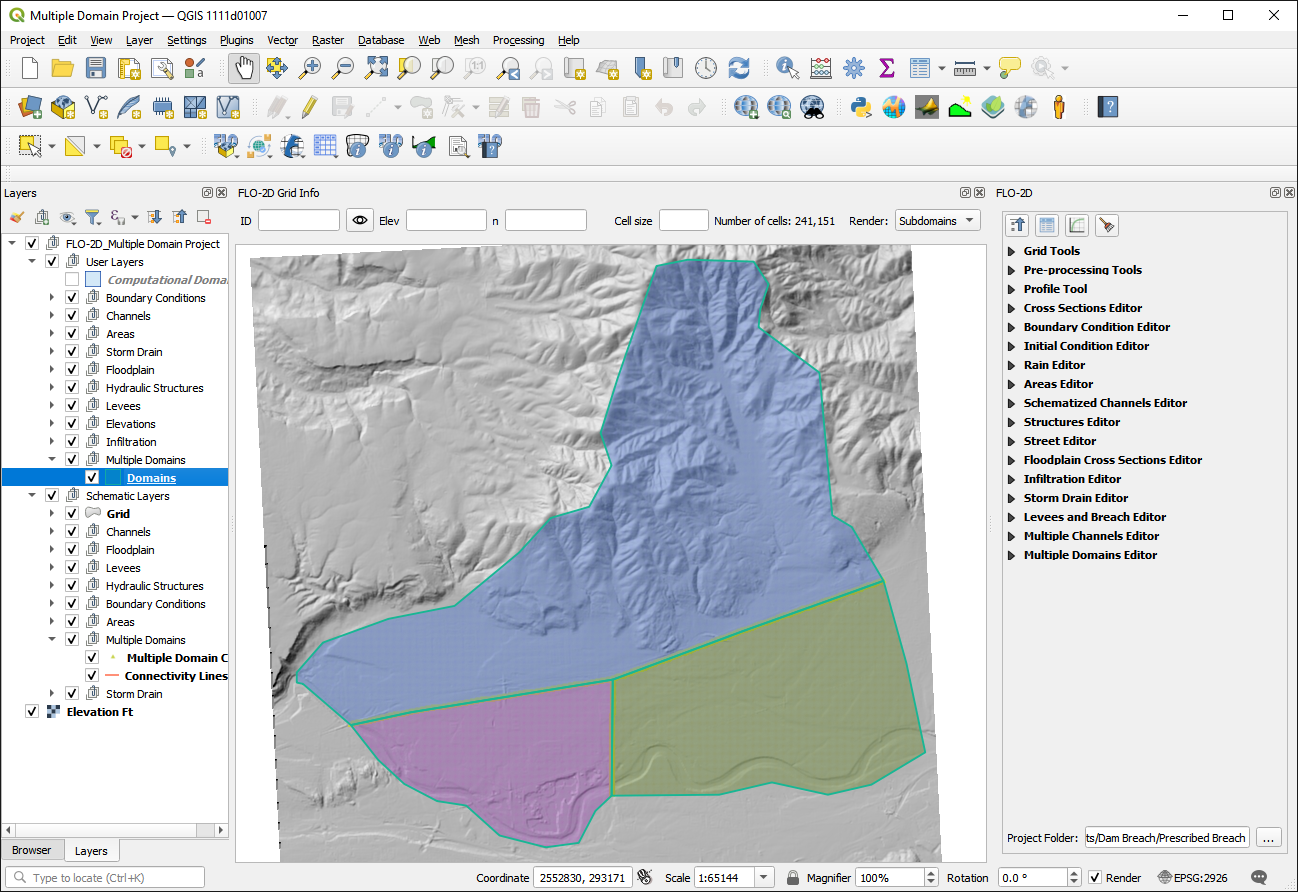
The export process has many options that are outlined below.
Method 1 - Export using MULTDOMAIN.DAT
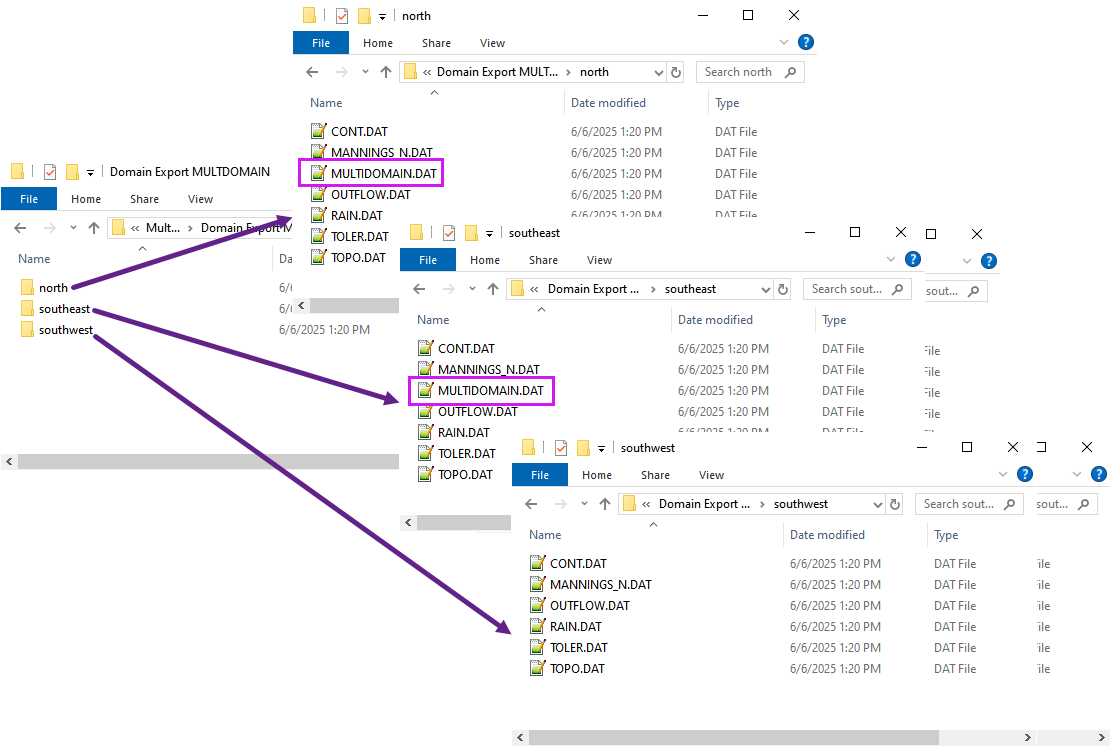
Method 1 is the preferred method for exporting subdomains because it uses the simplified MULTDOMAIN.DAT connectivity file. Using the MULTDOMAIN.DAT method eliminates the need to export CADPTS_DSxx.DAT and eliminates the need to create complex Boundary Conditions (BCs) for each subdomain. The MULTDOMAIN.DAT file contains the connectivity for all subdomains in a single file.
1. Click the Export multiple domains button and select the MULTDOMAIN.DAT method.
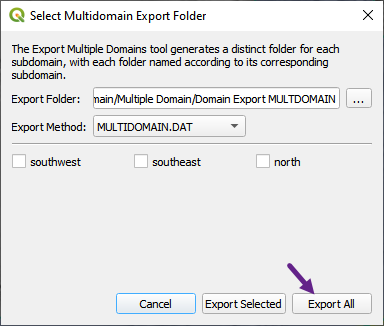
Select the folder to export the domains. The folder will contain the
*.DATfiles and if needed the MULTDOMAIN.DAT file.
Method 2 - Export using ONLY MULTDOMAIN.DAT
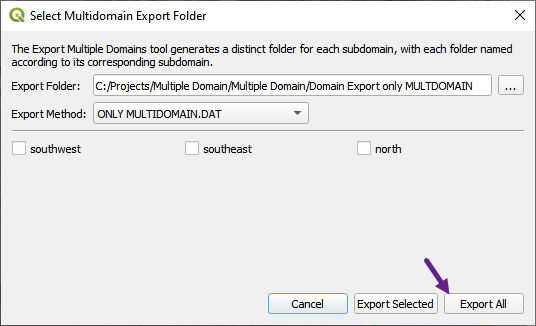
Use this method to export ONLY MULTDOMAIN.DAT file. This allows the end user to review the MULTDOMAIN.DAT file without exporting the subdomains.
Click the Export Only MULDOMAIN.DAT button
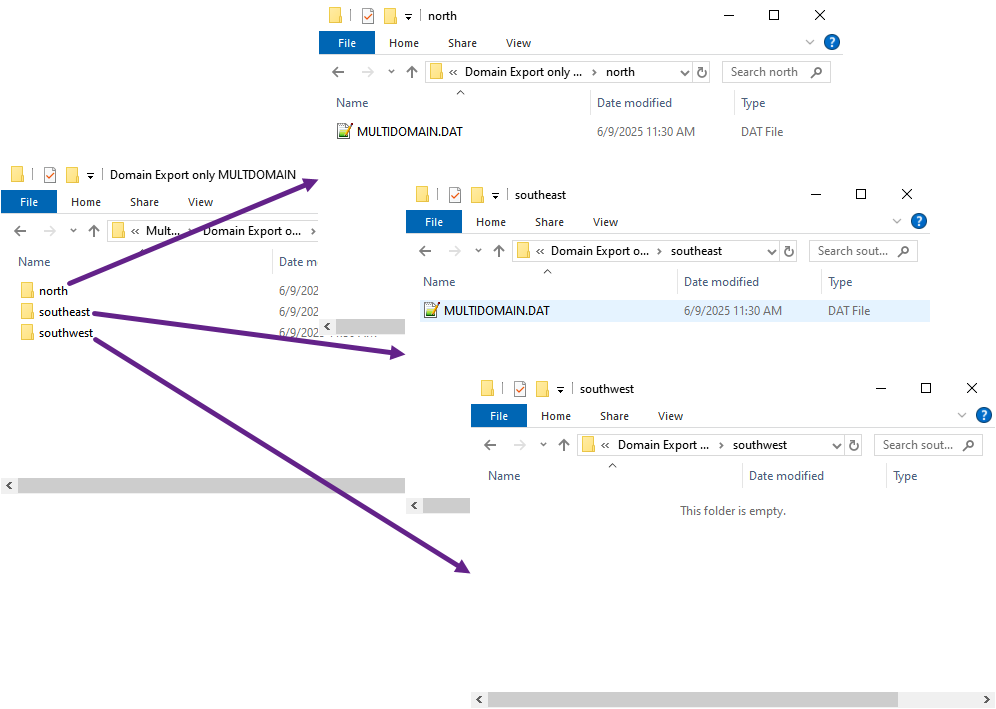
Select the folder to export the domains. Notice that the folder will only contain the MULTDOMAIN.DAT files if applicable.
Method 3 - Export using CADPTS.DAT
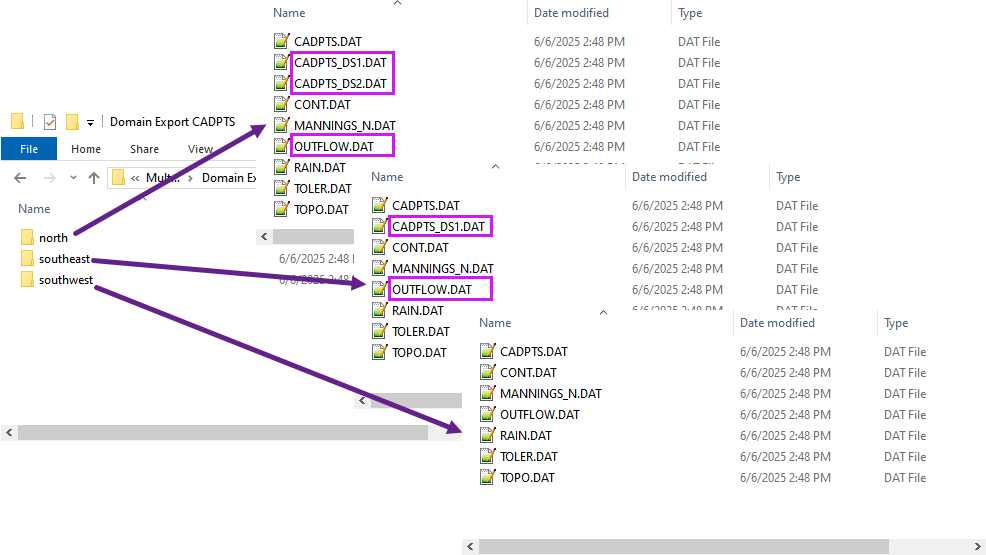
This method will export the CADPTS_DSxx.DAT file for each subdomain. This method is useful if the user wants to export the subdomains using the LEGACY multiple domain method. That method requires a CADPTS.DAT of downstream connected domains and an OUTFLOW.DAT with connecting Boundary Conditions for each upstream subdomain.
Click the Export CADPTS.DAT button.
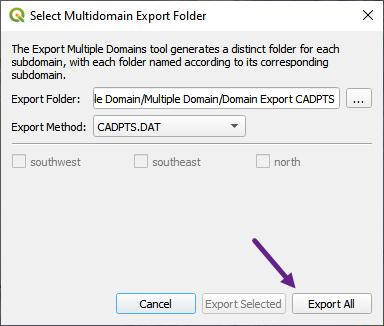
Select the folder to export the domains. Note the CADPTS_DSxx.DAT files will be exported to the selected folder.
Note that the OUTFLOW.DAT files are also exported with the correct upstream Boundary Conditions for each subdomain.
Method 4 - Export using ONLY CADPTS.DAT
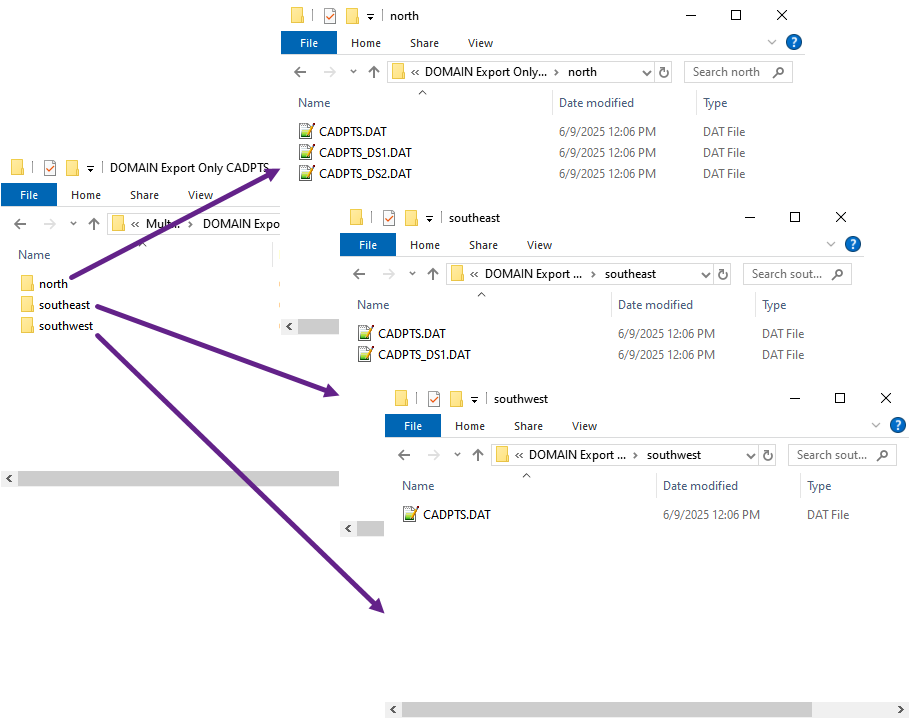
This method will export the CADPTS_DSxx.DAT file for each subdomain. This method is useful if the user wants to review the CADPTS_DSxx.DAT files without exporting the subdomains.
Click the Export Only CADPTS button
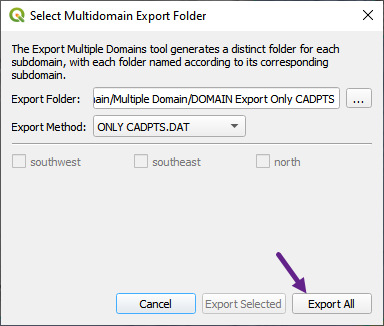
Select the folder to export the domains.
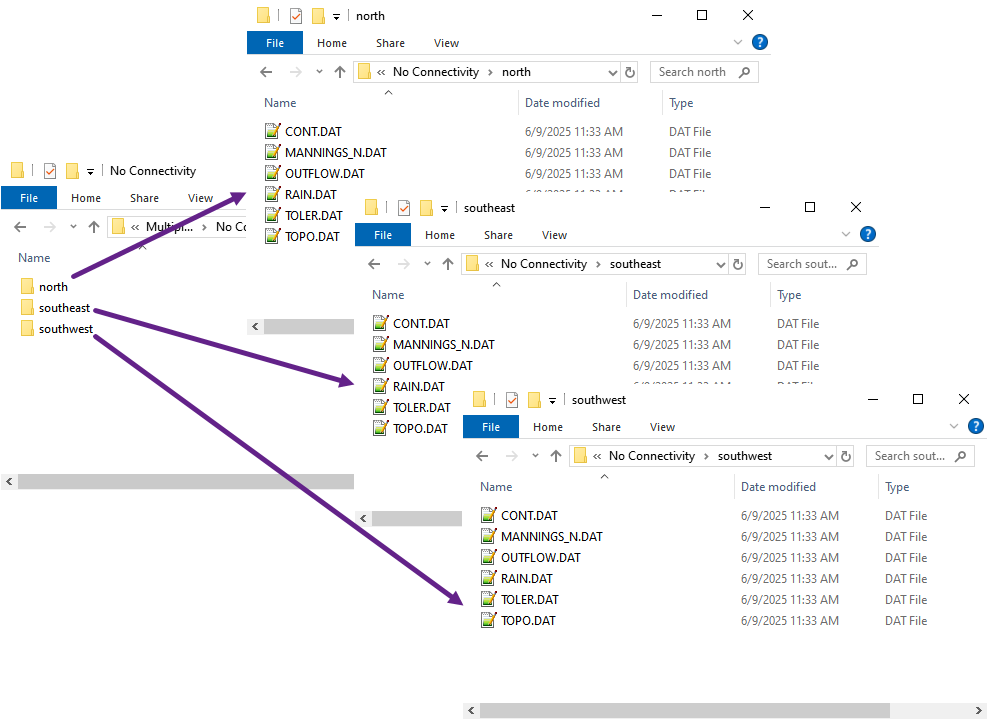
Method 5 - Export using No Connectivity
This method will export the subdomains without any connectivity information. This is useful for exporting subdomains so that 2D or 1D data files can be reviewed without the need for connectivity information.
Click the Export No Connectivity button
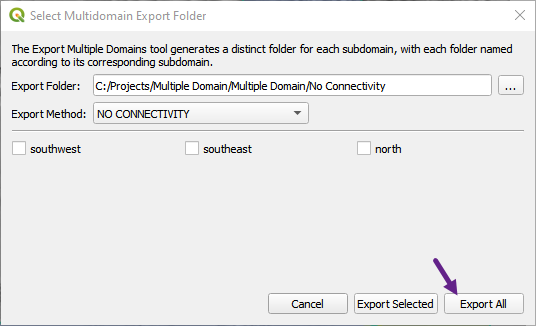
Select the folder to export the domains.