4. Chapter 4: Input Data File Description
4.1. General
The FLO-2D data file variables and format are described in this chapter. These files are accessed directly by the model. For each data file a list of the variables, a portion of an example data file, and an alphabetical description of the variables are presented. Some instructional comments follow the variable descriptions for clarification. QGIS or any ASCII text editor can be used to create or edit the data files.
4.2. List of File Unit Numbers
The following table lists the data and output file (‘Unit’) numbers that are assigned by the FLO-2D model at runtime. These unit numbers may be reported in error messages and referring to these numbers may help to locate input data errors.
TABLE 4.1. LIST OF *.DAT FILES AND UNIT NUMBERS
File No |
File Name |
File No |
File Name |
|---|---|---|---|
9 |
TOLER.DAT |
250 |
BREACH.DAT |
10 |
CADPTS.DAT |
287 |
BUILDING_COLLAPSE.DAT |
30 |
CONT.DAT |
300 |
BATCHCYCLE.DAT |
31 |
FPLAIN.DAT |
311 |
MANNINGS_N.DAT |
32 |
RAIN.DAT |
312 |
CURBHEIGHT.DAT |
33 |
INFIL.DAT |
381 |
SIMPLE_MULT.DAT |
34 |
INFLOW.DAT |
391 |
SCOURDEP_SPATIAL.DAT |
36 |
CHAN.DAT |
673 |
SUBMERGE_FACTOR.DAT |
37 |
ARF.DAT |
850 |
BRIDGE_XSEC.DAT |
38 |
MULT.DAT |
908 |
BRIDGE_COEFF_DATA.DAT |
39 |
SED.DAT |
1119 |
CHAN_INTERIOR_NODES.DAT |
50 |
OUTFLOW.DAT |
1556 |
SWMMFLODROPBOX.DAT |
52 |
STREET.DAT |
1557 |
SWMMFLO.DAT |
57 |
LEVEE.DAT |
1558 |
SWMM.RAIN.DAT |
68 |
HYSTRUC.DAT |
1559 |
SWMMFLORT.DAT |
85 |
XSEC.DAT |
1562 |
SWMMOUTF.DAT |
89 |
RAINCELL.DAT |
1568 |
SDCLOGGING.DAT |
95 |
EVAPOR.DAT |
1575 |
SWMM.INP.DAT |
97 |
TOPO.DAT |
1600 |
TOLSPATIAL.DAT |
98 |
OUTRC.DAT |
1608 |
SHALLOWN_SPATIAL.DAT |
119 |
CHANBANK.DAT |
1609 |
GUTTER.DAT |
120 |
FPXSEC.DAT |
1651 |
QGISDEBUG.DAT |
125 |
FPFROUDE.DAT |
1709 |
NEIGHBORS.DAT |
162 - 170 |
CADPTS_DS1-9.DAT |
2200 |
TAILINGS.DAT |
171 - 179 |
INFLOW1-9_DS.DAT |
2201 |
TAILINGS_CV.DAT |
180 |
WSTIME.DAT |
2401 |
LID_VOLUME.DAT |
211 |
TIMDEPCELL.DAT |
2903 |
TAILINGS_STACK_DEPTH.DAT |
230 |
FLO2DRAINCELL.DAT |
183 |
MULTDOMAIN.DAT |
231 |
RAINCELLRAW.DAT |
1311 |
STEEP_SLOPEN.DAT |
4.3. Data Files
Four data files are required for every flood simulation: CONT.DAT, TOLER.DAT, FPLAIN.DAT, CADPTS.DAT. The INFLOW.DAT and OUTFLOW.DAT files are optional, but typically are necessary for a FLO-2D flood simulation. The CADPTS.DAT is not listed. Although, it is required for every flood simulation, this file is automatically created by the FLO-2D Plugin and QGIS and does not require editing. The TOPO.DAT and MANNINGS_N.DAT files are generated by the Plugin QGIS and the FLO-2D Pro model at runtime. The TOPO.DAT and MANNINGS_N.DAT files replace the FPLAIN.DAT and CADPTS.DAT file (are obsolete and not necessary but can still be used).
4.4. File Map
Click a link to view the description of each file.
Table 4.2. List of DAT Files
Section |
File |
|
|---|---|---|
General |
||
Grid |
||
2D |
||
1D |
||
Hydrology |
||
Boundary |
||
Storm Drain |
||
Dam and Levee |
||
Calibration |
||
4.4.1. File: CONT.DAT
4.4.1.1. System Control Data
CONT.DAT File Variables
 24.0 0.10 2 0 0                    Line 1:  SIMUL TOUT LGPLOT METRIC IBACKUP
 1 1 0 0 0                          Line 2:  ICHANNEL MSTREET LEVEE IWRFS IMULTC
 0 1 0 0 0 0 0                      Line 3:  IRAIN INFIL IEVAP MUD ISED IMODFLOW SWMM
 0 0 0                              Line 4:  IHYDRSTRUCT IFLOODWAY IDEBRV
 0.000 0.0 0.0 0.30 0.70 0.150      Line 5:  AMANN DEPTHDUR XCONC XARF FROUDL SHALLOWN ENCROACH
 2 3.0                              Line 6:  NOPRTFP DEPRESSDEPTH
 2                                  Line 7:  NOPRTC
 0 0.0                              Line 8:  ITIMTEP TIMTEP STARTTIMTEP ENDTIMTEP
 0.1                                Line 9:  GRAPTIM


Notes:
 Line 5: If IFLOODWAY = 0 omit ENCROACH
 Line 7: If ICHANNEL = 0 omit Line 7
 Line 8: If ITIMTEP = 5 TIMEDEPCELL.DAT is required
 Line 8: If ITIMTEP = 11, 21, 31, 41, or 51 add STARTTIMTEP and ENDTIMTEP
 Line 9: If LPLOT = 0 omit Line 9
CONT.DAT File Example
24.0 0.10 2 0 0
1 1 0 0 0
0 1 0 0 0 0 0
0 0 0
0.000 0.0 0.0 0.30 0.70 0.150
2 3.0
2
0 0.0
0.1
Variable Descriptions for the CONT.DAT File
(s) Switch (i) = Integer variable (r) = Real variable (c) = Character
VARIABLE |
FMT |
RANGE |
DESCRIPTION |
AMANN |
r |
0 -1 to 1 -99 > 1.0 |
Increments the floodplain Manning’s n roughness coefficient at runtime. If AMANN is 0, n = n. If the ABS(AMANN) < 1, n = n + AMANN (positive or negative). If the AMANN > 1, n = n * AMANN (positive). If the AMANN < -1, n = n * (1 + AMANN) where AMANN is negative. After AMANN is applied, the shallow n is applied. If AMANN is -99 no depth integrate n-value adjustment and no adjustment for exceeding Courant number. |
DEPRESSDEPTH |
r |
-110.0 to 10.0 |
The DEPRESSDEPTH variable has two functions:
(see comments 11 and 12). |
DEPTHDUR |
r |
0.01 - 100 0.003 - 30 |
Flow depth (ft or m) for a depth-duration analysis. When a flow depth greater than DEPTHDUR is computed, the time duration of inundation for that grid element is tracked and reported in the DEPTHDUR.OUT file (see comment 8). |
ENCROACH |
r |
0 - 10 0 - 3 |
The floodway encroachment increase in flow depth (ft or m). The IFLOODWAY switch must be set to 1 and a previous FLO-2D simulation must be completed for the project to generate the maximum water surface elevations. |
ENDTIMTEP |
r |
The end time for the delayed time series output data (hours). Should be greater than STARTTIMTEP and up to SIMUL. To shorten the timeseries output, set the value to a lower time limit than SIMUL. |
|
FROUDL |
r |
0 - 5 |
Limiting Froude number for overland flow. When FROUDL is exceeded, the floodplain n-value is increased by 0.001 for that grid element for the next timestep (see comment 3). The increased n-values are reported in the ROUGH.OUT and FPLAIN.RGH files. (see comments 3 and 4). |
GRAPTIM |
r |
0.01 - 10.0 |
Time interval in hours that the graphics display is updated (e.g. set GRAPTIM = 0.02 for a frequent update). GRAPHTIM is required when LGPLOT = 2. This variable will not affect the file output data time interval (TOUT). The graphics mode is limited to a 48-day inflow hydrograph. |
IBACKUP |
s |
0 = off 1 = on 2 |
IBACKUP = 1 creates a backup file of all the data files with a *.BAC extension for data error troubleshooting. It also enables the model to be resumed following termination from the last output interval. IBACKUP = 2 enables elevation changes for outflow nodes made at runtime to be permanently written to the FPLAIN.RGH file. (see comment 10). |
ICHANNEL |
s |
0 = off 1 = on |
If ICHANNEL = 1, the channel component will be used and the CHAN.DAT must be created. (comments 1 and 6). |
IDEBRV |
s |
0 = off 1 = on |
Set IDEBRV = 1 if a debris basin volume should be filled before routing the flow hydrograph. |
IEVAP |
s |
0 = off 1 = on |
Set IEVAP = 1 if simulating free water surface evaporation from overland or channel flow. |
IFLOODWAY |
s |
0 = off 1 = on 2 = on |
If IFLOODWAY = 1, a floodway analysis will be performed in the subsequent FLO-2D simulation. An initial FLO-2D flood simulation must be completed prior to a floodway simulation (see comment 5). If IFLOODWAY = 2, the floodway base flow condition is defined by the DEPFP.OUT from a previous run that lists the maximum flow depth associated with an inflow hydrograph that represents only the base flow. Run the baseflow run first and then set the IFLOODWAY = 2 and run the flood simulation in the same folder so that a flood arrival time and a peak flood time are reported separately. Results in TIME_TO_ABOVE_BASFLOW.OUT |
IHYDRSTRUCT |
s |
0 = off 1 = on |
Set IHYDRSTRUCT = 1 to simulate hydraulic structures either on the floodplain or in the channel. The HYSTRUC.DAT file must be created. |
IMULTC |
s |
0 = off 1 = on |
Set IMULTC = 1 to simulate multiple channel (rill and gully flow) rather than overland sheet flow between multiple channel elements. The MULT.DAT and/or SIMPLE_MULT.DAT files must be created. |
IMODFLOW |
s |
0 = off 1 = on |
Set IMODFLOW = 1 to simulate surface-groundwater exchange. This switch initiated the linked MODFLOW groundwater model a during the FLO-2D simulation. |
INFIL |
s |
0 = off 1 = on |
INFIL = 1 initiates an infiltration subroutine using the Green-Ampt infiltration model for either channel or overland infiltration. The INFIL.DAT file must be created. |
IRAIN |
s |
0 = off 1 = on |
Set IRAIN = 1 to simulate rain on the grid system. The RAIN.DAT file must be created. (see comment 1). |
ISED |
s |
0 = off 1 = on |
If ISED = 1, the sediment transport routine will be used. The SED.DAT file must be created. |
ITIMTEP |
s |
0 = off 1, 2, 3, 4, 5, and 6 = on 11, 21, 31, 41, 51 = on for an interval |
0 = No time series output is written. 1 = TIMDEP.OUT and TIMDEP_NC4.out are written. 2 = TIMDEP.HDF5 files is written. 3 = TIMDEPNC.HDF5 file is written. 4 = All time series output is written. 5 = Extract a time series for specific cells. Requires TIMDEPCELL.DAT 11 = TIMDEP.OUT and TIMDEP_NC4.OUT are written for the time interval. 21 = TIMDEP.HDF5 files is written for the time interval. 31 = TIMDEPNC.HDF5 file is written for the time interval. 41 = All time series output is written for the time interval. 51 = Extract a time series during the time interval for specific cells. Requires TIMDEPCELL.DAT |
IWRFS |
s |
0 = off 1 = on |
IWRFS = 1 specifies that area and width reduction factors (ARFs and WRFs) will be assigned in the ARF.DAT file. |
LEVEE |
s |
0 = off 1 = on |
Set LEVEE = 1 to simulate levees. The LEVEE.DAT file must be created. |
LGPLOT |
s |
0 = text 1 = batch 2 = graphic |
LGPLOT = 0 will display screen text scrolling the simulation time, minimum timestep and volume conservation. LGPLOT = 1 will display nothing. Use this switch position with batch runs. LGPLOT = 2 displays the graphical floodwave progression over the grid system (flow depth) and inflow hydrograph. |
METRIC |
s |
0 = English 1 = Metric |
METRIC = 0 for English units and METRIC = 1 for the metric system of units. |
MSTREET |
s |
0 = off 1 = on |
MSTREET = 1 to initiate the street flow component. The STREET.DAT file must be created. (see comment 2). |
MUD |
s |
0 = off 1 = on |
Set MUD = 0 for clear water and MUD = 1 for hyperconcentrated sediment flow. If MUD = 1 the sediment load (volume or concentration by volume) for either the floodplain hydrograph HP(I,J,3) or the channel hydrograph H(I,J,3) must be assigned to each inflow hydrograph pair (comments 1 and 3). The SED.DAT file must be created. |
NOPRTC |
s |
0, 1 or 2 |
If NOPRTC = 0, the BASE.OUT channel data is reported. If NOPRTC = 1, the BASE.OUT channel outflow data is not reported. If NOPRTC = 2, the BASE.OUT file is not reported. |
NOPRTFP |
s |
0, 1, 2 or 3 |
If NOPRTFP = 0, the BASE.OUT floodplain flow data is reported. If NOPRTFP = 1, the BASE.OUT floodplain outflow data is not reported. If NOPRTFP = 2, BASE.OUT is not written. This reduces the time for writing model output. If NOPRTFP = 3, only floodplain outflow data is reported to the BASE.OUT file. |
SHALLOWN |
r |
0 = off 0.1 - 0.99 |
Flow roughness n-value for shallow overland flow (flow depth < 0.2 ft or 0.06 m). (see comment 9). |
SIMUL |
r |
0.01 - ∞ |
Simulation time (hours). |
STARTIMTEP |
r |
0 to ENDTIMTEP |
Start time for the time series output data (hours). Set this value to any time 0 to ENDTIMTEP. It should represent the delayed start of time dependent data. |
SWMM |
s |
0 = off 1 = on |
SWMM = 1 initiates the FLO-2D storm drain model. |
TIMTEP |
r |
0 - 100 |
Output interval (hrs) that the flow depth, resolved velocity, x-velocity, y-velocity and water surface elevation datasets are reported to the TIMDEP.OUT file for a post-simulation flood animation. TIMTEP should be a multiple of TOUT.The switch ITIMTEP is required. |
TOUT |
r |
0.01 - 24.0 |
Output interval (hrs) that hydraulic data is reported to the various output files *.OUT. |
XARF |
r |
0.0 - 1.0 |
Global area reduction factor applied to all grid elements. This factor reduces the grid element surface area available for flood volume storage. XARF can be used to account irregular surface topography, dense vegetation or other features. Range: 0 < XARF < 1.0. A typical value for XARF of 0.10 indicates that 10% of each grid element surface is not available for flood storage. The XARF value is overridden by the ARF variable specified for the individual grid elements in the ARF.DAT file. Assign XARF = 0. to flood the entire surface area of the grid elements. |
XCONC |
r |
0 - 0.60 |
Volumetric concentration to bulk the inflow discharge hydrograph (channel or floodplain). For example, set XCONC = 0.20 for a concentration of 20% by volume. This will account for sediment bulking without initiating the hyperconcentrated sediment transport routine. If simulating clear water flooding, set XCONC = 0. If MUD = 2, XCONC is the global mudflow or tailings sediment concentration by volume. |
Instructional Comments for the CONT.DAT File
These instructions will aid in assigning of the CONT.DAT file parameters:
If any of the switches MUD, ISED, IRAIN, IMULT, INFIL, MSTREET, LEVEE, ICHANNEL, IWRFS, IMODFLOW, SWMM or IHYDRSTRUCT are set to 0 “off”, then the corresponding data file can be omitted. For example, set MSTREET = 0 and the STREET.DAT file can be omitted.
Streets, groundwater, mudflow, levees, and rill and gully flow can be simulated with or without a channel.
Supercritical flow is uncommon on alluvial surfaces and may be inhibited by sediment entrainment. There are three possible approaches to a high Froude number flow analysis:
Allow supercritical flow and do not limit the Froude number.
Increase the grid element roughness by assigning AMANN or setting higher individual grid element n-values to reduce the Froude number (assign spatially variable n-values).
Set the Limiting Froude number or the floodplain (e.g. set FROUDL = 0.99 or 1.11). When FROUDL is exceeded the grid element roughness value will be increased by 0.001 for the next timestep. After a flood simulation, review ROUGH.OUT to determine where FROUDL was exceeded and the maximum n-values for that cell were computed. Consider revising the n-values in the MANNINGS_N.DAT file to match those in the ROUGH.OUT file. This will ensure that FROUDL is not exceeded. Rename the MANNINGS_N.RGH file to MANNINGS_N.DAT.
Spatially variable limiting Froude numbers can also be assigned to individual grid elements in FPFROUDE.DAT.
The shallow n-value is off when SHALLOWN = 0. or when AMANN = -99. The limiting Froude number is off if you set FROUDL = 0.for the floodplain. AMANN= -99 turns off the depth variable n-value, but not the limiting Froude number n-value adjustments.
The floodwave travel time should be reviewed to determine if it is appropriate. The travel time can also be used to calibrate the n-values. Adjusting n-values with FROUDL will slow the arrival of the frontal wave. During the hydrograph recessional limb when the Froude number is less than 0.5 and the flow is shallow, the n-value decreases by 0.0005 until the original n-value is reached.
IFLOODWAY initiates the floodway routine. Flow will not be exchanged between floodplain grid elements unless the maximum water surface plus the encroachment depth (ENCROACH) from a previous FLO-2D simulation is exceeded. An initial FLO-2D simulation is required to establish the maximum water surface elevations. See the Floodway discussion in the Reference Manual component section. IFLOODWAY is also used to set up the base flood condition for reporting flood arrival time and peak arrival time. Run the model twice in the same folder. The first run should establish the baseflow condition so do not use the breach hydrographs or breach conditions in the first run. The second run uses DEPFP.OUT to set the base flood condition so that the flood arrival times can be calculated in the file BASEFLOWFP_TIME.OUT.
If channel flow is simulated (ICHANNEL = 1), then the NOPRTC variable must be set in CONT.DAT. In addition, channel outflow control can be assigned in OUTFLOW.DAT.
ITIMTEP will enable a simple animation (time and space output) of the overland flow to be displayed in Mapper, MAXPLOT or other map software. The animation will be based on a time interval TIMTEP specified by the user.
The depth duration analysis is used to determine how long a floodplain grid element is inundated at a flow depth greater than the DEPTHDUR variable. If DEPTHDUR = 1 ft, the output file DEPTHDUR.OUT has the total duration in hours that the depth exceeded 1 ft. The results can be reviewed in MAXPLOT. If the depth duration analysis is activated, then a second output file DEPTHDURATION2.OUT is generated for the cumulative time duration above 2 ft (0.61 m).
To improve the timing of the floodwave progression through the grid system, a depth variable roughness can be assigned. The basic equation for the grid element roughness nd as function of flow depth is:
(4.1)\[n_d = n_b \, ^* \, 1.5 \, ^* \, e^{-(\frac{0.4 depth}{dmax})}\]where:
nb = bankfull discharge roughness depth = flow depth
dmax = flow depth for drowning the roughness elements and vegetation (hardwired 3 ft or 1 m)This equation prescribes that the variable depth floodplain roughness is equal to the assigned flow roughness for complete submergence of all roughness elements (assumed to be 3 ft or 1 m). This equation is applied by the model as a default and the user can turn ‘off’ the depth roughness adjustment coefficient for all grid elements by assigning AMANN = -99. This roughness adjustment will slow the progression of the floodwave. It is valid for flow depths ranging from 0.5 ft (0.15 m) to 3 ft (1 m). For example, at 1 ft (0.3 m), the computed roughness will be about 1.31 times the assigned roughness for a flow depth of 3 ft. Assigning a ROUGHADJ value may reduce unexpected high Froude numbers.
The following rules apply:
0.0 < flow depth < 0.2 ft (0.06 m) n = SHALLOWN value
0.2 ft (0.06 m) < flow depth < 0.5 ft (0.15 m) n = SHALLOWN/2.
0.5 ft (0.15 m) < flow depth < 3 ft (1 m) n = nb *1.5* e-(0.4 depth/dmax)
3 ft (1 m) < flow depth n = n-value in MANNINGS_N.DATThe IBACKUP = 1 switch is used to create a backup file with an *.BAC extension. The*.BAC files can be reviewed to see if the model is correctly reading the data.This is a data file format troubleshooting tool. These files can be renamed to *.DAT and the model can be run with them. IBACKUP = 1 will also generate a series of binary files that represent the model results at the last output interval. The binary files are overwritten at the end of each output interval so if the model is terminated prior to the end of the run for any reason, the simulation can be restarted from the last interval. Setting the switch to 1 can significantly lengthen the model run time. Setting IBACKUP = 2 will write all elevation changes associated with the outflow nodes and channel top-of-bank revisions to the FPLAIN.RGH file which can be renamed to the FPLAIN.DAT file to run the model.
The DEPRESSDEPTH parameter can be used to either identify depressed elements or low levee crest elevations. Set SIMUL = 0.01 hrs for separate values for each filter. Set DEPRESSDEPTH = 3.0 ft to review the depressed elements in the DEPRESSED_ELEMENTS.OUT file, rename the file and reassign DEPRESSDEPTH to 1.0 ft or so and rerun the model to generate LOW_LEVEE_CREST_ELEVATIONS.OUT file.
If a grid element is lower than every neighboring cell, to the depth of DEPRESSDEPTH, the grid element is considered to be a topographical depression and a probable error. The grid element is listed in DEPRESSED_ELEMENTS.OUT file.
DEPRESSDEPTH is also used to identify levees that have a low crest elevation. A levee or wall that is only 0.1 ft above the ground is superfluous. The low levee warning message and action has three options:
DEPRESSDEPTH = 0.0 to 10.0 ft; Identifies the wall with a crest elevation lower than DEPRESSDEPTH in LOW_LEVEE_CREST_ELEVATIONS.OUT file.
DEPRESSDEPTH = -1.0 to - 10.0 ft; Assesses the side of the wall where the crest elevation is assigned to determine if the levee height is lower than the DEPRESSDEPTH value.
DEPRESSDEPTH = -101.0 to -110.0 ft; Assesses both sides of the wall to determine if the height is lower than DEPRESSDEPTH (1 ft to 10 ft).
If DEPRESSDEPTH is negative, LEVEE.BAC file is written as a backup file omitting the low levees that can be renamed as LEVEE. DAT.
Multiple channels IMULTC have various conditions depending on the switch position and which multiple channel data files exist. If IMULTC = 1, the engine checks for MULT.DAT, and SIMPLE_MULT.DAT. Data can be assigned to both files for separate grid elements. If IMULTC = 2, then multiple channels can be used alongside separate gutter cells in GUTTER.DAT.
4.4.2. File: TOLER.DAT
4.4.2.1. Numerical Stability Control Data
TOLER.DAT File Variables
0.1  0.00                   Line 1: TOLGLOBAL   DEPTOL
C  0.6   0.6   0.6          Line 2: COURCHAR = ‘C’  COURANTFP   COURANTC COURANTST
T   0.1                     Line 3: COURCHAR = “T”   TIME_ACCEL
TOLER.DAT File Example
0.1 0.00
C 0.6 0.6 0.6
T 0.1
Variable Descriptions for the TOLER.DAT File
(s) Switch (i) = Integer variable (r) = Real variable (c) = Character
VARIABLE |
FMT |
RANGE |
DESCRIPTION |
COURANTC |
r |
0.2 - 0.9 |
Courant number for channels. Courant-Friedrich-Lewy numerical stability parameter that relates the floodwave movement in channels to the discretized model in space and time (see comments 3 thru 5). |
COURANTFP |
r |
0.2 - 0.9 |
Courant number for floodplain. Numerical stability parameter that relates the floodwave movement for overland flow to the discretized model in space and time (see comments 3 thru 5). |
COURANTST |
r |
0.2 - 0.9 |
Courant number for streets. Courant number for floodplain. Numerical stability parameter that relates the floodwave movement in streets to the discretized model in space and time. (see comments 3 thru 5). |
COURCHAR |
c |
C, T |
Character ‘C’ that identifies Line 2 with the Courant stability parameter. This variable is case sensitive. It must be upper case. |
DEPTOL |
r |
0.1 - 0.5 |
Tolerance value for the percent change in the flow depth for a given timestep. When a given element DEPTOL is exceeded, the timestep will be reduced. If DEPTOL = 0, then the timestep is governed by the Courant numerical stability criteria. It is recommended that DEPTOL only be used for specific ponded flow conditions where the Courant number is ineffective (see comment 2). |
TIME_ACCEL |
r |
0.1 - 2 |
Coefficient to increase the rate of incremental timestep change. Default value = 0.1. A value of 0.1 may result in a more stable simulation time. A value of 0.2 or higher may result in a faster simulation. |
TOLGLOBAL |
r |
0.004 - 0.5 typ 0.0012 - 0.03 |
Surface detention. TOLGLOBAL is a minimum value of the flow depth for flood routing. A typical value river flooding is 0.10 ft (see comment 1). Use a small value for rainfall runoff (0.004 ft to 0.10 ft; 0.0012 m to 0.030m). |
Instructional Comments for the TOLER.DAT File
The TOLGLOBAL value prescribes the flow depth for a floodplain or channel grid element below which no flood routing will be performed. TOLGLOBAL is analogous to a depression storage rainfall abstraction. The TOLGLOBAL value for streets is hardwired (0.03 ft or 0.01 m). TOLSPATIAL is another variable that can be assigned to any cell. The TOLSPATIAL variable will replace TOLGLOBAL if assigned. See TOLSPATIAL tab for further instructions.
DEPTOL controls the percent change in grid element or channel flow depth for a given timestep. It is a generic control that eliminates further analysis of the numerical stability criteria. DEPTOL affects the computer runtime and flow depth resolution. The Courant is the primary numerical stability control. For some models with ponded flow, the water surface and velocities for low n-value may exhibit numerical instability. Using or decreasing DEPTOL will reduce the timestep and, improve the numerical stability and result in longer computational times. Setting DEPTOL = 0 dictates that only the Courant criteria will be applied for numerical stability.
To identify numerical instability, review the CHANMAX.OUT file and the HYDROG program hydrograph plots for hydrograph spikes. Review MAXPLOT or Mapper or the VELTIMEFP.OUT file to determine if floodplain velocities are too high.
If the model is unstable, reduce the appropriate Courant number by 0.1 in successive runs until the Courant number reaches 0.2.
Using the Courant criteria, the timestep Δt is limited by:
(4.2)\[\Delta t = \frac{C \Delta x}{(\beta V + c)}\]where:
C is the Courant number (C ≤ 1.0) Δx is the square grid element width.
V is the computed average cross-section velocity.
β is a coefficient (e.g. 5/3 for a wide channel) but is seldom used c is the computed wave celerity.The Courant coefficient C may vary from 0.2 to 0.9 depending on the size of the grid element and floodwave velocity. If C is set to 1.0, artificial or numerical diffusivity is assumed to be zero. A typical value of the Courant number is 0.6 to 0.7. Start with the default value of 0.6.
Use the following approach to improve numerical stability:
Initially run the model with the Courant numbers = 0.6. If the model is unstable, reduce the appropriate Courant number by 0.1 increments in successive runs until the Courant number reaches 0.2.
Run the model with an appropriate limiting Froude number (e.g. FROUDL in CONT>DAT = 0.9 subcritical flow on an alluvial surface). This will calibrate the model n-values for reasonable Froude numbers.
Review the maximum velocities in VELTIMEC.OUT, VELTIMEFP. OUT and VELTIMEST.OUT (or in MAXPLOT or Mapper) and the maximum Froude numbers in SUPER.OUT to determine the location of any inappropriate high velocities related to numerical surging and increase the n-values in the vicinity of the grid elements with high velocities.
Review the n-values in ROUGH.OUT and MANNINGS_N.DAT. Make n-value adjustments in MANNINGS_N.DAT based on exceedingly high n-values in ROUGH.OUT then replace MANNINGS_NDAT with MANNINGS.RGH.
Run the simulation and repeat steps 3 and 4 making adjustments to MANNINGS_N.DAT until ROUGH.OUT is essentially empty. A few incremental n-value changes will not affect the simulation. Make adjustments to FROUDL to decrease the number of n-value adjustments.
Increase the model speed:
Increase the Courant numbers in 0.1 increments until C = 0.9.
Increase the TIME_ACCEL parameter in TOLER.DAT in 0.1 increments to increase the computational timesteps increments.
Review the model numerical stability with the maximum velocity and Froude number output files. Decrease the TIME_ACCEL parameter if unreasonable increases in the maximum velocity and Froude number are reported.
Review the computational runtime in the SUMMARY.OUT file and balance the increased Courant numbers and TIME_ACCEL parameter to achieve the best runtime. This may require only an increase in TIME_ACCEL.
4.4.3. File: FPLAIN.DAT
4.4.3.1. Floodplain Grid Element Data
FPLAIN.DAT File Variables
1 0 2 10 0 0.060 4005.23 Line 1:    DUM FP(I, J) FP(1, 5) FP(1,6)
2 0 3 11 1 0.065 4008.65 Line 1:    DUM FP(I, J) FP(1, 5) FP(1,6)
3 0 4 12 2 0.065 4002.23 Line 1:    DUM FP(I, J) FP(1, 5) FP(1,6)
...
...
...
18 9 0 27 17 0.065 4010.78 Line 1:  DUM FP(I, J) FP(1, 5) FP(1,6)

Note: FPLAIN.DAT is a list of the grid element and its bordering grid elements. Zeros indicate
boundary elements.

  Line 1:
  1 = grid element,
  0 = cell to the north,
  2 = cell to the east,
  10 = cell to the south,
  0 = cell to the west
  0.060 = n-value for the cell
  4005.23 = cell elevation


      Example Grid


          1
          2
          3
          4
          5
          6
          7
          8
          9


          10
          11
          12
          13
          14
          15
          16
          17
          18


          19
          20
          21
          22
          23
          24
          25
          26
          27


          28
          29
          30
          31
          32
          33
          34
          35
          36
FPLAIN.DAT File Example
1  0    2   10  0   0.060   4005.23
2  0    3   11  1   0.065   4008.65
3  0    4   12  2   0.065   4002.23
4  0    5   13  3   0.065   4003.15
...
33 24  34  0    32  0.065   4000.22
34 25  35  0    33  0.065   4000.56
35 26  36  0    34  0.065   4001.00
36 27  0   0    35  0.065   4001.45
Variable Descriptions for the FPLAIN.DAT File
(s) Switch (i) = Integer variable (r) = Real variable (c) = Character
VARIABLE |
FMT |
RANGE |
DESCRIPTION |
DUM |
i |
1 - NNOD |
Grid element number (I) of the floodplain grid system. This is a dummy variable that is not used by the model. It is only used for the convenience of viewing the input data file. |
FP(I,J) |
i |
1 - NNOD |
Floodplain element contiguous to grid element I (where I = 1, NNOD) and located in the J-direction (where J = 1,4). The J-direction corresponds to one of the four compass directions (see comments 1 thru 5). |
FP(I,5) |
r |
0.010 - 0.4 |
Manning’s n roughness coefficient assigned to grid element I (see comment 6). |
FP(I,6) |
r |
∞ |
Ground surface elevation for grid element I (ft or m). |
Important
If a grid size, shape, elevation or roughness is adjusted with the FLO-2D Plugin, the exported data will not overwrite FPLAIN.DAT, CADPTS.DAT, or NEIGHBORS.DAT. Those files should be deleted prior to running the engine.
FLOPRO.EXE reads the grid, elevation, and Manning’s n data as follows: The model verifies the following files:
If FPLAIN.DAT, CADPTS.DAT, and, NEIGHBORS.DAT, exist, the engine will use them and ignore TOPO.DAT AND MANNINGS_N.DAT.
If TOPO exists, the model reads it to count the number of grid elements and grid element size.
If NEIGHBORS.DAT exists, the model reads this file to define the neighbors. If it does not exist, FLOPRO uses TOPO.DAT to define the neighbors and creates NEIGHBORS.DAT. The model starts faster when the file is present.
If MANNINGS_N.DAT exists, the model reads it to define the floodplain roughness. If the file does not exist but all others do, the model will generate a fatal error message and stop.
If CADPTS.DAT and FPLAIN.DAT do not exist, the model will generate them.
If TOPO.DAT and MANNINGS_N.DAT do not exist, the model will use FPLAIN.DAT and CADPTS.DAT to create them.
Instructional Comments for the FPLAIN.DAT File
There should be no elements in the grid system that do not have at least one neighbor element sharing one side. In other words, no element should be connected only by a single diagonal corner.
The elements should be numbered consecutively starting with 1.
If a grid element (I) is a boundary element, then the neighboring grid element FP(I,J) where J = 1, 2, 3, or 4, is set equal to 0.
Any additional grid elements in the FPLAIN.DAT file must have corresponding grid elements in the CADPTS.DAT file.
The roughness assigned to the floodplain grid element should represent the flow resistance associated with a flow depth of 3 ft (1 m) or greater. The model automatically computes a depth variable roughness for depths less than 3 ft approximately as follows:
(4.3)\[n_d = n_b \, ^* \, 1.5 \, ^* \, e^{-(\frac{0.4 depth}{dmax})}\]where:
nb = bankfull discharge roughness depth = flow depth
dmax = flow depth for drowning the roughness elements and vegetation (hardwired 3 ft or 1 m)
To turn off the depth variable roughness set AMANN = -99. See the Comment 9 in the CONT.DAT file.
4.4.4. File: MANNINGS_N.DAT
4.4.4.1. Floodplain Grid Element n-Value Data
MANNINGS_N.DAT File Variables
1 0.04      Line 1: DUM   FP(I, J)
2 0.04      Line 1: DUM   FP(I, J)
3 0.04      Line 1: DUM   FP(I, J)
...
...
...
18   0.04   Line 1: DUM   FP(I, J)

Note: MANNINGS_N.DAT is a list of the grid elements and their n-values.  This file is automatically
generated by the FLO-2D Plugin and FLO-2D model at runtime.  The n-values are the same as those
listed in FPLAIN.DAT when it is created or edited.  Use this file for GIS or CADD applications.
Combined with TOPO.DAT, it can replace the FPLAIN.DAT and CADPTS.DAT files.
MANNINGS_N.DAT File Example
1 0.040
2 0.040
3 0.040
4 0.040
...
33 0.040
34 0.040
35 0.040
36 0.040
...
Variable Descriptions for the MANNINGS_N.DAT File
(s) Switch (i) = Integer variable (r) = Real variable (c) = Character
VARIABLE |
FMT |
RANGE |
DESCRIPTION |
DUM |
i |
1 - NNOD |
Grid element number (I) of the floodplain grid system. This is a dummy variable that is not used by the model. It is only used for the convenience of viewing the input data file. |
FPNVALUE |
r |
0.010 - 0.4 |
Manning’s n roughness coefficient assigned to grid element I (see comment 1). |
Instructional Comments for the MANNINGS_N.DAT File
This file is prepared and edited by the FLO-2D Plugin for spatially variable n-values.
The elements should be numbered consecutively starting with 1.
The roughness assigned to the floodplain grid element should represent the flow resistance associated with a flow depth of 3 ft (1 m) or greater.
This file is a substitute for the n-values listed in the FPLAIN.DAT.
MANNING_N.DAT, MANNING_N.BAC, MANNING_N.RGH: This series of files is automatically generated by the FLO Pro model and has the format of grid element number and Manning’s n-value in two columns. When combined with TOPO.DAT, MANNINGS_N.DAT can be used as a substitute for FPLAIN.DAT. FPLAIN.DAT can be deleted or not used if these two files are present in the project folder. The model will recognize that either the TOPO.DAT and MANNINGS_N.DAT files or the FPLAIN.DAT is present and will automatically generate the missing file(s). These files can be used to assigned or edit the n-values. TOPO.DAT and MANNINGS_N.DAT are in a format that is more GIS compatible and FPLAIN.DAT is therefore obsolete. MANNINGS_N.RGH is used with the limiting Froude number component to report adjusted n-values during a simulation in place of FPLAIN.RGH.
4.4.5. File: TOPO.DAT
4.4.5.1. Topographical Elevation Data
TOPO.DAT File Variables
551397.50 44608.95 6.00                                   Line 1:    XCOORD(I), YCOORD(I) FP(I, J)


Note: TOPO.DAT is a list of the grid element x- and y-coordinates and their elevations.
The elevations are interpolated from topographical data by the FLO-2D Plugin. This file contains
the same data as the FPLAIN.DAT and CADPTS.DAT files except for the neighbor grid elements and n-value.
It is automatically generated and edited by the FLO-2D Plugin when the FPLAIN.DAT is written. Use this file
together with Mannings_N.DAT for GIS and CADD applications.
TOPO.DAT File Example
551397.50 44608.95 6.00
551397.50 44708.95 6.05
551397.50 44808.95 6.06
551397.50 44908.95 6.06
551397.50 45008.95 6.11
551397.50 45108.95 6.09
551397.50 45208.95 6.12
551397.50 45308.95 6.14
Variable Descriptions for the TOPO.DAT File
(s) Switch (i) = Integer variable (r) = Real variable (c) = Character
VARIABLE |
FMT |
RANGE |
DESCRIPTION |
XCOORD(I) |
r |
∞ |
X coordinate of grid element node at center. |
YCOORD(I) |
r |
∞ |
Y coordinate of grid element node at center. |
ELEV(I) |
r |
∞ |
Elevation of grid element. |
Instructional Comments for the TOPO.DAT File
The TOPO.DAT data as that contained in FPLAIN.DAT and CADPTS.DAT and is in a format that enables GIS and CADD applications to use it directly. TOPO.DAT has the format of x- and y-coordinate, and elevation (x,y,z file) of the center of the node in a GIS or CADD compatible format.
The TOPO.DAT and MANNINGS_N.DAT files replace FPLAIN.DAT and CADPTS.DAT files. If these files are generated by GIS and CADD programs, the FLO-2D model can run without the FPLAIN.DAT and CADPTS.DAT if the data is space delimited. If the TOPO.DAT file is missing at runtime, the model automatically generates it. Conversely if FPLAIN.DAT is missing at runtime, the model automatically generates this file. FPLAIN.DAT is obsolete and is no longer required to run the model
4.4.6. File: INFLOW.DAT
4.4.6.1. Inflow Hydrograph Data
INFLOW.DAT File Variables
0 4335                  Line 1: IHOURDAILY IDEPLT
C  0 4335               Line 2: IFC(I) = ‘F’ or ‘C’ INOUTFC(I) KHIN(I)
                                I = Number of inflow nodes.
H  0  0                 Line 3: HYDCHAR = ‘H’ HP(J,1) HP(J,2) HP(J,3) J=1
H  1  50.00             Line 3: HYDCHAR = ‘H’ HP(J,1) HP(J,2) HP(J,3) J=2
H  24 1553.0            Line 3: HYDCHAR = ‘H’ HP(J,1) HP(J,2) HP(J,3) J=3
R 5232 3320 0.250       Line 4: RESCHAR = ‘R’ IRESGRID(II) RESERVOIREL(II) RESERVOIRN(II)
R 6528 3295 3292 0.250  Line 4: RESCHAR = ‘R’ IRESGRID(II) RESERVOIREL(II) TAILINGSELEV(II) RESERVOIRN(II)
                                II = Number of data pairs.
....


Notes:
 If only rainfall is being simulated omit this file
 Line 2, 3: Repeat these lines for each inflow grid element.
 Line 3: If MUD = 0, HP(I,J,3) is omitted.
 Line 4: Tailings elevation is optional is optional the n value is required.
INFLOW.DAT File Example
0 4335
C       0   4335
H       0    0
H       1   55.30
H       2   155.30
H       3   253.78
H       4   537.8
H       5   522.7
H       6   507.5
H       7   492.4
R    5232  1734.02 0.250
....
Variable Descriptions for the INFLOW.DAT File
(s) Switch (i) = Integer variable (r) = Real variable (c) = Character
VARIABLE |
FMT |
RANGE |
DESCRIPTION |
HP(I,J,1) |
r |
0.0 - ∞ |
Time corresponding to the start of the floodplain inflow hydrograph interval (hours or days). The first hydrograph time-discharge set should be 0.0 and 0.0. |
HP(I,J,2) |
r |
0.0 - ∞ |
Floodplain discharge (cfs or cms) corresponding to the time interval which starts at HP(I,J,1). |
HP(I,J,3) |
r |
0 - 1 |
Sediment concentration by volume or sediment volume for a mudflow simulation (see comment 2). |
HYDCHAR |
c |
H |
Character ‘H’ that identifies Line 3 inflow hydrograph time and discharge pairs. Each line of the hydrograph begins with ‘H’. Variable is case sensitive. It must be upper case. |
IDEPLT |
i |
1 - NNOD |
Inflow grid element number whose hydrograph is to be graphically displayed at runtime. Only one inflow grid element hydrograph can be plotted on the screen. If no graphic display is desired (LGPLOT = 0) set IDEPLT = 0 (see comment 3). |
IFC(I) |
c |
F or C |
Character ‘F’ or ‘C’ to identify the inflow hydrograph grid element as a floodplain ‘F’ or a channel ‘C (see comment 1). Variable is Case Sensitive. It must be upper case. |
INOUTFC(I) |
s |
0, 1, 2, or 3 |
Floodplain INOUTFC = 0 Inflow INOUTFC = 1 Diversion INOUTFC = 2 Source from groundwater INOUTFC = 3 Sink to groundwater Channel INOUTFC = 0 Inflow INOUTFC = 1 Diversion INOUTFC = 2 MODFLOW Source INOUTFC = 3 MODFLOW Sink (see Comment 7, 8 and 9) |
IHOURDAILY |
s |
0 = hourly 1 = daily |
IHOURDAILY = 0 for inflow hydrograph hourly intervals HP (I,J,1). IHOURDAILY = 1 for daily (24hr) intervals of HP (I,J,1). |
KHIN(I) |
i |
1 - NNOD |
Array of grid elements with a inflow hydrograph (in- flow nodes). |
RESCHAR |
c |
R |
Character ‘R’ that identifies Line 4 for reservoir or ponded area water surface assignment. Variable is Case Sensitive. It must be upper case. |
IRESGRID |
i |
1 - NNOD |
Grid element located somewhere inside the reservoir or ponded water area. Only one grid element has to be assigned a water surface elevation (see comment 5). |
RESERVOIREL |
r |
0 - ∞ 0 - (-∞) |
Water surface elevation (ft or m) of the reservoir or ponded water area. Negative water surface elevation assigns the reservoir bed elevations below the breach foundation elevation as dead pool ground and reduces the reservoir starting flow depth for those dead pool elements. |
RESERVOIRN |
r |
0.1 - 0.4 |
Optional reservoir n-value for all reservoir elements assigned a starting water surface elevation. If RESERVOIRN is not assigned, the model will use the floodplain element n-value. The n-value should be high enough to reduce reservoir velocities to less than 2.0 fps (0.67 mps). A value of 0.25 is suggested (see Comment 6). |
TAILINGSELEV(II) |
r |
0 - ∞ |
Tailings dam material surface elevation (ft or m). |
Instructional Comments for the INFLOW.DAT File
Either the channel or the floodplain grid elements can be used to input the inflow hydrograph to grid system.
The user has a choice to input either the sediment concentration by volume associated with the inflow water discharge or a sediment volume for the time interval HP(I,J,1). The mudflow volume (ft3 or m3) can represent erosion, hillslope failure, or any other type of mass sediment loading. When HP(I,J,3) is less than 1.0, HP (I,J,3) corresponds to the sediment concentration by volume for floodplain discharge HP(I,J,2) for the time interval which starts at HP(I,J,1). If HP(I,J,3) is greater than 1.0, then HP(I,J,3) represents a sediment inflow volume. If a mudflow scenario is being used each hydrograph should have concentration data. If one hydrograph does not have mudflow, give it the minimum amount of 0.10 concentration.
IDEPLT must be an inflow grid element KHIN(I) listed in Line 2.
If the channel inflow hydrograph is to be plotted at runtime on the screen. Set LGPLOT = 2 in the CONT.DAT file.
To create a filled reservoir, pond, or tailings dam, simply assign the desired water or tailings surface elevation to one grid element (IRESGRID) within the reservoir or ponded area. At model runtime, the model will automatically assign the same water surface to all the grid elements in an expanding circle of elements around IRESGRID that have a ground elevation less than the prescribed water surface elevation RESERVOIREL and/or the tailings surface elevation TAILINGSELEV(II).
Flooding routing a deep reservoir pool is essentially frictionless flow and should not be simulated using a friction slope given by Manning’s equation. Frictionless flow cannot be predicted with the full dynamic equation without a friction slope term. In order to apply the revised Manning’s equation for ponded flow, it is recommended that a high n-value be used on the order of 0.1 to 0.4. This will result in reservoir velocities of approximately 1 fps (0.3 mps) which will be representing for filling or draining the reservoir when the water surface slope is almost flat. RESERVOIRN is a required variable in Build 22 and on.
INOUTFC can be set up for a floodplain or channel inflow, diversion, sink, source, or MODFLOW conditions:
INOUTFC = 0; Floodplain inflow hydrograph, a cell can be either source or sink at a given time, for this condition. The grid cell can become a source at one time-step and a sink at another time-step during a simulation. Sink (negative) and sources (positive) at a given time.
INOUTFC = 1; Floodplain diversion will be removed from the cell but not added to groundwater.
INOUTFC = 2; Floodplain node, the source of this discharge comes from groundwater. The following source flow condition at a given time step will be added to the surface grid.
INOUTFC = 3; Floodplain, this sink flow condition is subtracted from the surface grid. If the cell is dry, no outflow will be subtracted from the cell. If the discharge at the grid cell is less than the sink outflow condition, then only the available flow in the cell is subtracted from the surface.
INOUTFC = 0; Channel inflow hydrograph a cell can either be a source or a sink for this condition. The channel cross-section can become a source at one time-step and a sink at another time-step during a simulation. Sink (negative) and sources (positive) at a given time.
INOUTFC = 1; Channel, the diversion will act as a sink but not added to ground water.
INOUTFC = 2; MODFLOW Source (See Comment 8). Channel node, the source of this discharge comes from groundwater. The source flow will be added to the cross-section flow.
INOUTFC = 3; MODFLOW Sink (See Comment 8). Channel, the sink of this discharge condition to groundwater from the channel cross-section.
A floodplain cell can be either source or sink at a given time-step. It may be source at one time-step and sink at another time-step during a simulation. They cannot be channel bank elements or interior channel elements. Q (+) for source to surface water. Q (-) to sinks for surface water.
Source and sink discharges from/to groundwater for an uncoupled simulation. A source and sink discharge cannot be assigned to the same channel element. The channel element is either a source or a sink, but it cannot be both. That means that if you have a switch occur in a reach from source to sink, you will need to select those channel elements that you want to be sources and those you want to be sinks. You can just assign a group of channel elements as a source and another group as a sink in the reach and assign different times.
To create a tailing dam storage area with uniform tailings surface, the tailings elevation or depth should be assigned to the grid element (IRESGRID). At model runtime, the model will automatically assign the same tailings surface or tailings depth to all the grid elements that are inside the tailings dam storage area.
4.4.7. File: OUTFLOW.DAT
4.4.7.1. Outflow Hydrograph Data
OUTFLOW.DAT File Variables
    K   374                 Line 1: OUTCHAR = ‘K’ KOUT
    H  10.0  2.6  0.35      Line 2: OUTCHAR = ‘H’ HOUT(J,1) HOUT(J,2) HOUT(J,3)
    K   1007                Line 1: OUTCHAR = ‘K’ KOUT
    T  0.0  0.00            Line 3: OUTCHAR = ‘T’ CHDEPTH(J) CQTABLE(J) J=1 T  3.0  50.35   Line 3: OUTCHAR = ‘T’ CHDEPTH(J)
                                    CQTABLE(J) J=2 T  5.0  157.67  Line 3: OUTCHAR = ‘T’ CHDEPTH(J) CQTABLE(J) J=3 K  567
                                    Line 1: OUTCHAR = ‘K’ KOUT
    N   567  1              Line 4: OUTCHAR = ‘N’ NOSTA NOSTACFP
    S  0.00 0.00            Line 5: OUTCHAR = ‘S’ STA_TIME(J) STA_STAGE(J) J=1 S  0.50 10.00    Line 5: OUTCHAR = ‘S’
                                    STA_TIME(J) STA_STAGE(J) J=2 O  273    Line 6 OUTCHAR = ‘O’ NODDC(J) J=1
    O 101                   Line 6: OUTCHAR = ‘O’  NODDC(J) J=2
    O1 373                  Line 6: OUTCHAR = ‘O1’ NODDC(J) J=2
    O2 374                  Line 6: OUTCHAR = ‘O2’ NODDC(J) J=3
    O3 567                  Line 6: OUTCHAR = ‘O3’ NODDC(J) J=4
                                     J = number of parameters

    Notes:
        Line 1, 2 and 3: If ICHANNEL = 0 in CONT.DAT omit these lines. Line 1: Repeat for each channel outflow element.
        Line 2: Omit line if no stage-discharge control relationship is required for the channel outflow.
        Line 3: Omit line if no stage-discharge control is required for the channel outflow. If Lines 2 and 3
                are omitted, the channel outflow will be discharge from the grid system as normal flow.
        Line 4 and 5: Repeat lines for each element with a time-stage relationship.
        Line 6: Repeat for each floodplain outflow grid element and each outflow node that will generate a
                hydrograph to a downstream grid system.
OUTFLOW.DAT File Example
K   374
H   10.0    2.6  0.35
K   1007
T   0.0 0.00
T   3.0 50.35
T   5.0 157.67
T   10.0    366.58
K   567
N   567 1
S   0.00    0.00
S   0.50    10.00
S   1.00    20.00
S   1.50    10.00
S   2.00    0.00
O   273
O   373
O   374
O   564
O   565
O   566
O   566
O   567
O   568
O1  1005
O1  1006
O1  1007
    ...
Variable Descriptions for the OUTFLOW.DAT File
(s) Switch (i) = Integer variable (r) = Real variable (c) = Character
VARIABLE |
FMT |
RANGE |
DESCRIPTION |
CHDEPTH(J) |
r |
0.0 - ∞ |
Array of channel maximum depths above the thalweg (not water surface elevation) for the outflow rating table. |
CQTABLE(J) |
r |
0.0 - ∞ |
Array of discharges for the channel outflow rating table. |
HOUT(J,1) |
r |
0.01 - ∞ |
Array of channel maximum depths for which a channel outflow stage-discharge relationship is valid. |
HOUT(J,2) |
r |
0.0 - ∞ |
Array of coefficients for the channel element outflow stage-discharge relationship (see comment 3). |
HOUT(J,3) |
r |
0.0 - ∞ |
Array of exponents for the channel element (I) outflow stage discharge relationships |
KOUT |
i |
1 - NNOD |
Array of channel outflow elements. These elements discharge flow out of the grid system from the channel (see comments 1 and 2). |
NODDC |
i |
1 - NDC |
Array of floodplain outflow grid elements. These elements discharge flow out of the grid system from the floodplain (see comments 1 and 2). |
NOSTA |
i |
1 - NNOD |
Array of grid elements with stage-time relationships. If NOSTA is a inflow element, assign NOSTA as a negative value to compute inflow volume (see comments 4, 5 and 6). |
NOSTACFP |
s |
0 = flood- plain 1 = channel Channel or floodplain identifier. |
If NOSTACFP = 0, the following stage-time relationship is for a floodplain element. If NOSTACFP = 1, the stage-time relationship is for a channel element. |
OUTCHAR |
c |
K, H, T, N, S, O O1 - O9 |
Character line identifier that initializes each line in the data file (see Comment 7). Variable is case sensitive. It must be upper case. |
STA_TIME(J) |
r |
0.0 - 500 pairs |
Array of time intervals (hrs) for the grid element stage-time relationship. |
STA_STAGE(J) |
r |
0.0 - 500 pairs |
Array of water surface elevations (ft or m) for the stage-time relationship. |
Instructional Comments for the OUTFLOW.DAT File
Either the channel or the floodplain outflow elements can be used to discharge the flow off the grid system. The outflow node is an artificial grid element whose sole purpose is to discharge flow off the grid system. The outflow nodes should not contain hydraulic structures, streets or other attributes. The floodplain elevation of the outflow node is automatically set to an elevation lower (0.25 ft or 0.1 m) than the lowest upstream grid element unless it is already lower than all the upstream grid elements.
Omitting Lines 2 and 3 will cause all the inflow to the outflow elements to discharge from the grid system at normal flow conditions. This outflow is equal to the sum of the inflow from the contiguous elements that are not outflow nodes and enables an approximation of normal flow depth in the outflow elements. This is a simple method to ensure that backwater related to artificial boundary conditions does not occur in the upstream elements.
Channel boundary outflow condition may be established by specifying a stagedischarge relationship given by;
(4.4)\[Q = a h^b\]- where:
a = coefficient,
b = exponent,
h = flow depth,
The coefficient (a) and exponent (b) can be used to established critical flow at the outflow grids.
A discretized time-stage relationship can be employed to specify a water surface elevation for at various channel or floodplain locations in the grid system. This is a simple method by which to simulate storm surge flooding on the coastal floodplain. Floodplain or channel elements can be specified with increasing tides or storm surge water surface elevations.
If coastal flooding (storm surges or tsunamis) is being simulated with a time-stage hydraulic control, assign the time-stage control to the outflow nodes. When the time-stage water surface elevation in OUTFLOW.DAT is higher than the model predicted stage, inflow to the grid system will occur with assigned time-stage elevation to the outflow node. If the model predicted water surface is higher than the assigned time-stage elevation, the grid element will function as an outflow node discharging flow off the grid system. It is permissible to assign NOSTA time-stage control to grid elements that are not outflow nodes.
If a water surface elevation is specified for a NOSTA element, determine if it is an inflow element in the INFLOW.DAT file. If NOSTA is an inflow element, set NOSTA as negative value to compute the inflow volume at this element which corresponds to the constant water surface elevation.
If the OUTCHAR is O1-O9, these outflow grid elements will generate hydrographs that can be used as inflow hydrographs to a separate downstream FLO-2D model with a different grid system (even if the downstream system has a different element size). The inflow hydrograph will be in the format of the INFLOW.DAT file. This enables a row or column of outflow grid elements to be defined as inflow elements to the downstream grid system. Up to nine separate additional grid systems can be used. If only one downstream grid system will have the inflow hydrographs, set OUTCHAR = O1 for those boundary outflow nodes. The CADPTS.DAT file for the downstream grid system must be included in the project folder as CADPTSDS1.
4.4.8. File: RAIN.DAT
4.4.8.1. Rainfall Data
RAIN.DAT File Variables
0   0                           Line 1: IRAINREAL, IRAINBUILDING
3.100   0.000   1   1           Line 2: RTT RAINABS RAINARF MOVINGSTORM
R 0.000 0.000                   Line 3: RAINCHAR = ‘R’ R_TIME(I) R_DISTR(I) I=1
R 0.083 0.050                   Line 3: RAINCHAR = ‘R’ R_TIME(I) R_DISTR(I) I=2
R 0.167 0.110                   Line 3: RAINCHAR = ‘R’ R_TIME(I) R_DISTR(I) I=3
R 0.250 0.300                   Line 3: RAINCHAR = ‘R’ R_TIME(I) R_DISTR(I) I=4
R 0.330 0.450                   Line 3: RAINCHAR = ‘R’ R_TIME(I) R_DISTR(I) I=5
R....
2.0 5                           Line 4: RAINSPEED IRAINDIR
2558 0.5                        Line 5  IRGRID(I) RAINARF(I)
                                        I = number of rainfall depth-area reduction values
Notes:
 Line 4: If MOVINGSTORM = 0, omit this line.
 Line 5: If IRAINARF = 0, omit this line
RAIN.DAT File Example
 0    0
 3.100     0.000     1     1
 R   0.000        0.000
 R   0.083        0.050
 R   0.167        0.110
 R   0.250        0.300
 R   0.330        0.450
 R....
 2.0   5
2558   0.50
Variable Descriptions for the RAIN.DAT File
(s) Switch (i) = Integer variable (r) = Real variable (c) = Character
VARIABLE |
FMT |
RANGE |
DESCRIPTION |
IRAINARF |
s |
0 = off 1 = on |
IRAINARF = 1 indicates that individual grid element depth-area reduction values will be assigned. |
IRAINBUILDING |
s |
0 = off 1 = on |
IRAINBUILDING = 1 indicates that rainfall on an ARF = 1 grid element will be contributed to the surface water runoff for that element (see comment 3). |
IRAINDIR |
i |
1 thru 8 |
Direction of the moving storm. Directions are as follows: 1 = N 5 = NE 2 = E 6 = SE 3 = S 7 = SW 4 = W 8 = NW |
IRAINREAL |
s |
0 = off 1 = on |
IRAINREAL = 1 indicates that real-time rainfall (e.g. NEXRAD) will be simulated. The RAINCELL.DAT file containing the spatial and temporal rainfall data must be prepared by the FLO-2D Plugin. |
IRGRID |
i |
1 - NNOD |
Grid element with a spatially defined rainfall depth area reduction value. This data is automatically generated in the FLO-2D Plugin. |
MOVINGSTORM |
s |
0 = off 1 = on |
MOVINGSTORM = 1 indicates that a moving storm will be simulated. |
RAINABS |
r |
0 - 1 |
Rainfall interception and abstraction (inches or mm) if infiltration is not being modeled (see comment 2). |
RAINARF |
r |
0 - 1 |
Rainfall depth area reduction to create spatially variable rainfall. This data is automatically generated in the FLO-2D Plugin (see comment 4). |
RAINCHAR |
c |
R |
Character ‘R’ that identifies Line 3. Variable is case sensitive and it must be upper case. |
RAINSPEED |
r |
0 - 100 0 - 50 |
Storm speed (mph or kph) |
RTT |
r |
0.0 - ∞ |
Total storm rainfall (inches or mm). |
R_TIME(I) |
0.0 - ∞ |
Time (hrs) corresponding to the start of the specified rainfall interval. |
|
R_DISTR(I) |
r |
0 - 1 |
Rainfall distribution as a cumulative percentage of the total storm which initiates at the time interval R_TIME(I) (see comment 1). |
Instructional Comments for the RAIN.DAT File
The rainfall distribution has to be correlated to the flood simulation time. The rainfall may occur for only a portion of the total flood simulation and may start after the flood simulation begins. For most rain storms, the start of the simulation correlates with the start of the rainfall. In those cases where the rainfall and the simulation time are not correlated, it may be necessary to use 0.0 cumulative rainfall at the beginning of the flood simulation for a period of time. Similarly the final cumulative rainfall at the end of the simulation could be set equal to 1.0.
If infiltration is being simulated, set the RAINABS = 0 and assign the rainfall abstraction in the INFIL.DAT file.
When rainfall occurs on a grid element with a complete storage loss assigned (ARF = 1 value), the model removes that rainfall volume from the surface water in that cell. It assumes that the rainfall on buildings enters the storm drain system and is eliminated as runoff. Setting IRAINBUILDING = 1 enables the model to add the building rainfall to the surface water of the grid element with an ARF value. It assumes that the buildings have a gutter system that discharges the water to the ground.
RAINARF values are used for design storm data. The variable is a percentage of the total depth for the cell or the total depth for the cell when using a design storm event in the RAIN.DAT file. For example, set the variable to zero, no rain will fall on the cell. Set it to 0.5, half of the assigned rainfall on that element will be computed for that interval and set the RAINARF value to 1 and all of the rain will fall on the cell. The realtime rainfall (spatially and temporally variable) is also reduced by the RAINARF value over each rainfall interval.
4.4.9. File: RAINCELL.DAT
4.4.9.1. Realtime Rainfall Data
RAINCELL.DAT File Variables
15   96  1/1/2000     12:00:00 AM   1/2/2000     12:00:00 AM
                               Line 1: RAININTIME   IRINTERS   TIMESTAMP
1   0.0                        Line 2: IRAINDUM (I)   RRGRID(I,K)
RAINCELL.DAT File Example
 1             73           4/17/2013     12:00:00 AM   4/20/2013     2:00:00 AM
 1            0.0
 2            0.0
 3            0.0
 4            0.0
 5            0.0
Variable Descriptions for the RAINCELL.DAT File
(s) Switch (i) = Integer variable (r) = Real variable (c) = Character
VARIABLE |
FMT |
RANGE |
DESCRIPTION |
IRAINDUM(I) |
r |
i - NNOD |
Repeated set of grid elements for each interval. |
IRINTERS |
r |
0.0 - ∞ |
Number of intervals in the dataset. There will be a complete set of cell values and rain data repeated for each interval. |
RAININTIME |
r |
0.0 - ∞ |
Time interval in minutes of the realtime rainfall data. This is a single variable in line 1. The time interval starts at zero when the simulation starts. |
RRGRID(I,K) |
i |
0.0 - ∞ |
Cumulative rainfall in inches or mm over the time interval. |
TIMESTAMP |
c |
Alpha Numeric |
Timestamp indicates the start and end time of the storm. (see comment 3) |
Instructional Comments for the RAINCELL.DAT File
Realtime rainfall, specifically NEXRAD rainfall data, is rainfall information that varies both in space and time and is applied to individual cells within a grid system. The rainfall data is usually recorded at fifteen-minute intervals over a specific duration. All the relevant data for this rainfall, forming a comprehensive dataset, is stored within the RAINCELL.DAT file.
Rainfall data obtained from radar systems is typically collected on relatively large grids, such as 400 m by 400 m, 1 km by 1 km, or even larger, like 2 km by 2 km grid resolutions. To determine the rainfall amount at each FLO-2D grid cell for a specific time interval and rainfall period, the NEXRAD grid cells are overlaid with the FLO-2D grid cells. The comprehensive dataset resulting from this process is stored in the RAINCELL.DAT data file. This file can be generated using the FLO-2D QGIS plugin.
A small sample of the catalog data is shown below.
7/13/2008 10:00 7/13/2008 15:00 1 5
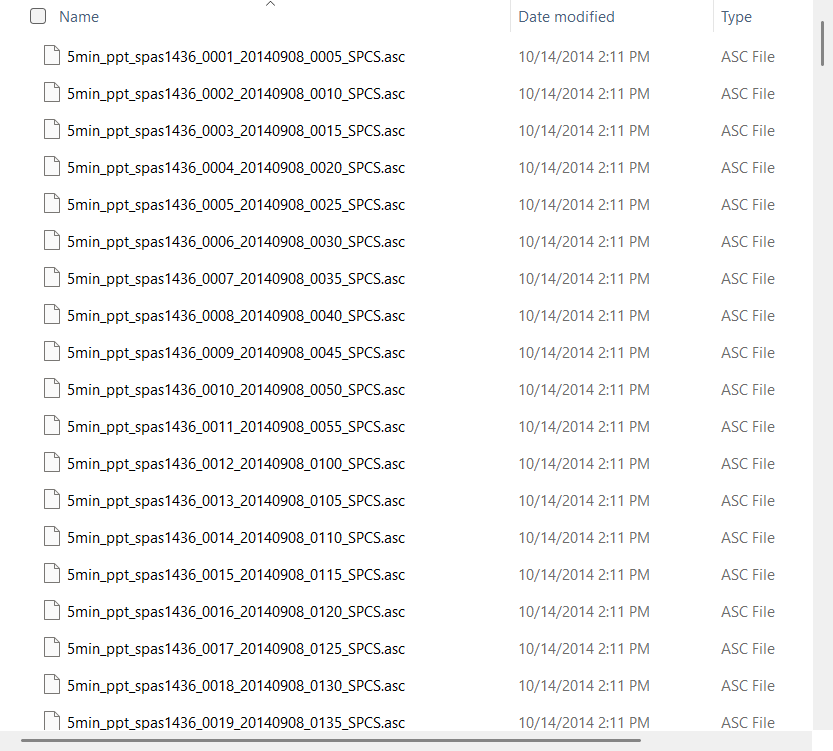
The timestamp is not used by the FLO-2D Plugin or FLOPRO.EXE engine. It is a reference variable. It can be used to synchronize the raincell storm data to inflow hydrographs.
RAINCELL data is also stored as RAINCELL.HDF5. Realtime rainfall (NEXRAD rainfall data) is spatially and temporally variable rainfall data that is applied to each cell of the grid system. A complete dataset is stored in the data file RAINCELL.HDF5 using a Hierarchical binary Data Format. The HDF5 data is primarily stored using two types of objects: datasets and groups.
4.4.10. File: FLO2DRAINCELL.DAT
4.4.10.1. Realtime Rainfall Data Map
FLO2DRAINCELL.DAT File Variables
1 10055330 Line 1: IRAINDUM (I) NXRDGD(I)
FLO2DRAINCELL.DAT File Example
1 10055330
2 10055330
3 10055330
.
.
.
NNOD   10054387
Variable Descriptions for the FLO2DRAINCELL.DAT File
(s) Switch (i) = Integer variable (r) = Real variable (c) = Character
VARIABLE |
FMT |
RANGE |
DESCRIPTION |
IRAINDUM (I) |
i |
i - NNOD |
FLO-2D grid element number of the floodplain grid system. |
NXRDGD (I) |
i |
i - NNOD |
NEXRAD grid element intersecting IRAINDUM. (see comment 1) |
Instructional Comments for the FLO2DRAINCELL.DAT File
This data file stores the intersected real time rainfall grid (NEXRAD Grid) for each FLO-2D grid cell. The real time rainfall data (NEXRAD) are typically collected on large grids like 1 km by 1 km or even larger. FLO-2D cells are in the order of 10 ft (3 m) to 100 ft (30 m). The FLO2DRainCell.DAT has two columns, the first column is the FLO-2D grid element number and the second column is the real time rainfall grid that intersects the FLO-2D grid cell. The FLO2DRainCell.DAT and RainCellRaw.dat files serve as an alternative to the RAINCELL.DAT or RAINCELL.HDF5 files, providing a second option to assign realtime rainfall data into the simulation.
4.4.11. File: RAINCELLRAW.DAT
4.4.11.1. Realtime Rainfall Data
RAINCELLRAW.DAT File Variables
15min   96 intervals          Line 1: RAININTIME   IRINTERS
N   10055330                  Line 2: RAINCHAR = ‘N' NXRGD(I)
R   0   0                     Line 3: RAINCHAR = ‘R’   R_TIME(K)   RRGRID(I,K) K=1
RAINCELLRAW.DAT File Example
 15min  96 intervals
N 10055330
R 0 0
R 0.25 0
R 0.5 0
R 0.75 0
R 1 0.01
R 1.25 0.01
R 1.5 0.01
R 1.75 0.01
R 2 0.01
...
Variable Descriptions for the RAINCELLRAW.DAT File
(s) Switch (i) = Integer variable (r) = Real variable (c) = Character
VARIABLE |
FMT |
RANGE |
DESCRIPTION |
IRINTERS |
i |
1 - n intervals |
Number of intervals in the dataset. There will be a complete set of cell values and rain data repeated for each interval. |
NXRDGD(I) |
i |
i - NNOD |
NEXRAD grid element. |
RAINCHA |
c |
N, R |
Character ‘N’ or ‘R’ that identifies Line 2 and Line 3 to the number of rainfall lines. Variable is case sensitive and it must be upper case. |
RAININTIME |
r |
0.0 - ∞ |
Time interval in minutes of the realtime rainfall data. This is a single variable in line 1. The time interval starts at zero when the simulation starts. |
R_TIME |
r |
0.0 - ∞ |
Time (hrs) corresponding to the start of the specified rainfall interval. |
RRGRID(I,K) |
r |
0.0 - ∞ |
Cumulative rainfall in inches or mm over the time interval. |
Instructional Comments for the RAINCELLRAW.DAT File
This data file stores cumulative rainfall depth for each realtime rainfall grid and at each time interval. For each NEXRAD grid a rainfall table of time and depth is required.
4.4.12. File: INFIL.DAT
4.4.12.1. Infiltration Data
INFIL.DAT File Variables
3                                  Line 1:  INFMETHOD
0   0.7   1   0.4  10.0  1         Line 2:  ABSTR   SATI   SATF   POROS  SOILD  INFCHAN
0.1   4.3   0                      Line 3:  HYDCALL   SOILALL   HYDCADJ
0.03                               Line 4:  HYDCXX   *See Notes
R   0.03                           Line 4a: INFILCHAR = ‘R’   HYDCX(IC)   *See Notes
R   0.03   0.3   10.0              Line 4b: INFILCHAR = ‘R’   HYDCX(IC)   HYDCXFINAL(IC) SOIL_DEPTHCX(IC)
                                            IC= number of channel segments or reaches
99   0                             Line 5:  SCSCNALL   ABSTR1
F  1730  0.01  4.3  0.3  0.0  0.0  10.0
                                   Line 6:  INFILCHAR = ‘F’  INFGRID(IF)  HYDC(IF)
                                            SOILS(IF)   DTHETA(IF)  ABSTRINF(IF)
                                            RTIMPF(IF)   SOIL_DEPTH(IF)
                                            F =  1 - number of infiltration data sets
S  320   82.00                     Line 7:  INFILCHAR = ‘S’  INFGRID(IF)  SCSCN(IF)
C  2   0.04                        Line 8:  INFILCHAR = ‘C’  INFCH(N)   HYDCONCH(N)
I  5.0   1.0   0.0007              Line 9:  INFILCHAR = ‘I’  FHORTONI   FHORTONF DECAYA
H  3450   3.0   0.5   0.00018      Line 10: IFILCHAR = ‘H’  INFGRID(IF) FHORTI(INFGRID(IF))
                                            FHORTF(INFGRID(IF)) DECA(INFGRID(IF))
                                            IF =  1 - number of Horton infiltration elements

Notes:
 If INFIL = 0 in the CONT.DAT file, omit this file.
 If INFMETHOD = 1 (Green-Ampt) add Line 2 thru 4, skip Line 5.  Line 6 is optional.
 If INFMETHOD = 2 (SCS Curve)  add Line 5, skip Lines 2 thru 4.  Line 7 is optional.
 If INFMETHOD = 3 (Both Green-Ampt and SCS)  add Lines 2 thru 5. Line 6 and 7 are optional.
 If INFMETHOD = 4 (Horton), add lines 2, 9 and 10.  Line 2 is only ABSTR.

 *If INFCHAN = 1 add Line 4.  Line 8 is optional.
 If SOILD = 0. Use Line 4 or 4a
 If SOILD > 0. use Line 4b
 Line 4a or 4b, use one line per channel segment.
INFIL.DAT File Example
3
0   0.7   1   0.4   10.0  1
0.0   4.3
R   0.03   0.2   5.0
R   0.12   0.3   10.0
99   0
F   1730   1.01   4.3   0.3   0.0   0.0    8.5
F   1730   1.01   4.3   0.3   0.0   0.0  10.0
F   1730   1.01   4.3   0.3   0.0   0.0    9.2
F...
S   320   82.00
S   321   82.00
S   322   82.50
S...
C   2   0.04
C  10  0.04
C...
Variable Descriptions for the INFIL.DAT File
(s) Switch (i) = Integer variable (r) = Real variable (c) = Character
VARIABLE |
FMT |
RANGE |
DESCRIPTION |
ABSTR |
r |
0 - 1 0 - 25 |
Green-Ampt global floodplain rainfall abstraction or interception (inches or mm) (see comments 1 and 7). Horton infiltration also uses this variable for initial abstraction. |
ABSTRINF(N) |
r |
0 - 1 0 - 25 |
Grid element rainfall abstraction (inches or mm). |
ABSTR1 |
r |
0 - 1 0 - 25 |
SCS global floodplain rainfall abstraction or interception (inches or mm). Assign ABSTRSCS = 0 for automatic computation of the initial abstraction (see comments 7 and 10). |
DECA(INFGRID(IF)) |
r |
0.0007 - 0.0018 |
Horton’s equation spatially variable decay coefficient (1/ second; no metric) (see comment 14). |
DECAYA |
r |
0.0007 - 0.0018 |
Horton’s equation decay coefficient (1/second; no metric) (see comment 14). |
DTHETA(N) |
r |
0.0 - 1 0.0 - 0.5 |
The grid element soil moisture deficit (SATF-SATI) is expressed as a decimal with a range from 0.0 to 1.0. It can also represent the grid element volumetric soil moisture deficit that is defined as the soil moisture deficit multiplied by the porosity (SATF-SATI)*POROS with a range from 0.3 to 0.5 (see comment 11). Set POROS = 0 for the volumetric soil moisture deficiency. |
DTHETAC(I) |
r |
0.0 - 1 0.0 - 0.5 |
The channel segment or reach soil moisture deficit (SATF-SATI) is expressed as a decimal with a range from 0.0 to 1.0. It can also represent the channel reach volumetric soil moisture deficit that is defined as the soil moisture deficit multiplied by the porosity (SATF-SATI)*POROS with a range from 0.3 to 0.5 (see comment 11). Set POROS = 0 for the volumetric soil moisture deficiency. |
FHORTF(INFGRID(IF)) |
r |
0.5 - 1.0 |
Horton’s equation spatially variable floodplain final infiltration rate (inches/hr; no metric). |
FHORTI(INFGRID(IF)) |
r |
3.0 - 5.0 |
Horton’s equation spatially variable floodplain initial infiltration rate (inches/hr, no metric). |
FHORTONF |
r |
0.5 - 1.0 |
Global Horton’s equation final infiltration rate (inches/hr; no metric) |
FHORTONI |
r |
3.0 - 5.0 |
Global Horton’s equation initial infiltration rate (inches/hr; no metric) (see comment 14). |
HYDC(N) |
r |
0.01 - 10 0.25 - 250 |
Grid element average hydraulic conductivity (inches/hr or mm/hr) (see comments 2, 4 and 5). |
HYDCALL |
r |
0.01 - 10 0.25 - 250 |
Average global floodplain hydraulic conductivity (inches/hr or mm/hr). |
HYDCADJ |
r |
0.01 - 1 1 - 100 -2.0 - (-1.0) |
Hydraulic conductivity adjustment variable for spatially variable hydraulic conductivity: 0.01 – 1; HYDCON = HYDCON + HYDCADJ 1 – 100; HYDCON = HYDCON * HYDCADJ -2 TO -1; HYDCON = HYDCON * 2.HYDCADJ |
HYDCHN |
r |
0.01 - 10 0.25 - 250 |
Average global hydraulic conductivity for the entire channel (inches/hr or mm/hr) (see comment 8). |
HYDCHN(I) |
r |
0.01 - 10 0.25 - 250 |
Channel reach hydraulic conductivity channel (inches/hr or mm/hr) (see comment 8). |
HYDCONCH(N) |
r |
0.01 - 10 0.25 - 250 |
Hydraulic conductivity for a channel element (inches/hr or mm/hr). |
HYDCX(IC) |
r |
0.01 - 10 0.25 - 250 |
Initial hydraulic conductivity for a channel segment (inches/ hr or mm/hr) (see comment 15). |
HYDCXFINAL(IC) |
r |
0.01 - 10 0.25 - 250 |
Final hydraulic conductivity for a channel segment (inches/ hr or mm/hr). |
INFCH(N) |
i |
1 - NNOD |
Array of channel elements with a unique hydraulic conductivity |
INFCHAN |
s |
0 = off 1 = on |
Set switch to 1 to simulate channel infiltration (comment 6). |
INFGRID(IF) |
i |
1 - NNOD |
Array of floodplain grid elements with individual infiltration parameters (see comment 3). |
INFILCHAR(N) |
c |
F, S, C, R, I, H |
‘F’ = spatially variable floodplain Green-Ampt data (Line 6), ‘S’ = floodplain spatially variable SCS
‘C’ = channel spatially variable channel infiltration (Line 8); ‘R’ = channel reach infiltration data
‘I’ = Horton global parameters (Line 9); ‘H’ = Horton spatially variable floodplain data (Line 10). Variable is case sensitive and it must be upper case. |
INFMETHOD |
s |
1, 2, 3 or 4 |
1: Green-Ampt method; 2: SCS curve number method; 3: Combined Green-Ampt and CN methods; 4: Horton method. |
POROS |
r |
0.3 - 0.5 |
Global floodplain soil porosity. If using the volumetric soil moisture deficiency for DTHETA, set POROS = 0. |
RTIMPF(N) |
r |
0.0 - 1 |
Percent impervious floodplain area on a grid element. |
SATF |
r |
0.5 - 1 |
Global final saturation of the soil (decimal percentage) for computing infiltration. |
SATI |
r |
0.0 - 0.95 |
Global initial saturation of the soil (decimal percentage). |
SCSCNALL |
r |
1 - 99 |
Global floodplain SCS curve number for infiltration (see comment 9). The variable can range from 1 to 99 but use engineering judgment. Values lower than 67 will result in an excessive loss and variables higher than 99 will be reset to 99. |
SCSCN(N) |
r |
1 - 99 |
SCS curve numbers for spatially variable infiltration of the floodplain grid elements. The variable can range from 1 to 99 but use engineering judgment. Values lower than 67 will result in an excessive loss and variables higher than 99 will be reset to 99. |
SOIL_DEPTH(N) |
r |
0.0 - 100. |
Spatially variable Green-Ampt infiltration soil limiting depth storage (ft or m). Maximum soil depth for infiltration on a grid element (see comment 12). |
SOIL_DEPTHCX(IC) |
r |
0.0 - 100. |
Maximum soil depth for the initial channel infiltration. When SOIL_DEPTHCX is exceeded, the exponential decay from the initial hydraulic conductivity to the final hydraulic conductivity begins (see comment 12). |
SOILD |
r |
0.0 - 100. |
Global Green-Ampt infiltration soil limiting depth storage (ft or m). Maximum soil depth for infiltration. Set SOILD = 0 to have unlimited infiltration and do not assign spatially variable SOIL_DEPTH(N). |
SOILS(N) |
r |
1 - 20 25 - 500 |
Capillary suction head for floodplain grid elements (inches or mm). |
SOILALL |
r |
1 - 20 25 - 500 |
Average global floodplain capillary suction head (inches or mm). |
Instructional Comments for the INFIL.DAT File
The Green-Ampt infiltration parameters including hydraulic conductivity HYDC, initial abstraction ABSTR, initial saturation SATI, and soil capillary suction head SOILS, can be estimated from the tables in the FLO-2D Reference Manual (Tables 3-6). Generally, the final SATF can be set at 100% and the porosity can be assumed to be 0.4.
No infiltration is simulated if the sediment concentration by volume is greater than 10%. This precludes simulating infiltration during mudflows.
Floodplain grid elements with unique Green-Ampt infiltration parameters are specified in Line 6 which supersede then global values in Line 2.
No infiltration is computed for the portion of the grid element removed from the potential flow surface with an Area Reduction Factor (ARF). No infiltration is computed for grid elements that are completely removed from the potential flow surface (ARF = 1.0). Rainfall runoff, however, is assumed to occur for an ARF = 1 grid element if IRAINBUILDING = 1 in the RAIN.DAT file. Increased runoff resulting from proposed development can be predicted by using the ARF values to limit infiltration on a grid element.
No infiltration is computed for street areas of a grid element. The street area is subtracted from the overland portion of the grid system.
Channel infiltration is computed only if INFCHAN = 1. Generally, channel infiltration is negligible for channels with perennial flow. The simulation of channel infiltration may be important for small flood events in ephemeral alluvial fan channels with porous bed material.
Precipitation abstraction is an initial loss of rainfall that precedes infiltration and excess rainfall runoff. Vegetation interception is a component of the initial loss. Abstraction values will generally range from 0.01 to 0.5 inches. In addition, FLO-2D does not initiate any flood routing until the depression storage TOL is filled. The TOL value is specified in TOLER.DAT file. Abstraction is often assumed to include depression storage, but in FLO-2D a TOL value of ranging from 0.004 to 0.1 ft (0.001 to 0.03 m) represents the depression storage.
Use HYDCX(IC) and all other parameters on Line 4 to specify channel infiltration data by reach. Use line 8 HYDCON parameter to specify spatially variable hydraulic conductivity in the channel grid elements that will supersede the HYDCX(IC) value in Line 4. It is not necessary to specify individual channel element soil suction, initial or final saturation values when assigning channel infiltration. If SOILD is = 0, use Line 4, where IC is the number of channel segments or reaches each entered on a new line. If SOILD is greater than 0, use line 4a where IC is the number of segments or reaches.
If SCS curve number method (INFMETHOD = 2) is used, it is assumed that the channel infiltration is negligible. Simulate channel infiltration with the Green-Ampt method.
With the SCS curve number method (INFMETHOD = 2), assign the ABSTRSCS variable in Line 5 to the abstraction (inches or mm). If ABSTRSCS = 0.0, the abstraction value is automatically computed using the SCS method.
The infiltration parameters can be estimated from the tables in the Reference Manual. The user must distinguish whether soil moisture deficit parameter DTHETA will represent the volumetric soil moisture deficit (soil moisture deficit times the porosity) as prescribed from a drainage manual or if DTHETA will be defined as just the soil moisture deficit (SATF-SATI). If the volumetric soil moisture deficit (SATF-SATI)*POROS is being applied, set POROS = 0.0 in Line 1 and assign a DTHETA value in the range from 0.0 to 0.5. If the only soil moisture deficit is being used, then assign a typical porosity (POROS) in the range: 0.35 to 0.45.
The Green-Ampt infiltration will cease when the wetting front reaches the limiting soil depth either SOILD, SOIL_DEPTH or SOIL_DEPTHCX for the channel.
It is not necessary to specify the soil suction, initial or final saturation values when simulating channel infiltration. These values are assumed not to be important to the channel bed seepage or bank infiltration.
Horton’s infiltration model is defined by the equation:
where:(4.5)\[f = f_n \, + \, (f_i \, - \, f_n) e^{-at}\]
f = infiltration rate at simulation time t from start of the rainfall
fi = initial infiltration rate (in/hr)
fn = final infiltration rate (in/hr)
a = decay coefficient (1/sec)
t = time from start of rainfall (sec)There are no metric equivalent values so if using Horton on a metric project, use in/hr even if IMETRIC = 1.
As the channel infiltration storage fills, the infiltration rate declines but does not cease. The decay of the hydraulic conductivity Hc from the initially assigned hydraulic conductivity Hi to a final saturated hydraulic conductivity Hf is based on the following equation:
where:(4.6)\[H_c = H_f + (H_i - H_f) e^{-at}\]
a = decay coefficient hardwired to 0.00002, selected to have the decay from the initial to the final hydraulic conductivity over a 72 hr period with the decay to half the original hydraulic conductivity in 12 hours.
t = time (seconds) from when the wetting front reaches the limiting soil depthHorton infiltration for Build23 and on requires an initial abstraction of inches to be assigned to Line 2 of the INFIL.DAT file..
4.4.13. File: EVAPOR.DAT
4.4.13.1. Evaporation Data
EVAPOR.DAT File Variables
5   1   0.00               Line 1: IEVAPMONTH   IDAY   CLOCKTIME
january  2                 Line 2: EMONTH(I)   EVAP(I)   I = 1 - 12
0.0071                     Line 3: EVAPER(I, J) I = 1, 12 Months, J = 1,24 Hours
0.0086                     Line 3: EVAPER(I, J) I = 1, 12 Months, J = 1,24 Hours
0.0051                     Line 3: EVAPER(I, J) I = 1, 12 Months, J = 1,24 Hours
...

Notes:
 If IEVAP = 0 in the CONT.DAT file, omit this file.
 Line 3:  Repeat 24 times for every Line 2.

 An example of the EVAPOR.DAT file is available in the FLO-2D Example Project subdirectory based
 on available data for the Rio Grande project.
EVAPOR.DAT File Example
5   1   0.00
january  2.00
0.0071
0.0086
0.0051
0.0065
0.0038
0.0040
0.0055
0.0090
0.0285
0.0556
0.0799
0.0975
0.11
...
Variable Descriptions for the EVAPOR.DAT File
(s) Switch (i) = Integer variable (r) = Real variable (c) = Character
VARIABLE |
FMT |
RANGE |
DESCRIPTION |
CLOCKTIME |
r |
0.0 - 24.0 |
Starting clock time (hrs) of the simulation time during the day. |
EMONTH(I) |
c |
January |
Name of month for user identification purposes only. |
EVAP(I) |
r |
0 - 100 0 - 2500 |
Monthly evaporation rate (in/month or mm/month). |
EVAPER(I,J) |
r |
0.0 - 1.0 |
Hourly percentage of the daily total evaporation for each month. There will be 24 values that will total 1.00 for each of the twelve months. |
IEVAPMONTH |
i |
1 - 12 |
Starting month of simulation. |
IDAY |
i |
1 - 7 |
Starting day of the week. |
4.4.14. File: CHAN.DAT
4.4.14.1. Channel Data
CHAN.DAT File Variables
       Line 1: DEPINITIAL(K) FROUDC(K) ROUGHADJ ISEDN(K)
0.00 0.50 0.20 0

       Line 2a: SHAPE ‘R’ = Rectangular ICHANGRID(I) BANKELL(I)
                BANKELR(I) FCN(I) FCW(I) FCD(I) XLEN(I)
R 50 4765.52 4765.00 0.031 22.54 6.32 100.00

      Line 2b: SHAPE ‘V’ = Variable Area ICHANGRID(I) BANKELL(I)
                BANKELR(I) FCN(I) FCD(I) XLEN(I) A1(I) A2(I) B1(I) B2(I)
                C1(I) C2(I) EXCDEP(I) A11(I) A22(I) B11(I) B22(I) C11(I) C22(I)
V 50 4765.52 4765.00 0.031 6.32 505.00 36.77 1.63 63.37 0.491 63.261 0.49 0.00

       Line 2c: SHAPE ‘T’ = Trapezoidal ICHANGRID(I) BANKELL(I)
                BANKELR(I) FCN(I) FCW(I) FCD(I) XLEN(I) ZL(I) ZR(I)
T 50 4765.52 4765.00 0.031 22.54 6.32 100.00 2.40 1.50

       Line 2d: SHAPE ‘N’ = Natural ICHANGRID(I) FCN(I) XLEN(I) NXECNUM(I)
N 50 1 0.031 100.00 1

50 4763.00                      Line 3a: ISTART WSELSTART
77 4761.00                      Line 3b: IEND WSELEND
C 501 498                       Line 4:  CHANCHAR = ‘C’ ICONFLO1(J) ICONFLO2(J)
E 5112                          Line 5:  CHANCHAR = 'E' ICHANGRID(N)
B 12.3                          Line 6:  CHANCHAR = 'B' IBASEFLOW(K)
                                         I = number of channel nodes.
                                         J = number of channel confluences
                                         K = number of channel segments
                                         N = number of nofloc and noexchange data sets

Notes:
 If ICHANNEL = 0 in the CONT.DAT file, omit this file.
 Line 1: This line is repeated at the start of each channel segment.
 If ISED = 0 in the CONT.DAT file omit ISEDN(K).
 Line 2: This line is repeated for each channel grid element.
 Use 2a, 2b, 2c, or 2d for this line.
 Line 3: If not simulating an initial water surface elevation in the channel, omit this line.
 Repeat 3a and 3b for each channel segment.
 Line 3, 4 and 5: Multiple lines are grouped together.
 Line 6: If a baseflow is used to report a time TIME_TO_ABOVE_BASEFLOW.OUT.
 Place Line 6 after each segment.
CHAN.DAT File Example
0.00 0.60 0.40
R 3170 4433.00 4433.00 0.032 40.00 9.30 520.00
R 3118 4431.00 4431.00 0.032 20.00 9.50 510.00
R 3066 4430.30 4430.30 0.032 35.00 11.00 500.00
R 3013 4430.00 4430.00 0.032 35.00 12.70 500.00 R ...
0.00 0.70 0.20
V 4560 4675.19 4675.19 0.060 10.59 550.00 36.774 1.630 63.369 0.491 63.261 0.486 0.00
V 4385 4673.10 4673.10 0.050 11.00 620.00 30.774 1.630 63.369 0.491 63.261 0.486 0.00
V 4212 4672.86 4672.86 0.040 13.56 560.00 24.439 1.905 53.016 0.749 42.886 0.745 0.00
V 4213 4672.46 4672.46 0.040 16.16 550.00 22.200 1.807 31.248 0.696 31.235 0.688 0.00
V ...
0.00 0.60 0.40
T 7170 4423.00 4423.00 0.032 40.00 9.30 520.00 1.60 1.90
T 7118 4421.00 4421.00 0.032 20.00 9.50 510.00 2.60 2.70
T 7066 4420.30 4420.30 0.032 35.00 11.00 500.00 1.60 1.20
T 7013 4420.00 4420.00 0.032 35.00 12.70 500.00 1.60 1.20 T ...
-1.00 0.60 0.20 5
N 7432 0.060 450.00 1
N 7389 0.059 450.00 2
N 7344 0.050 590.00 3
N 7298 0.060 590.00 4
N 7299 0.060 590.00 5 N ...
7432 4432.00
7160 4427.00
C 3669 3825
C 6296 6377
C ...
Variable Descriptions for the CHAN.DAT File
(s) Switch (i) = Integer variable (r) = Real variable (c) = Character
VARIABLE |
FMT |
RANGE |
DESCRIPTION |
A1(I) |
r |
0.0 - ∞ |
Coefficient for the variable area regression relationships (see comment 5). |
A2(I) |
r |
0.0 - ∞ |
Exponent for the variable area regression relationships (see comment 5). |
A11(I) |
r |
0.0 - ∞ |
Coefficient for the variable area regression relationships for flow depth above EXCDEP(I) (see comment 5). |
A22(I) |
r |
0.0 - ∞ |
Exponent for the variable area regression relationships for flow depth above EXCDEP(I) (see comment 5). |
B1(I) |
r |
0.0 - ∞ |
Coefficient for the variable wetted perimeter relationships (see comment 5). |
B2(I) |
r |
0.0 - ∞ |
Exponent for the variable wetted perimeter relationships (see comment 5). |
B11(I) |
r |
0.0 - ∞ |
Coefficient for the variable wetted perimeter relationships for flow above EXCDEP(I) (see comment 5). |
B22(I) |
r |
0.0 - ∞ |
Exponent for the variable wetted perimeter relationships for flow above EXCDEP(I) (see comment 5). |
BANKELR(I) |
r |
0.01 - ∞ |
Right bank elevation looking downstream (see comment 12). |
BANKELL(I) |
r |
0.01 - ∞ |
Left bank elevation looking downstream (see comment 12). |
C1(I) |
r |
0.0 - ∞ |
Coefficient for the variable top width relationships (see comment 5). |
C2(I) |
r |
0.0 - ∞ |
Exponent for the variable top width relationships (see comment 5). |
C11(I) |
r |
0.0 - ∞ |
Coefficient for the variable top width relationships for flow depth above EXCDEP(I) (see comment 5). |
C22(I) |
r |
0.0 - ∞ |
Exponent for the variable top width relationships for flow depth above EXCDEP(I) (see comment 5). |
CHANCHAR |
c |
C, E, B |
Char = C line identifier for ICONFLO ‘C’ Char = E NOEXCHANGE ‘E’ channel elements. Char = B Baseflow after a segment. Variable is case sensitive and it must be upper case. NO Exchange (see comment 20). |
ICONFLO1(J) |
i |
1 - NNOD |
Tributary channel element at confluence (see comment 8). |
ICONFLO2(J) |
i |
1 - NNOD |
Main channel element at the confluence. |
DEPINITIAL(K) |
r |
0.0 - ∞ or -1 |
DEPINITIAL(K) = 0 for no initial channel flow depth in the channel segment (default). DEPINITIAL(K) = Initial flow depth for the all channel elements in the channel segment (optional). DEPINITIAL(K) = -1 to assign an initial water surface elevation to a channel reach. Include Line 3 (see comment 2). |
EXCDEP(I) |
r |
0.0 - ∞ |
Channel depth above which a second variable area relationship will apply (see comment 4). If only one channel geometry relationship is used, set EXCDEP(I) = 0. |
FCN(I) |
r |
0.01 - 0.15 |
Average Manning’s n roughness coefficient the channel in the grid element ICHANGRID (see comments 6 and 19). |
FCD(I) |
r |
.01 - 1000 |
Channel thalweg depth (ft or m). The thalweg depth is the deepest part of the channel measured from the lowest top of bank (see comment 1). |
FCW(I) |
r |
0.1 - ∞ |
Set FCW(I) = channel width for rectangular channel. Set FCW(I) = width of channel base for trapezoidal channel. |
FROUDC(K) |
r |
0.0 - 5 |
Maximum channel Froude number if the Froude number exceeds FROUDC, the Manning’s n roughness value is increased by 0.001. Set FROUDC = 0 for no adjustments of the n-value in a given channel segment. The increased n-values are reported in the ROUGH.OUT and CHAN.RGH files (see comment 7). |
IBASEFLOW(K) |
i |
0.0 - ∞ |
Baseflow of a channel to establish a flow condition for floodwave arrival time. Place this line after each segment if more than one segment is used. |
ICHANGRID(I) |
i |
1 - NNOD |
Channel grid element number. |
IEND |
i |
1 - NNOD |
Last channel element for which a starting water surface elevation is specified. |
ISEDN(K) |
i |
0 - 10 |
Sediment transport equation or data group for routing by size fractions for the channel segment. Set ISED = 1 in the CONT.DAT file to use this option. Choose one of the two following options for each channel segment: For sediment routing without size fractions: Set ISEDN(K) = 1 - 11 (one of eleven sediment transport equations). or For sediment routing with size fractions: Set ISEDN(K) = sediment data group (Line 3 in SED.DAT which includes a sediment transport equation). |
ISTART |
i |
1 - NNOD |
First channel element for which a starting water surface elevation is specified. |
NXSECNUM(I) |
i |
1 to NNODC |
Surveyed cross-section number assigned in the XSEC.DAT file that will represent the specific channel element. This variable is used only for the cross-section data option (see comments 14 and 18). Set NXSECNUM = 0, if there is no cross-section data for the channel element (I). The cross-section data is interpolated and assigned in the PROFILES program. |
ROUGHADJ |
r |
0.00 - 1.2 |
A coefficient used in the depth adjustment of the Manning’s n-value and the shallown value for channel segments (see comment 17). |
SHAPE |
c |
R, V, T or N |
Character line identifier (see comments 4 and 16); SHAPE = ‘R’, rectangular channel geometry (width and depth data). SHAPE = ‘V’, variable area channel geometry (power relationships). SHAPE = ‘T’, trapezoidal channel (bottom width, depth and slopes data). SHAPE = ‘N’, channel cross-sections (cross-section survey data). Variable is case sensitive and it must be upper case. |
WSELEND |
r |
0 - 30,000 0 - 9,000 |
Ending water surface elevation for the channel element IEND (ft or m). |
WSELSTART |
r |
0 - 30,000 0 - 9,000 |
Starting water surface elevation for the channel element ISTART (ft or m). |
XLEN(I) |
r |
0.01 - ∞ |
Channel length contained within the grid element ICHANGRID (ft). If more than one channel exists in a given grid element, assign XLEN(I) equal to the average representative flow length in one direction (see comments 9, 10, 13 and 15). |
ZL(I) |
r |
0.01 - 100 |
ZL(I) is the left side slope of the trapezoidal channel. |
ZR(I) |
r |
0.01 - 100 |
ZR(I) is the right side slope of the trapezoidal channel. |
Instructional Comments for the CHAN.DAT File
The channel bottom elevation is calculated by the model based on the input channel depth and the floodplain or bank elevation.
When DEPINITIAL > 0, an initial depth is specified for all the elements in that channel segment. Setting DEPINITIAL = -1 will assign starting and ending water surface elevations (WSELSTART and WSELEND, Line 3) for a channel segment beginning with channel element ISTART and ending with channel element IEND. Only one starting and ending water surface is allowed per channel segment. The water surface elevations are computed for the channel elements between the ISTART and IEND elements based on the interpolations of the channel length and the specified water surface elevations.
Dividing the channel into segments may simplify reviewing the results. Organize the CHAN.DAT from upstream to downstream. The order of the grid element numbers in the file is not important (e.g. upstream channel element 446 can precede downstream channel element 31). The channel grid elements must be contiguous in each segment.
If channel geometry is being simulated with regression relationships (SHAPE = ‘V’), then the area versus depth power relationships must be specified:
Similar relationships are required for wetted perimeter and top width. There is a limit of two channel geometry relationships per channel element. A second geometry relationship may be useful if there is a significant change in the cross-section (e.g. an island). If two power relationships are used to represent a natural cross-section, then the maximum depth (EXCDEP) to which the first relationship applies must be specified.
The second regression applies when the flow depth is greater than EXCDEP, but does not include the lower flow area. The two variable area cross-section relationships are unique and separate. The total cross-section flow area is the sum of the lower flow and upper (second relationship) flow areas. The channel top width is computed directly from the second relationship. The area, wetted perimeter and top width are evaluated using the upper flow depth given by total depth - EXCDEP. To analyze the upper channel geometry using the XSEC program, only the cross-section coordinates above the EXCDEP depth are used.
These channel geometry relationships apply only to flow depths that are less than the channel depth (lower than the top of bank). When the flow depth exceeds the top of bank, then the channel geometry above bank is evaluated as a rectangle. Abrupt transitions between contiguous channel elements should be avoided unless they actually exist.
A preprocessor program XSEC is available in the FLO-2D subdirectory to determine the regression coefficient and exponents (A1, A2, A11, A22, B1, B2, B11, B22, B2, C1, C11, C22) in Line 2b.
A cross-section width can exceed the width of the grid element. For example, a channel cross-section that is 100 ft wide can be used in a 20 ft grid system. The model automatically determines the number of grid elements required by a channel cross-section. If the cross-section width exceeds 95% of the combined bank elements width or if there is less than 5% floodplain surface area left in the bank element after removing the channel surface area, the channel will extend the right bank over another grid element looking downstream.
Set the channel roughness to a reasonable n-value and then set the FROUDC variable to an appropriate value (e.g. 0.95 to ensure subcritical flow). FLO- 2D will adjust the roughness values according to the limiting Froude number criteria (see the ROUGH.OUT file). Changes to the channel n-values may be accepted by replacing the CHAN.DAT file with the CHAN.RGH file. Just delete the original CHAN.DAT file and rename the CHAN.RGH to CHAN.DAT.
The confluence can be made by the tributary joining either side of the main channel. List the tributary first and the main channel second in Line C.
Use the PROFILES program to review the channel slope and adjust the bed elevations to create a more uniform average channel reach slope. The PROFILES program can interpolate cross-sections and slope for surveyed cross-sections.
The key to channel routing is to balance the relationship between the slope, flow area and roughness. Channel routing is more stable if the natural cross-section routing routine is used (SHAPE = N). When one cross-section is assigned to several grid elements it will be necessary to interpolate both the slope and the cross-section geometry in the PROFILES program to create a smooth average channel slope. Review the PROFILES program instructions for cross-section and channel bed slope interpolation. If there is more than one surveyed cross-section per channel element, use the one that has the greatest hydraulic control to represent the channel.
At a channel confluence, the next downstream channel element bed elevation must be lower than the confluence bed elevation creating a positive slope downstream of the confluence.
If different bank elevations are assigned, the model automatically extends the channel into separate grid elements, one grid element containing each bank. The model may be required to do this anyway if the channel is wider than the grid element.
The first two channel elements in a segment should have a positive slope in the downstream direction. This is important for inflow channel elements. There should also be a positive slope into the channel outflow nodes. This will improve the numerical stability around the inflow and outflow nodes.
After deleting a channel element, remove the cross-section for that channel element from the XSEC.DAT file and renumbered in the PROFILES program. If cross-sections are mixed with other channel geometry (trapezoidal or rectangular), the cross-section elements should be grouped into segments to identify the reaches with similar channel geometry.
Eliminate channel elements that have a XLEN less than 50% of the SIDE (grid element width). This can be accomplished by connecting the channel elements across the diagonal and eliminating the middle channel element.
If the channel routing is unstable or numerically surging, reduce the Courant number C in the TOLER. DAT by 0.1.
To improve the timing of the floodwave progression through the system, a depth variable roughness can be assigned on a reach basis. The basic equation for the channel element roughness nd as function of flow depth is:
(4.8)\[n_d = n_b \, a \, e^{-(b \, depth/dmax)}\]where:
nb = bankfull discharge roughness depth = flow depth
dmax = bankfull flow depth
a = 1/e-b
b = roughness adjustment coefficient prescribed by the user (0 to 1.2)This equation prescribes that the variable depth channel roughness is equal to the roughness at bankfull discharge. If the user assigns a ROUGHADJ value (from 0 to 1.2) as the roughness adjustment coefficient b for a given reach, the roughness will increase with a decrease in flow depth. The higher the coefficient b, the greater the increase in roughness. This roughness adjustment will slow the progression of the floodwave by increasing the roughness for less than bankfull discharge. The plane bed roughness set for bankfull discharge will not be affected. For example, if the depth is 20% of the bankfull discharge and the roughness adjustment coefficient b is set to 0.44, the hydraulic roughness Manning’s n-value will be 1.4 times the roughness prescribed for bankfull flow. Assigning a ROUGHADJ value may reduce high Froude numbers.
A channel spatially variable shallow n-value assigned to the depths less than 0.2 ft (0.067 m) is defined by applying the ROUGHADJ to each channel reach:
SHALLOWN = ROUGHADJ / 2
where: ROUGHADJ is assigned to line 1 of each channel segment.
Instructions for creating the cross-section channel geometry data files are outlined in Lesson 14 of the Workshop Lessons. The lessons are found in the FLO-2D Pro Documentation folder.
Surveyed water surfaces can be automatically compared with the predicted water surface in the PROFILES program by creating a WSTIME.DAT file. This file contains a list of the channel element, water surface elevation and time. Create this file to calibrate the model to known water surface elevation data. The time of the surveyed water surface elevation must correspond to the model flood routing timing.
Channel elements that are not intended to share discharge with the floodplain should be designated as NOEXCHANGE cells. For these elements, no lateral exchange occurs: neither overbank discharge from the channel to the adjacent floodplain (left or right bank), nor return flow from the floodplain to the channel.
Additionally, NOEXCHANGE can be applied to channel elements at the upstream or downstream termini. When this designation is used, flow will not enter the channel at the upstream end, nor exit at either the upstream or downstream ends.
This feature is particularly useful at the upstream end of a channel segment when an inflow hydrograph is applied at a node. The FLO-2D engine will automatically set the first channel element as NOEXCHANGE if it has an inflow node assigned to it or if it has a hydraulic structure assigned to it. This ensures that the inflow is routed entirely downstream within the channel without spilling onto the floodplain.
4.4.15. File: CHANBANK.DAT
4.4.15.1. Channel Bank Data
CHANBANK.DAT File Variables
26 99 Line 1: LEFTBANK(K) RIGHTBANK (K) K = 1, number of channel elements

Notes:
 If ICHANNEL = 0 in the CONT.DAT file, omit this file.
 Line 1: If a channel element width is contained within one grid element and no individual
 bank elements are assigned then RIGHTBANK(K) is set to zero.
CHANBANK.DAT File Example
26      99
39      136
54      156
71      176
90      196
109     216
127     236
147     256
167     276
187     315
207     336
226     356
247     377
267     398
286     418
307     439
327     460
348     481
369     502
Variable Descriptions for the CHANBANK.DAT File
(s) Switch (i) = Integer variable (r) = Real variable (c) = Character
VARIABLE |
FMT |
RANGE |
DESCRIPTION |
LEFTBANK |
i |
1 - NNOD |
Left bank channel grid element. Assigned in CHAN.DAT as the ICHANGRID variable. See comments 1 to 3. |
RIGHTBANK |
i |
1 - NNOD |
Right bank channel grid element corresponding the LEFT- BANK element. |
Instructional Comments for the CHANBANK.DAT File
The RIGHTBANK element is automatically assigned in the FLO-2D Plugin. Make adjustments to the right bank channel element if the channel is too wide or narrow by reassigning the right bank element in the FLO-2D Plugin. It is also assigned if unequal channel bank elevations are assigned in CHAN.DAT regardless if the channel will fit into one grid element.
The procedure for assigning the right bank element is to first select the left bank element in the FLO-2D Plugin, open the channel segment editor box and then assign the right bank element. The FLO-2D Plugin will automatically check the channel width to determine if the channel bank assignments are appropriate and will report and required modifications in the ERROR.CHK file.
Channel right bank assignments are not required if the channel cross-section will fit in one grid element and no bank elevations are assigned in CHAN. DAT.
4.4.16. File: XSEC.DAT
4.4.16.1. Cross-section Data
XSEC.DAT File Variables
X 1 X-CI-27.1                    Line 1: XSECCHAR = ‘X’ NXSECUM(I) XSECNAME(I) I=1, ..
                                         n number of cross-sections
25.0 5234.90                     Line 2: XI(I,J) YI(I,J)
30.0 5231.53                     Line 2: XI(I,J) YI(I,J)
35.0 5230.20                     Line 2: XI(I,J) YI(I,J)

Notes:
 If ICHANNEL = 0 in the CONT.DAT file, omit this file.
 Set SHAPE = ‘N’ (line 2d) in the CHAN.DAT file to use this file.
 Line 1: This line is repeated for each cross-section.
 Line 2: This line is repeated for the Station, Elevation pairs.
XSEC.DAT File Example
X   1 X-CI-27.1
    0.0     5235.07
    10.0    5235.17
    25.0    5235.31
    30.0    5231.84
    ...        ...
    ...        ...
    288.0   5236.01
    294.0   5236.51
    313.0   5237.00
X   2 CI-27.1
    25.0    5234.90
    30.0    5231.53
    35.0    5230.20
    40.0    5228.50
    45.0    5227.20
    50.0    5224.35
    ...        ...
Variable Descriptions for the XSEC.DAT File
(s) Switch (i) = Integer variable (r) = Real variable (c) = Character
VARIABLE |
FMT |
RANGE |
DESCRIPTION |
NXSECNUM(I) |
i |
1 to NNODC |
Cross-section number starting with 1 and ending with the last surveyed cross-section. This number will be assigned to the channel element NXSECNUM in CHAN.DAT (see comment 1). |
XI(I,J) |
r |
0.0 - ∞ |
Cross-section station distance from the left end point (ft or m). The value of XI can be either positive or negative. |
XSECHAR |
c |
X |
Character ‘X’ that identifies Line 1. Variable is case sensitive and it must be upper case. |
XSECNAME(I) |
c |
Alpha Numeric |
Cross-section name (less than 15 characters, not case sensitive). This name is for cross-section ID purposes only and it is not used by the model. Do not use spaces in the name. |
YI(I,J) |
r |
0 - 30,000 0 - 9,000 |
Cross-section elevation (ft or m) at each station. The value of YI can either positive or negative indicating elevations below sea level. |
Instructional Comments for the XSEC.DAT File
The NXSECNUM in XSEC.DAT and CHAN.DAT must match and be listed in order from 1 to N number of natural channel elements. The natural channel elements in the CHAN.DAT file must start at 1 and continue in sequence to NNODC from the top of the file to the end. Use the FLO-2D Plugin or PROFILES programs to interpolate a cross-section to each channel element.
4.4.17. File: HYSTRUC.DAT
4.4.17.1. Hydraulic Structure Data - Culverts, Bridges, Weirs, Etc.
HYSTRUC.DAT File Variables
        Line 1:   STRUCHAR = ‘S’ STRUCTNAME IFPORCHAN(I) ICURVTABLE(I) INFLONOD(I) OUTFLONOD(I) INOUTCONT(I) HEADREFEL(I)
                  CLENGTH(I) CDIAMETER(I) I = number of structures
S Patagonia 1 0 1713 1827 0 4425.23 0.0 0.0

        Line 2:   STRUCHAR = ‘C’ HDEPEXC(I,J) COEFQ(I,J) EXPQ(I,J) COEFA(I,J)
                  EXPA(I,J) I = number of structures, J = number of curves

        Line 2:   STRUCHAR = ‘B’ IBTYPE(I) COEFFP(I) C_PRIME_USER(I) KF_COEF(I) KWW_COEF(I) KPHI_COEF(I) KY_COEF(I)
                  KX_COEF(I) KJ_COEF(I) I = number of bridges in bridge routine

        Line 3:   STRUCHAR = ‘B’ BOPENING(I) BLENGTH(I) BN_VALUE(I)
                  UPLENGTH12(I) LOWCHORD(I) DECKHT(I) DECKLENGTH(I)
                  PIERWIDTH(I) SLUICECOEFADJ(I) ORIFICECOEFADJ(I)
                  COEFFWEIRB(I) WINGWALL_ANGLE(I) PHI_ANGLE(I) LBTOEABUT(I)
                  RBTOEABUT(I) I = number of bridges in bridge routine
C 20.0 3.543 0.890

        Line 3:   STRUCHAR = ‘R’ REPDEP(I,J) RQCOEFQ(I,J) RQEXP(I,J)
                  RACOEF(I,J) RAEXP(I,J) I = number of structures, J = number of curves
R 12.0 0.00 1.0

        Line 4:   STRUCHAR = ‘T’ HDEPTH(I,J) QTABLE(I,J) ATABLE(I,J)
                  I = number of structures, J = number of datasets in table
T 0 0

        Line 5:   STRUCHAR = ‘F’ TYPEC(I) TYPEEN(I) CULVERTN(I) KE(I) CUBASE(I) MULTBARRELS(I)
                  I = number of structures, Set ICURVTABLE = 2 in Line 1.
F 1 2 0.040 0.1 0.0 1

        Line 6:   STRUCHAR = ‘D’ ISTORMDOUT(I), STORMDMAXQ(I),
                  I = number of drain structures.
D 4 15
HYSTRUC.DAT File Notes
Notes:
If IHYDRSTRUCT = 0 in the CONT.DAT file, omit this file.
Line 2: Include this line for rating curve.
Repeat this line for each rating curve.
Line 1, 2: If CLENGTH(I) = 0, ignore COEFA(I,J) AND EXPA(I,J)
Line 3: If a replacement rating curve is required, include this line.
Line 1, 3: If CLENGTH(I) = 0, ignore RACOEF(I,J) and RAEXP(I,J).
Line 5: For generalized culverts (ICURVTABLE(I) = 2), if TYPEC(I) = 2
(round pipe), CUBASE(I) = 0,
Line 4: If a rating table is used, include this line.
Repeat for each depth and discharge pair.
Line 1, 4: If CLENGTH(I) = 0, ignore ATABLE(I,J).
HYSTRUC.DAT File Example
S BridgeA 1 0 1713 1827 0 4425.23 0.0 0.0
C 20.0 3.543 0.890
S BridgeB 0 0 2503 2725 1 0.0 0.0 0.0
C 5.0 25.023 1.035
C 10.0 30.00 1.4
R 12.0 0.00 1.0
S Wier 1 1 1856 1945 0 4421.18 0.0 0.0
T 0.0 0.0
T 5.0 250.0
T 8.0 5500.0
T 10.0 1000.0
T 12.5 1500.0
S CulvertA 1 2 4417 4562 0 0.0 100. 6.
F 1 2 0.004 0.1 0.0 1
Variable Descriptions for the HYSTRUC.DAT File
(s) Switch (i) = Integer variable (r) = Real variable (c) = Character
VARIABLE |
FMT |
RANGE |
DESCRIPTION |
ATABLE (I,J) |
r |
0.01 - ∞ |
When the long culvert routine is used (CLENGTH(I) > 1) must be included as data input. QTABLEA(I,J) is the hydraulic structure flow area for each headwater depth in the rating table (discharge). |
COEFA(I,J) |
r |
0 - ∞ |
When the long culvert routine is used (CLENGTH(I) > 1),. COEFQ(I,J) is the flow area rating curve coefficient where the flow area A is expressed as a power function of the headwater depth. A = COEFA(I,J) * depthEXPA(I,J). |
COEFQ(I,J) |
r |
0 - ∞ |
Discharge rating curve coefficients as a power function of the headwater depth. Q = COEFQ(I,J) * depthEXPQ(I,J) (see comment 1). If COEFQ(I,J) = 0, then the discharge is computed as normal depth flow routing. |
CDIAMETER(I,J) |
r |
0.1 - ∞ |
Circular culvert diameter (ft or m). For the generalized culvert equations CDIAMETER is the circular culvert diameter or the box culvert height (see comment 12). |
CLENGTH(I) |
r |
1 - ∞ 1 - ∞ |
Culvert length (ft or m). When a long culvert is simulated (>500 ft or 152.4 m), CLENGTH must be assigned to that culvert’s length to activate the long culvert routing routine. |
CUBASE(I) |
r |
0 - ∞ |
Flow width (ft or m) of box culvert for TYPEC(I) = 1. For a circular culvert, CUBASE = 0. |
CULVERTN(I) |
r |
0.012 - 0.25 |
Culvert Manning’s roughness coefficient. Default = 0.03. |
EXPA(I,J) |
r |
0 - ∞ |
When the long culvert routine is used (CLENGTH(I) > 1), EXPQ(I,J) is the hydraulic structure flow area exponent where the flow area is expressed as a power function of the headwater depth. |
EXPQ(I,J) |
r |
0 - ∞ |
Hydraulic structure discharge exponent where the discharge is expressed as a power function of the headwater depth. |
HDEPEXC (I,J) |
r |
.01 - 1000 0.25 - 300 |
Maximum depth that a given hydraulic structure rating curve is valid (ft or m). |
HDEPTH(I,J) |
r |
.01 - 1000 0.25 - 300 |
Headwater depth for the structure headwater depth-discharge rating table (ft or m) (see comment 2). |
HEADREFEL(I) |
r |
.01 - 30,000 .25 - 9,000 |
Reference elevation above which the headwater depth is determined for either the discharge rating curve or rating table. Set HEADREFEL(I) = 0.0 to use the existing channel bed or floodplain elevation for the reference elevation to compute the headwater depth (ft or m). |
ICURVTABLE(I) |
s |
0 = curve 1 = table 2 = culveq |
Set ICURVTABLE(I) = 0 for a structure rating curve. Set ICURVTABLE(I) = 1 for a structure rating table. Set ICULVTABLE(I) = 2 to use the culvert equations (see comment 5). |
IFPORCHAN(I) |
s |
0, 1, 2 or 3 |
IFPORCHAN(I) = 0; for a floodplain structure (shares discharge between two floodplain elements). IFPORCHAN(I) = 1; for a channel hydraulic structure (shares discharge between two channel elements). IFPORCHAN(I) = 2; for a floodplain to channel structure (shares discharge between a floodplain element {inflow} and channel structure {outflow})(see comment 7). IFPORCHAN(I) = 3; for a channel to floodplain structure (shares discharge between a channel {inflow} element and a floodplain element {outflow}) (see comment 13). |
INFLONOD(I) |
i |
1 - NNOD |
Grid element containing the hydraulic structure or structure inlet. |
INOUTCONT(I,J) |
s |
0 = inlet 1 = revised 2 = outlet / revised |
INOUTCONT(I,J) = 0; to compute the discharge based on only the headwater depth above the appropriate floodplain or channel bed elevation (or reference elevation if assigned). Suggested revisions are listed in REVISED_RATING_TABLE.OUT. No tailwater effects or potential upstream flow are considered. INOUTCONT(I,J) = 1; reduced discharge for tailwater submergence, but does not allow upstream flow. Suggested rating table revisions posted to REVISED_RATING_TABLE.OUT. INOUTCONT(I,J) = 2; reduced discharge for tailwater submergence. Upstream flow is possible. Suggested rating table revisions posted to REVISED_RATING_TABLE.OUT. Necessary for all structure types if submergence and upstream flow is required. |
ISTORMDOUT(I) |
i |
1 - NNOD |
Hydraulic structure outflow grid element number used to simulate a simplified storm drain. ISTORMDOUT is a junction or outflow node for a number of inflow nodes (see comment 11). |
KE(I) |
r |
0.01 - 1.0 |
Culvert entrance loss coefficient (see comment 9). |
MULTBARRELS(I) |
i |
1 - 100 |
Multiple barrel option for generalized culvert equation. The engine will multiply the Q by the number of barrels (see comment 20). |
OUTFLONOD(I) |
i |
1 - NNOD |
Grid element receiving the hydraulic structure discharge (structure outlet). OUTFLONOD does not have to be contiguous to INFLONOD grid element. |
QTABLE(I,J) |
r |
0.01 - ∞ |
Hydraulic structure discharges for the headwater depths in the rating table (discharge) (see comments 3 and 4). |
REPDEP(I,J) |
r |
0.01 - ∞ |
Flow depth (ft or m) that if exceeded will invoke the replacement structure rating curve parameters for simulating a blockage or a change in the rating curve. |
RACOEF(IJ) |
r |
0 - ∞ |
When the long culvert routine is used (CLENGTH(I) > 1), RACOEF(I,J) is the structure rating curve flow area replacement coefficient. There should be the same number of rating curve pairs of coefficients and exponents. |
RAEXP(IJ) |
r |
0 - ∞ |
When the long culvert routine is used (CLENGTH(I) > 1), RAEXP(I,J) is the structure rating curve flow area replacement exponents. There should be the same number of rating curve pairs of coefficients and exponents. |
RQCOEF(I,J) |
r |
0 - ∞ |
Structure rating curve discharge replacement coefficients. There should be the same number of rating curve pairs of coefficients and exponents |
RQEXP(I,J) |
r |
0 - ∞ |
Structure rating curve discharge replacement exponents. There should be the same number of rating curve pairs of coefficients and exponents. |
STRUCHAR |
c |
S, C, R, T or D |
Character that identifies the use of Line 2, 3, 4 or 6 where: STRUCHAR = ‘S’ for the structure control, (Line 1); STRUCHAR = ‘C’ for a rating curve (Line 2); STRUCHAR = ‘R’ for replacement rating curve (Line 3); STRUCHAR = ‘T’ for a rating table (Line 4); STRUCHAR = ‘F’ for culvert equations (Line 5); STRUCHAR = ‘D’ for storm drain (Line 6). Variable is case sensitive and it must be upper case. |
STORMDMAXQ(I) |
r |
0 - ∞ |
Maximum allowable discharge (conveyance capacity) of the collection pipe represented by the ISTORMDOUT element. (cfs or cms) |
STRUCTNAME(I) |
c |
Alpha Numeric |
Hydraulic structure name (15 characters or less). This name is for user identification purposes only. No spaces allowed in the name. |
TYPEC(I) |
s |
1 = box 2 = pipe |
Culvert switch, either 1 or 2. Set TYPEC(I) = 1 for a box culvert and TYPEC(I) = 2 for a pipe culvert (see comment 8). |
TYPEEN(I) |
s |
1, 2, 3 |
Culvert switch. Set TYPEEN(I) for entrance type 1, 2, or 3. (see comment 8). |
STRUCHAR |
c |
B |
Character identifier for the bridge routine (see comment 16). |
IBTYPE |
i |
1 - 4 |
Type of bridge configuration (see White Paper graphics) |
COEFF* |
r |
0.1 - 1.0 |
Overall bridge discharge coefficient – assigned or computed (default = 0.). See comment 17. |
C_PRIME_USER* |
r |
0.5 - 1.0 |
Baseline bridge discharge coefficient to be adjusted with detail coefficients |
KF_COEF* |
r |
0.9 - 1.1 |
Froude number coefficient – assigned or computed (= 0.) |
KWW_COEF* |
r |
1.0 - 1.13 |
Wingwall coefficient – assigned or computed (= 0.) |
KPHI_COEF* |
r |
0.7 - 1.0 |
Flow angle with bridge coefficient – assigned or computed (= 0.) |
KY_COEF* |
r |
0.85 - 1.0 |
Coefficient associated with sloping embankments and vertical abutments (= 0.) |
KX_COEF* |
r |
1.0 - 1.13 |
Coefficient associated with sloping abutments – assigned or computed (= 0.) |
KJ_COEF* |
r |
0.6 - 1.0 |
Coefficient associated with pier and piles – assigned or computer (= 0.) |
BOPENING |
r |
0.0 - ∞ |
Bridge opening width (ft or m) |
BLENGTH |
r |
0.0 - ∞ |
Bridge length from upstream edge to downstream abutment (ft or m) |
BN_VALUE |
r |
0.030 - 0.200 |
Bridge reach n-value |
UPLENGTH |
r |
0.0 - ∞ |
Distance to upstream cross-section unaffected by bridge backwater (ft or m) |
LOWCHORD |
r |
0.0 - ∞ |
Average elevation of the low chord (ft or m). |
DECKHT |
r |
0.0 - ∞ |
Average elevation of the top of the deck railing for overtop flow (ft or m) |
DECKLENGTH |
r |
0.0 - ∞ |
Deck weir length (ft or m) |
PIERWIDTH |
r |
0.0 - ∞ |
Combined pier or pile cross-section width (flow blockage width in ft or m) |
SLUICECOEFADJ |
r |
0.0 - 2.0 |
Adjustment factor to raise or lower the sluice gate coefficient which is 0.33 for Yu/Z = 1.0. See comment 18. |
ORIFICECOEFADJ |
r |
0.0 - 2.0 |
Adjustment factor to raise or lower the orifice flow coefficient which is 0.80 for Yu/Z = 1.0 |
COEFFWEIRB |
r |
2.65 - 3.21 |
Weir coefficient for flow over the bridge deck. For metric: COEFFWIERB x 0.552. Comment 19. |
WINGWALL_ANGLE |
r |
30⁰ - 60⁰ |
Angle the wingwall makes with the abutment perpendicular to the flow |
PHI_ANGLE |
r |
0⁰ - 45⁰ |
Angle the flow makes with the bridge alignment perpendicular to the flow |
LBTOEABUT |
r |
ELEVATION |
Toe elevation of the left abutment (ft or m) |
RBTOEABUT |
r |
ELEVATION |
Toe elevation of the right abutment (ft or m) |
* If the coefficient is assigned 1.0, that bridge coefficient is either not important or has no effect. |
Instructional Comments for the HYSTRUC.DAT File
There are two approaches for bridge flow, rating curve/table or computing the bridge flow hydraulics directly as free surface, pressure flow or pressure and weir flow. For the rating curves, the hydraulic structure discharge between either floodplain or channel grid elements can be simulated as a function of the headwater depth, Q = COEFQ*depthEXPQ, where COEFQ and EXPQ are specified coefficients and exponents which are valid for a depth not to exceed HDEPEXC. The grid elements containing the structure inlet and outlets must be specified. The inlet and outlet grid elements do not have to be contiguous. The structure discharge (such as a culvert, weir or bridge) may either inlet or outlet control as long as the discharge is specified as power function of the headwater depth.
When the headwater depth exceeds the specified depth (HDEPEXC) for which the original rating curve relationship is valid, a second replacement relationship is invoked. These multiple relationships can be used to specify structure blockage or a change in the rating curve. For example, if a height of 5 ft corresponds to the top of a culvert for a discharge of up to 300 cfs, then a second rating curve relation- ship for flows over a roadway could be based on a flow depths starting at 6 ft above the culvert invert that could correspond to a discharge of greater than 500 cfs. Structure blockage can be simulated by setting the replacement coefficient (RQCOEF) equal to zero.
If a hydraulic structure rating table is used, a linear interpolation between two headwater depths in the rating table is applied to estimate the discharge for a headwater depth computed by the model.
The rating table should always have the first pair of depth-discharge data as headwater depth = 0 and discharge = 0 to enable interpolation with the next data pair in the rating table.
The hydraulic structure may be any type of flow control such as a bridge, diversion, culvert, weir, road- way or spillway. If a short culvert is simulated that is separated by more than one grid element, neither the travel time or volume of storage in the culvert is considered. The discharge is computed at the outflow element for the same timestep. This is a relatively minor assumption that should not affect the simulation unless the culvert can contain a significant portion of the flood volume in the entire model.
If the culvert is long (CLENGTH > 500 ft or 154 m), Muskingum-Cunge volume routing is applied. The flow area for the culvert is required as given by the variables COEFA, EXPA, RACOEF, RAEXP and ATABLE. The model will automatically substitute use the long culvert volume routing when CLENGTH > 1.
If the hydraulic structure is a bridge, culvert or weir between two floodplain elements, set IFPORCHAN = 0. If the structure in a channel, set IFPORCHAN = 1. If the structure such as a culvert or pump collects discharge from a floodplain and discharges to a channel, set IFPORCHAN = 2. Finally is the hydraulic structure has an inlet in a channel element and an outlet in a floodplain element, IFPORCHAN =3.
The Department of Transportation generalized culvert equations can be used to assess inlet and outlet control. The types of culvert entrances are:
- BOX entrance:
type 1 - wingwall flare 30 to 75 degrees
type 2 - wingwall flare 90 or 15 degrees type 3 - wingwall flare 0 degrees
- PIPE entrance:
type 1 - square edge with headwall type 2 - socket end with headwall type 3 - socket end projecting
The culvert equations use the conventional entrance loss coefficients KE values that be found in the literature.
If INOUTCONT(I,J) = 0, then the hydraulic structure discharge is based solely on the upstream water surface elevation (headwater depth above the reference elevation which is either assigned or represents the node elevation). This is equivalent to inlet control for a culvert. If INOUTCONT(I,J) = 1, then the tailwater submergence is evaluated. As the tailwater elevation approaches the upstream headwater elevation, the model adjusts the rating curve or table and gradually reduces the discharge as the outlet becomes submerged. When the switch INOUTCONT(I,J) = 2, submergence discharge reduction occurs and if the tailwater elevation exceeds the headwater elevation then flow upstream is possible. When the hydraulic structure discharge is greater than the upstream inflow, the headwater elevation decreases and the tailwater elevation increases. As the two water surface elevations on each side of the structure equilibrate, the submergence factor reduces the structure discharge. This may occur because of tailwater effects or because the structure discharge rating table was overestimated for the upstream flow conditions. The submergence modifications to the rating table are reported in the REVISED_RATING_TABLES.OUT file.
By assigning ISTORMDOUT, the discharge from this outflow element will represent the collective inflow from any number of upstream inflow elements with the same outflow node. The discharge in the outflow element ISTORMDOUT can be limited to the maximum discharge value STORMDMAXQ. When the STORMDMAXQ is exceeded, no additional inflow discharge will be computed for successive downstream inflow nodes. This simplified storm drain routine does not include any pipe flow routing and does not use the storm drain component. The purpose of this component is to estimate the collected discharge in a large series of culverts or a limited storm drain network. It will limit the potential inflow as the pipe capacity is reached without performing a pipe network discharge calculation. For complex pipe networks, use the FLO-2D storm drain model.
CDIAMETER is primarily used to estimate the timing of flow through a long culvert. This is accomplished with a Muskingum-Cunge method of storage routing. When the culvert is longer than about 300 ft (100 m), the timing of the flow in the culvert may not match the timing of the floodwave progression. Generally, the amount of storage in the culvert is not significant compared to the flood volume. Use CDIAMETER for a box culvert width if the generalized culvert equations are used. When using other culvert shapes such as an oval, define an approximate equivalent circular culvert diameter. For multiple box culverts, define an equivalent single box culvert width (CUBASE) and height (CDIAMETER).
A hydraulic structure can be set up to compute flow exchange from a channel element to a floodplain node. For example, a channel may share flow through a weir structure to a retention basin represented by floodplain elements.
For hydraulic structures simulation of pumps, set the intake elevation as the Head Reference Elevation. The default value is zero. This setting will use the grid element elevation of the inlet node intake elevation for the pump. That may be incorrect and result in a negative head on the intake.
For generalized culverts, the INOUTCONT should be set to 0, 1, or 2. The tailwater conditions submergence and reversed flow direction will be allowed based on the switch position. 1 allows submergence and 2 allows flow in the upstream direction.
The bridge hydraulic routine replaces the need for rating curves or rating tables and represents significant added detail in computing free surface flow, pressure flow or combined pressure and weir discharge for flow over the deck. See the White Paper “Bridge Hydraulics Component” for the details on the bridge flow routine that is available in the FLO-2D Help folder.
In the bridge hydraulics component, the free surface flow is computed using various coefficients that represent the bridge features impact on the flow as a function of water surface elevation (such as piers). The user can assign the coefficients directly or use the automated interpolation of the USGS coefficients from the White Paper Appendix figures.
Bridge pressure flow is computed as either sluice gate flow or orifice flow de- pending on the water surface elevation with respect to the bridge soffit.
When the water surface exceeds the bridge deck elevation, broadcrested weir flow is computed. This is added to the pressure flow to determine the total discharge through the bridge. It is recommended that the weir coefficient be estimated on the low side to account for spaced rails, walkways, debris and other non-uniform deck features.
If simulating culvert discharge using the generalized culvert equations with multiple barrels or openings, input the geometry of a single barrel or opening and the MULTBARRELS parameter at the end of line F. It is assumed that each culvert barrel has identical geometry and invert elevation. If using only one barrel, this variable is not added.
4.4.18. File: SUBMERGE_FACTOR.DAT
4.4.18.1. Submergence Data
SUBMERGE_FACTOR.DAT File Variables
1181 1.2 Line 1:    CELL SUBM_ADJ(I)
                    L = number of grid elements in each street segment.

Notes:
If MSTREET = 0 in the CONT.DAT file, omit this file.
SUBMERGE_FACTOR.DAT File Example
1811 1.2
1862 0.95
Variable Descriptions for the SUBMERGE_FACTOR.DAT File
(s) Switch (i) = Integer variable (r) = Real variable (c) = Character
VARIABLE |
FMT |
RANGE |
DESCRIPTION |
CELL |
i |
1 - NNOD |
Grid element number of the inlet node. |
SUBM_ADJ(I) |
r |
0.01 - 2 |
Submergence adjustment factor for increasing or decreasing the submergence factor when the headwater to tailwater relationship is almost level. Typical values 0.85 to 1.5. |
Instructional Comments for the SUBMERGE_FACTOR.DAT FILE
When the tailwater water approaches the headwater surface elevation and the headwater depth/tailwater depth approaches 1, then the submergence factor is change is
HSUBFACTOR = HSUBFACTOR - 0.01 * SUBM_ADJ
or
HSUBFACTOR = HSUBFACTOR + 0.015 * SUBM_ADJ
The submergence factor for hydraulic structures is not a DOT table but rather it adjusts on the fly during runtime. This is not new. What is new is SUBM_ADJ. If SUBM_ADJ = 1.0, there is no change from the existing method. If a SUBMERGE_FACTOR only has
1811 1.0
1862 1.0
Then an output file is written: HYDRAULIC STRUCTURE SUBFACTORS. OUT with only the listed cells and subfactor data including discharge but no subfactor acceleration. This gives the user the following choices:
No changes at all without the SUBMERGE_FACTOR.DAT file. Every- thing is exactly the way it is now.
Write out the subfactor changes for only the specified cells in the data file. No acceleration if SUBM_ADJ = 1.0.
Write out the subfactor changes and use the acceleration to increase the rate of change in the subfactor SUBM_ADJ > 1.0 or decrease the rate of change: SUBM_ADJ < 1.0.
4.4.19. File: STREET.DAT
4.4.19.1. Street Data
STREET.DAT File Variables
0.025 1 1.7 0.667 40        Line 1: STRMAN ISTRFLO STRFNO DEPX WIDST
N MAIN                      Line 2: STCHAR = ‘N’ STNAME
S 127 0 0 025               Line 3: STRCHAR = ‘S’ IGRIDN(L) DEPX(L) STMAN(L)
                                    ELSTR(L)
W 1 40                      Line 4: STRCHAR = ‘w’, ISTDIR(K) WIDR(K) K = 1,8 street directions
W 2 50                      Line 4: STRCHAR = ‘w’, ISTDIR(K) WIDR(K) K = 1,8 street directions
W 4 50                      Line 4: STRCHAR = ‘w’, ISTDIR(K) WIDR(K) K = 1,8 street directions
S 128 0 0 0                 Line 3: STRCHAR = ‘S’ IGRIDN(L) DEPX(L) STMAN(L)
                                    **ELSTR(L)
                                    L = number of grid elements in each street segment.

Notes:
If MSTREET = 0 in the CONT.DAT file, omit this file.
If DEPEX, STMAN, ELSTR, and WDIR = 0 the global values from Line 1 will be used.
Each grid element should be listed only once in this file.
Line 2 - 4: Repeat these lines for each street.
Line 4: Repeat this line for the number of grid elements before repeating Line 3.
STREET.DAT File Example
0.025 1 1.7 0.667 40
N MAIN
S127 0 0 0
W 1 40
W 2 50
W 4 50
S 128 0 0 0
W 2 50
W 4 50
S 129 0 0 0
W 2 50
W 4 50
S 131 0 0 0
W 2 50
Variable Descriptions for the STREET.DAT File
(s) Switch (i) = Integer variable (r) = Real variable (c) = Character
VARIABLE |
FMT |
RANGE |
DESCRIPTION |
DEPX |
r |
0.0 - 2.0 0.0 - 0.6 |
Global street curb height (ft or m). If the street curb height is exceeded by the flow it will result in overland flow depth in the grid element containing the street. DEPX is used to assign a street curb height to all grid elements (see comment 7). |
DEPEX(L) |
r |
0.01 - 2 0.25 - .6 |
Optional curb height (ft or m) for individual grid elements that supersedes the global curb height DEPX. Set DEPEX(L) = 0.0 to use DEPX. |
ELSTR(L) |
r |
0 - 30,000 0 - 9,000 |
Optional street elevation (ft or m). This elevation will supersede the floodplain grid element elevation. If ELSTR(L) = 0, the model will assign the street elevation as the grid element elevation, FP(I,6) minus the curb height DEPEX(L) or DEPX to the street elevation ELSTR(L) (see comment 3). |
IGRIDN(L) |
i |
1 - NNOD |
Grid element number. Each grid element should be listed only once in the data file (see comment 6). |
ISTDIR(K) |
i |
1 - 8 |
Street segment (flow direction) from the center of the grid element to a neighboring element. IITDIR(k) will vary from 1 to 8 according to the following compass directions: 1 = north 5 = northeast 2 = east 6 = southeast 3 = south 7 = southwest 4 = west 8 = northwest |
ISTRFLO |
s |
0 or 1 |
ISTRFLO = 1 specifies that the floodplain inflow hydrograph will enter the streets rather than entering the overland portion of the grid element. |
STRCHAR |
c |
N, S or W |
Character ‘N’, ‘S’ or ‘W’ to identify either Line 2, 3 or 4. |
STRFNO |
r |
0.0 - 5 |
Maximum street Froude number. When the computed Froude number for the street flow exceeds STRFNO, the n-value is increased by 0.001 for that grid node. The increased n-values are reported in the ROUGH.OUT and STREET.RGH files |
STMAN(L) |
r |
0.01 - 0.25 |
Optional spatially variable street n-value within a given grid element. STMAN(L) supersedes the STRMAN value. If STMAN(L) = 0, the global value STRMAN will be assigned to the grid element street segment. |
STRMAN |
r |
0.01 - 0.25 |
Global n-value for street flow which that is assigned to all the grid element street segments (see comment 2). |
STNAME |
c |
Alpha Numeric |
Character name of the street. Up to 15 characters can be used. The street name is not used in the model. No spaces allowed. (see comment 1). |
WIDR(K) |
r |
0.0 - 1,000 0.0 - 300 |
Optional grid element street width in the ISTDIR direction. If the grid element contains more than one street, Line 4 must be repeated. If a given grid element has more than one street in one direction, modify WIDR(K) to represent the combined widths of the streets. Up to 8 street segments, one for each of the 8 compass directions, can be assigned according to the ISTDIR variable. By setting WIDR(K) = 0.0, the WIDST global width will be assigned to that street segment (see comments 4 and 5). |
WIDST |
r |
0.01 - ∞ |
Global assignment of street width to all streets. This value is superseded by WIDR(K) when WIDR(K) is greater than zero (see comments 2 and 4). |
Instructional Comments for the STREET.DAT FILE
The street name is provided for the user to separate the streets groups for easy identification in the data file. It is not used in the program.
The street depth, width and n-values can be assigned globally for all the street elements. The street depth, width, n-value and elevation can be spatially variable for the individual grid elements.
If the street elevation is different from the representative grid elevation assigned in the FPLAIN.DAT file, it should be specified in line 3, otherwise the street elevation will be the floodplain elevation minus the curb height. This elevation is then used to determine the street slope.
The street width should be less than the width of the grid element. The over-all floodplain surface area of the grid after the streets are removed must be at least 5% of the original surface area (grid element width squared). If there are numerous streets in the grid element that occupy all the grid element surface area, consider leaving out the smaller less significant streets, reduce the street width or transfer one or more streets segments to a neighboring grid element. An- other option is to increase the grid element size and reassign the grid system.
The street is assumed to extend from the center of the grid element to the grid element boundary in the four compass directions plus the four diagonal directions as specified by the variable ISTDIR(K). A street that crosses the entire grid element is assigned two street sections and directions in Line 4.
Each grid element should be listed only once in the STREET.DAT file. For street intersections within the grid element, list all the street flow directions for the first street, then skip that grid element for the succeeding crossing streets.
The street flow depth tolerance value TOLST below which no street flow routing computations are performed is 0.03 ft or 0.01 meters. This value is replacing the floodplain tolerance TOL value in TOLER.DAT and it is hardwired into the model. The user cannot adjust it.
4.4.20. File: ARF.DAT
4.4.20.1. Floodplain Area Width Reduction Data
ARF.DAT File Variables
S 0                                 Line 1: ITTCHAR = ‘S’ ARFBLOCKMOD
T 49                                Line 2: ITTCHAR = ‘T’ ITTAWF(K)
29 .2 .70 .50 1.0 0. 0. 0. 0. 0.    Line 3: IDG(I) ARF(I) WRF(I,J)
                                            K = number of totally blocked grid elements
                                            I = number of partially blocked grid elements
                                            J = 8 flow directions

Notes:
 If IWRFS = 0 in the CONT.DAT file, omit this file.
 Line 1: Repeat this line for each totally blocked grid element.
 Line 2: Repeat this line for each partially blocked grid element.
ARF.DAT File Example
S 0.
T 540
T 2502]
T 3818
T 3861
T 4435
T 4766
 46 .1 0 .5 0 .5 0 0 0 0
 69 .3 0 0 0 0 0 0 0 0
 119 .4 .5 .7 1 0 0 0 0 0
 120 0 0 0 0 1 0 .2 0 0
 142 .2 .2 0 0 0 0 0 0 0
 161 .5 0 0 0 0 0 0 0 0
 162 .5 .7 .2 1 0 0 0 0 1
 163 .1 0 0 0 1 0 0 0 0
 182 .3 0 0 0 0 0 0 .3 0
 ....
Variable Descriptions for the ARF.DAT File
(s) Switch (i) = Integer variable (r) = Real variable (c) = Character
VARIABLE |
FMT |
RANGE |
DESCRIPTION |
ARF(I) |
r |
0 - 1 or -1 - 0 |
Area reduction factors (ARF) is the percent of the grid element (I) area that cannot be covered by surface flows. Buildings or other physical features within the grid element that cannot store flow volume are accounted by using the ARF value. The maximum ARF value is limited according to cell size (see comments 1 and 3). If the value is negative, the building collapse function is turned on (see comment 5). |
ARFBLOCK-MOD |
r |
0. - 1. |
Global revision to the ARF = 1 value to the grid elements that are total blocked from receiving any flow (ITTAWF elements). Setting IARFBLOCKMOD = 0.9 will change the ARF = 1. to ARF = 0.9 for all the ITTAWF elements (see comment 4). |
IGD(I) |
i |
1 - NNOD |
Partially blocked grid element numbers. |
ITTAWF(I) |
i |
1 - NNOD |
Grid elements that will not receive any flow. Each grid element is totally blocked out and all ARF and WRF values are set equal to 1.0. If this value is negative, the building collapse feature is turned on for the entire cell (see comment 5). |
ITTCHAR |
c |
S, T |
Set ITTCHAR = ‘S’ to identify Line 1. Set ITTCHAR = ‘T’ to identify Line 2. Variable is case sensitive and it must be upper case. |
WRF(I,J) |
r |
0 - 1 |
Width reduction factors (WRF). The width reduction factor corresponds to the percentage of flow width blocked due to obstruction in the eight flow directions. Assuming that the flow field is oriented with the north direction, use the following WRF assignment: WRF(I,1) = North WRF(I,2) = East WRF(I,3) = South WRF(I,4) = West WRF(I,5) = Northeast WRF(I,6) = Southeast WRF(I,7) = Southwest WRF(I,8) = Northwest where I is the grid element number (see comment 2). |
Instructional Comments for the ARF.DAT File
For a partially blocked grid element, those ARF and WRF values that are 0.0 must be entered. The graphical assignment and editing of ARF and WRF values are relatively easy with the FLO-2D Plugin. See tutorials for instructions.
Each grid element can receive or discharge flow through eight sides. Consider each element to be an octagon. Each WRF factor refers to the percent blockage of one of the eight sides. If blockage redundancy is written to ARF.DAT, the model will use the more restrictive WRF value.
The maximum ARF value is dependent on the grid element size unless the grid element is totally blocked out in Line 1 as a ITTAWF grid element. This ensures that at least 5% of the grid element is left for flow storage. ARF values will be adjusted to prevent numerical instability. The following table lists the adjustment triggers.
TABLE 4.2. ARF VALUES TRIGGER MAX |
Grid Element Size | Maximum ARF Reset to 1 |
Cell Side > 50 | 0.95 |
20 < to < 50 | 0.90 |
20 > Cell Side | 0.85 |
Instead of completely blocking any flow from entering the ITTAWF elements, assigning ARFBLOCKMOD < 1. will allow some flow storage in these completely blocked elements. This variable only modifies totally blocked elements.
To assess the potential for building collapse, assign the totally blocked element (-ITTAWF) or the partially blocked ARF value (-ARF) in ARF.DAT as a negative value. Each building element that could collapse must be assigned a negative value. If a building consists of multiple totally blocked elements (ITTAWF~ T-line in ARF.DAT), all of the ITTAWF grid element numbers must be assigned as negative to completely remove the building.
4.4.21. File: MULT.DAT
4.4.21.1. Multiple Channel (rill and Gully) Data
MULT.DAT File Variables
                       Line 1: WMC WDRALL DMALL NODCHNSALL XNMULTALL
                               SSLOPEMIN, SSLOPEMAX AVULD50
0 0.0 5.0 1 0.04 0.00 0.00 0.0

1961 3.0 5.0 1 0.04     Line 2: IGRID(I) WDR(I) DM(I) NODCHNS(I) XNMULT(I)
                                I = number of grid elements with multiple channels
Notes:
 If IMULTC = 0 in the CONT.DAT file, omit this file.
 If WDRALL = 0, no global assignment of the variables occurs.
 Line 3: Repeat this line for each grid element revision.
MULT.DAT File Example
0 0.0 5.0 1 0.04 0.00 0.00 0.0
1961 3.0 5.0 1 0.04
1962 3.0 5.0 1 0.04
1963 3.0 5.0 1 0.04
1964 3.0 5.0 1 0.04
1965 3.0 5.0 1 0.04
1966 3.0 5.0 1 0.04
1967 3.0 5.0 1 0.04
Variable Descriptions for the MULT.DAT File
(s) Switch (i) = Integer variable (r) = Real variable (c) = Character
VARIABLE |
FMT |
RANGE |
DESCRIPTION |
AVULD50 |
r |
0.00 - 100.0 |
Bed material D50 sediment size fraction (mm). Assignment of AVULD50 triggers the avulsion component that will allow a multiple channel to seek a new path if the channel conveyance capacity is exceeded (see comment 6). |
DM(K) |
r |
0 - 1000 0 - 300 |
Maximum depth of multiple channels for individual grid elements (ft or m). When the flow depth exceeds the multiple channel depth DM, the flow width WDR of the gully is increased by the incremental width WMC (see comments 2 and 3). DM supersedes the DMALL depth assignment. |
DMALL |
r |
0 - 1000 0 - 300 |
Global assignment of the maximum depth to all grid elements (ft or m). |
IGRID(I) |
i |
1 - NNOD |
Floodplain grid element number (see comment 1). |
NODCHNS(K) |
i |
0 - 100 |
Number of multiple channels assigned in each grid element. If NODCHNS is set equal to zero then the overland flow without multiple channels is assumed. NODCHNS supersedes NODCHNSALL value. |
NODCHNSALL |
i |
1 - 100 |
Global assignment of the number of multiple channels to all grid elements. |
SSLOPEMIN |
r |
0. - 1. |
Minimum slope that multiple channel assignments will be made at run- time. |
SSLOPEMAX |
r |
0. - 1. |
Maximum slope that multiple channel assignments will be made at run- time. |
WDR(K) |
r |
0 - 1000 0 - 300 |
Channel width for individual grid elements. WDR supersedes WDRALL. |
WDRALL |
r |
0 - 1000 0 - 300 |
Global assignment of the multiple channel width to all grid elements. If WDRALL = 0, all global variables are set to zero. |
WMC |
r |
0 - 1000 0 - 300 |
Incremental width by which multiple channels will be expanded when the maximum depth DM is exceeded (see comments 2 and 4). |
XNMULT(K) |
r |
0.01 - 0.5 |
Channel n-values for individual grid elements. Supersedes XNMULTALL. |
XNMULTALL(K) |
r |
0.01 - 0.5 |
Global assignment of the multiple channel n-values to all the grid elements. |
Instructional Comments for the MULT.DAT File
If a grid element is assigned multiple channels and, in addition, contains a main channel or buildings such that the available floodplain surface storage area is less than 50% of the original grid element surface area, then the model will reset that grid element to overland sheet flow (i.e. no multiple channels). The program will automatically eliminate any multiple channels in grid elements with streets. The available surface area and the assigned variable can be reviewed in the SURFAREA.OUT output file.
If a multiple channel fills and is about to overflow, it is assumed that it is an alluvial channel and will widen to accept more flow. Thus when the flow depth exceeds the maximum channel depth DM, the model increases the width by WMC to maintain the channel conveyance. The multiple channel will not overflow on the floodplain, but will continue to widen until the gully is wider than the grid element. The flood routing will then revert to overland flow in that element. The following rules govern the assignment of the multiple channel data:
When the flow depth exceeds the multiple channel (gully) depth, the flow width of the gully is increased by the incremental width.
If it is desired to force the flow to stay in a channel of fixed width, set the incremental width equal to zero.
If the number of multiple channels assigned in a grid element is set equal to zero, overland sheet flow without multiple channels is assumed.
The spatially variable grid element data will supersede the global data.
If it is desired to force the flow to stay in a channel of fixed width, set the variable WMC = 0.
The total flow width is determined by multiplying the number of channels in each grid element by the corresponding width.
SSLOPEMIN and SSLOPEMAX define a range of watershed slope in which the multiple channel width will be expanded. This will limit the channel width growth to the middle portion of the basin and will not expand the other multiple channels. By expanding the channels for increased conveyance capacity, the time of concentration can be reduced. The default SSLOPEMIN = SSLOPEMAX = 0.0 will result in width increases for all multiple channels.
The avulsion component will be initiated if AVULD50 > 0. When a multiple channel conveyance capacity is exceeded in a given grid element, the model will search the other flow direction neighbor elements without a multiple channel and will create a multiple channel in that grid element based on width and depth relationship as a function of bed material size (AVULD50). This will continue in the downslope direction until the multiple channel conveyance capacity is no longer exceeded. For more information, see the avulsion discussion white paper in the FLO-2D Handouts and Reference Manual.
4.4.22. File: SIMPLE_MULT.DAT
4.4.22.1. Multiple Channel Data (rill and Gully) Data Simplified
SIMPLE_MULT.DAT File Variables
0.025               Line 1: XNMULTTRICHN
1961                Line 2: IMGRID(I)
                            I = number of grid elements with multiple channels

Notes:
 Line 2: Repeat this line for each grid element revision.
SIMPLE_MULT.DAT File Example
0.060
19612
19625
19458
...
Variable Descriptions for the SIMPLE_MULT.DAT File
(s) Switch (i) = Integer variable (r) = Real variable (c) = Character
VARIABLE |
FMT |
RANGE |
DESCRIPTION |
IMGRID(I) |
i |
1 - NNOD |
A character to define a new bridge cross-section dataset. |
XNMULTTRICHN |
r |
0.01 - 0.5 |
Global assignment of the multiple channel n-values to all the grid elements. |
Instructional Comments for the SIMPLE_MULT.DAT File
Similar to the conventional multiple channel option, the simplified multiple channel switch IMULTC is set to 1 for the component to be activated. Again, IMULTC is the fifth parameter in line 2 of the CONT.DAT file.
Flow is simulated in a small rectangular channel with an initial width of 2 ft and depth of 1 foot.
If the flow depth exceeds the 1 ft deep rill channel, then the channel width is expanded by 2 times the initial width of 2 ft. The maximum allowed channel width is 4 ft.
When the maximum width of 4 ft is achieved and the flow depth exceeds the maximum channel depth, the volume greater than the channel depth is distributed back to the floodplain surface.
The channel bed elevation is 1 ft lower than the grid element elevation
If there is no surface area because of the area reduction value (ARF value) assignment, the multiple channel routine is turned off for that grid element.
If the surface area of the grid element after removing the rill channel surface area is less than 30% of the original grid element surface area, the multiple channel routine is turned off for that grid element and the overland flow reverts to sheet flow.
The maximum number of multiple channels within the grid element is one.
The shallow n-value for the rill channel is 0.100.
A single global n-value can be user specified to represent the rill channels.
The original multiple channel routine can be combined with the simplified component by simply created both multiple channel data files (MULT.DAT and SIMPLE_MULT.DAT).
MULT.DAT and the SIMPLE_MULT.DAT files contain the multiple channel data. They can be used together in the same project but for a different group of cells. They both use the same variable data, but SIMPLE_MULT depth and width are hardwired.
4.4.23. File: SED.DAT
4.4.23.1. Mudflow and Sediment Transport Data
SED.DAT File Variables
                       Line 1:  SEDCHAR = ‘M’ VA VB YSA YSB SGSM XKX
M 0.000602 33.10 0.001720 29.50 2.74 0.00

                        Line 2:  SEDCHAR = ‘C’ ISEDEQG ISEDSIZEFRAC DFIFTY SGRAD
                                 SGST DRYSPWT CVFG ISEDSUPPLY ISEDISPLAY
C 2 0.25 2.5 2.65 92.5 1 7232

Z 2 5.0 0.15            Line 3:  SEDCHAR = ‘Z’ ISEDEQI BEDTHICK CVFI
P 0.062 0.010           Line 4:  SEDCHAR = ‘P’ SEDIAM SEDPERCENT
D 111 20.0              Line 5:  SEDCHAR = ‘D’ JDEBNOD DEBRISV
E 1.0                   Line 6:  SEDCHAR = ‘E’ SCOURDEP
R 9366                  Line 7:  SEDCHAR = ‘R’ ICRETIN(N) N = number of rigid bed nodes
S 23798 1 4.49 0.89     Line 8:  SEDCHAR = ‘S’ ISEDGRID(N) ISEDCFP(N) ASED(N)
                                 BSED(N) N = number of sediment supply rating curves.
N 0.062 0.052           Line 9:  SEDCHAR = ‘N’ SSEDIAM SSEDPERCENT
G 1 3                   Line 10: SEDCHAR = ‘G’ ISEDUM ISEDGROUP(N)
                                 N = number of sediment groups

Notes:
 Only a sediment transport ISED or mudflow MUD simulation can be applied in a project model.
 If MUD = 0 in the CONT.DAT file, omit line 1.
 If ISED = 0 in the CONT.DAT file, omit line 2, 3, 4, 6, 7, 8, and 9.
 If both MUD and ISED = zero in the CONT.DAT file, omit this file.
 Line 2: If ISEDSIZEFRAC = 1, it is necessary to create a sediment group using Lines 3 and 4.
 Line 4: Repeat this line for each size fraction.
 Each group must have the same number of size fractions.
 Line 5: If debris basin IDEBRV = 0 in the CONT.DAT file, ignore this line.
 Line 8, 9: If ISEDSUPPLY = 0, ignore these lines.
SED.DAT File Example
M 0.000602 33.10 0.001720 29.50 2.74 0.00  (Mudflow)
or
C 2 1 2.5 6.7 2.65 95.0 0.10 0 1961  (Sediment Transport)
Z 2 1.
0.10
P 0.074 0.058
P 0.149 0.099
P 0.297 0.156
P 0.590 0.230
P 1.19 0.336
P 2.38 0.492
P 4.76 0.693
P 9.53 0.808
E 1.0
R 2062
R 2063
R 2114
R 2115
R 2166
R 2167
S 1228 1 4.49 0.89
N 0.074 0.022
N 0.300 0.107
N 0.600 0.232
N 2.000 0.528
N 4.750 0.748
N 9.530 0.852
N 19.050 0.926
N 38.100 0.973
N 76.200 1.000
G 1 2
G 2 2
G 3 1
G 4 2
...
Variable Descriptions for the SED.DAT File
(s) Switch (i) = Integer variable (r) = Real variable (c) = Character
VARIABLE |
FMT |
RANGE |
DESCRIPTION |
ASED(N) |
r |
0 - ∞ |
Sediment rating curve coefficient (see the BSED exponent below). |
BEDTHICK |
r |
0 - 100 0 - 30 |
Sediment bed thickness (ft or m) for sediment routing by size fraction. The available sediment volume for a size fraction within a grid element is defined by the bed thickness times the floodplain or channel element surface area times the percent size distribution. The default bed thickness is 10 ft (3 m) for the floodplain if bed thickness is less than 0.1 ft. If there is no available sediment volume for a given size fraction, no further scour of the bed will occur for that sediment size fraction (see comment 2). |
BSED(N) |
r |
0 - ∞ |
Sediment rating curve exponent. Qs = ASED* Qw BSED where: Qw is the water discharge (cfs or cms) Qs is the sediment supply (tons/day or kg/day). |
CVFG |
r |
0 - 0.2 |
Fine sediment volumetric concentration for overland, channel, and streets. This value is superseded by CVFI in Line 3. Concentration by volume of sediment for sizes less than 0.0625 mm (sand-silt split). This concentration by volume generally ranges from 5% to 15% and is expressed as a decimal (0.05 for 5% concentration by volume). It is used only in Woo-MPM sediment transport equation. |
CVFI |
r |
0 - 0.2 |
This variable is the same as CVFG except that it represents the fine sediment volumetric concentration for an individual channel segment(s). CVFI supersedes CVFG for a channel segment(s) as identified by ISEDN in CHAN.DAT. CVFI represents the concentration by volume of sediment for sizes less than 0.0625 mm (sand-silt split). This concentration by volume generally ranges from 5% to 15% and is expressed as a decimal (0.05 for 5% con- centration by volume). It is used only in the Woo-MPM sediment transport equation. |
DEBRISV |
r |
0 - ∞ |
Volume of the debris basin in ft3 or m3. |
DFIFTY |
r |
0 - ∞ |
Sediment size (D50) in mm for sediment routing. |
DRYSPWT |
r |
70 - 130 |
Dry specific weight of the sediment (lb/ft3 or N/m3). |
ICRETN |
i |
1 - NNOD |
Floodplain or channel grid elements with a rigid bed (e.g. spillway apron). |
ISEDCFP(N) |
s |
0 = fp 1 = chan |
ISEDCFP(N) = 0 for a floodplain sediment supply rating curve ISEDCFP(N) = 1 for a channel sediment supply rating curve. |
ISEDEQG |
i |
1 - 11 |
Transport equation number used in sediment routing for overland flow, channels and streets (see comment 3). In Line 2 (Line ‘C’), ISEDEQG will set the sediment transgport equation for floodplain sediment routing and channel routing. In Line 3 (Line ‘Z’), ISEDEQI will set the sediment transport equation for sediment routing by size fractions with a sediment transport equation assigned to each group. Set ISEDEQG or ISEDEQI as follows for the appropriate sediment transport equation: ISEDEQ = 1 Zeller and Fullerton ISEDEQ = 2 Yang ISEDEQ = 3 Englund and Hansen ISEDEQ = 4 Ackers and White ISEDEQ = 5 Laursen ISEDEQ = 6 Toffaleti ISEDEQ = 7 Woo-MPM ISEDEQ = 8 MPM-Smart ISEDEQ = 9 Karim-Kennedy ISEDEQ = 10 Parker, Klingeman & McLean ISEDEQ = 11 Van Rijn |
ISEDEQI |
i |
1 - 11 |
This variable is the same as ISEDEQG except that it represents the sediment transport equation used for sediment routing by size fractions and it is used to identify the sediment transport equation for a specific channel segment or reach (comment 5). This value supersedes ISEDEQG in Line 2. In Line 3 (Line ‘Z’), ISEDEQ will set the sediment transport equation for sediment routing by size fractions with a sediment transport equation assigned to each group. If Line 3 and the following Line 4’s constitute only one group, then all sediment routing on the floodplain, in the channel and in the streets will use the same sediment size distribution. If there is more than one group of Line 3 and the following Line 4’s, then the first group will define the sediment size distribution for the floodplain, streets and any channel segments where ISEDN = 1 in CHAN.DAT. Successive channel segments can identify another set of sediment size fractions by setting ISEDN = 2 or higher. This will permit the channel bed material to vary throughout the river system. The ISEDEQI equation numbers are the same as ISEDEQG above. The number of size fraction intervals must be identical for all sediment groups (see comment 6). |
ISEDISPLAY |
i |
1 - NNOD |
Grid element (channel or floodplain) for which the sediment transport capacity for all the sediment transport equations will be listed by output interval TOUT in the SEDTRAN.OUT file. Note that only one equation is used in the actual sediment routing calculations, but the results of all equations are presented in SEDTRAN.OUT. |
ISEDGRID(N) |
i |
1 - NNOD |
Grid element that will be a sediment supply node (channel or floodplain) with a sediment rating curve. |
ISEDGROUP(N) |
i |
1- NNOD |
The sediment group ID for each set of size fraction data (see comment 5). |
ISEDSIZEFRAC |
s |
0 or 1 |
ISEDSIZEFRAC = 1, The sediment routing will be performed by size fraction. Requires data input from Lines 3 and 4 and Line 9 if a sediment supply is also input. ISEDSIZEFRAC = 0, No sediment routing by size fraction. Sediment routing is based on the median bed material size D50. For this case, the default bed thickness is 10 ft (3m) (see comment 1). |
ISEDSUPPLY |
s |
0 or 1 |
ISEDSUPPLY = 1 if a sediment rating curve will be used to define the sediment supply to a channel reach or floodplain area. |
ISEDUM |
i |
1 - NNOD |
Grid element number for the sediment size fraction group. |
JDEBNOD |
i |
1 - NNOD |
Grid element with the debris basin. The grid element must be a node listed in INFLOW.DAT (see comment 7). |
SCOURDEP |
i |
0 - 100 0 - 30 |
Maximum allowable scour depth (ft or m) for all floodplain elements. |
SEDCHAR |
c |
M C Z P D E R S N G |
Character line identifier: SEDCHAR = ‘M’ - Mudflow parameters in Line 1. SEDCHAR = ‘C’ - Sediment routing parameters in Line 2. SEDCHAR = ‘Z’ - Sediment routing by size fraction control parameters in Line 3. SEDCHAR = ‘P’ - Sediment routing by size fraction sediment distribution variables in Line 4. SEDCHAR = ‘D’ - Debris basin parameters in Line 5. SEDCHAR = ‘E’ - Sediment scour limitation parameter in Line 6. SEDCHAR = ‘R’ - Rigid bed grid elements in Line 7. SEDCHAR = ‘S’ - Sediment supply rating curves in Line 8. SEDCHAR = ‘N’ - Sediment supply rating curve size fraction distribution in Line 9. SEDCHAR = ‘G’ - Sediment group. Variable is case sensitive and it must be upper case. |
SEDIAM |
r |
0 - ∞ |
Representative sediment diameter (mm) for sediment routing by size fraction. The sediment diameter corresponds to a given size fraction percent finer and usually is a pan sieve size. |
SEDPERCENT |
r |
0 - 1 |
Sediment size distribution percentage (expressed as a decimal). The percentage represents the percent of the bed material sediment that is finer than the representative size diameter. For example, SEDPERCENT = 0.456 defines that 45.6% of the sediment is finer than the 1 mm sediment size fraction. The last entry should be 1.00 (100% of the sediment is smaller than the corresponding sediment diameter). |
SGRAD |
r |
1.0 - 10. |
Sediment gradation coefficient (non-dimensional) for the sediment trans- port routine. |
SGSM |
r |
2.5 - 2.8 |
Mudflow sediment specific gravity. |
SGST |
r |
2.6 - 2.8 |
Sediment specific gravity. |
SSEDIAM |
r |
0 - ∞ |
Representative sediment supply diameter (mm) for sediment routing by size fraction. See SEDIAM parameter above. |
SSEDPERCENT |
r |
0 - 1 |
Sediment supply size distribution percentage (expressed as a decimal). SSEDPERCENT represents the percent of the sediment that is finer than the representative size diameter. See SEDPERCENT parameter above. |
VA |
r |
0 - ∞ |
Coefficient in the viscosity versus sediment concentration by volume relationship. The relationship is based on a viscosity given in poises (dynes-s/ cm2) for either the English or Metric system (see comment 4). |
VB |
r |
0 - ∞ |
Exponent in the viscosity versus sediment concentration by volume relation- ship. |
XKX |
r |
24 - 50,000 |
The laminar flow resistance parameter for overland flow. This value should range from 24 to 50,000 (see Table 8 in the FLO-2D Reference manual). It is suggested that a value of 2,480 initially be used for mudflows. If a value of XKX is entered, it will be used by the model. If XKX = 0, then XKX is computed by the following formulas where FPN is the floodplain grid element Manning’s n-value: FPN < 0.01 XKX = 24 0.01 < FPN < 0.25 XKX = 1,460,865.81* (FPN)2.381 0.25 < FPN XKX = 2,480 |
YSA |
r |
0 - ∞ |
Coefficient of the yield stress versus sediment concentration by volume relationship. The relationship is based on a yield stress given in dynes/cm2 for either the English or Metric system. |
YSB |
r |
0 - ∞ |
Exponent of yield stress versus sediment concentration by volume relation- ship. |
Instructional Comments for the SED.DAT File
Armouring is simulated for bed material sizes with a D90 > 16 mm. If D90 > 16 mm, then an armor exchange layer with a thickness (3 x D90) is established. Initially the exchange layer has the same sediment size distribution as prescribed for the bed. The volume and size distribution of each sediment size fraction in the exchange layer is tracked on a timestep basis independent of the remaining bed material size. A potential armor sediment size D84 is predicted for the prescribed bed material size (see the armor discussion in chapter 4 of the FLO- 2D Reference Manual). If the computed D84 grain size equals or exceeds the predicted D84 armor size then an armor layer is assumed that will protect the smaller size sediment in bed from scour.
While the bed thickness can be used to limit scour in the channel, it is suggested that a reasonable bed thickness be initially specified to determine if the channel computes an unreasonable scour depth.
To select an appropriate sediment routing equation, refer to chapter 4 of the FLO-2D Reference Manual. If uncertain as to which equation may be best suited to the project, Zeller and Fullerton or Yang’s equation will predict a moderate sediment transport capacity for a wide range of field conditions.
Mudflow simulation is dependent on the appropriate selection of viscosity and yield stress parameters. Please review the mudflow discussion in Chapter 4 of the FLO-2D Reference Manual to determine an appropriate viscosity and yield stress relationship as function of sediment concentration. There are also mudflow guidelines available in the Handout documents. Viscosity and yield stress units are defined in Table 2.1.
The floodplain spatially variable sediment size fraction is assigned by sediment groups (Lines 3, 4 and 10). Line 10 (G) relates the cell number to the sediment group. Spatial variation can be assigned to the channel by segments using the ISEDN parameter in the CHAN.DAT file. ISEDN is used to identify the sediment group for each segment. If there are two sediment groups as shown in the above example data file, there could be one floodplain sediment size distribution and one channel size distribution or there could be two channel segment size distributions by using the first sediment group to represent one of the channel segments as specified by the ISEDN variable in CHAN.DAT.
It is important to note that each sediment group will have the identical size fraction delineation. The SEDIAM variable will be the same for all the groups (i.e. the number of Line 4s in all groups will be the same). If one group is missing a specific size fraction, then the sediment percentage for that group (SEDPERCENT variable) will either be the same as the previous value or only slightly different (see the above example data file).
The debris basin volume is assigned to an inflow node. The inflow node will not compute discharge to downstream cells until the basin volume is exceeded.
4.4.24. File: LEVEE.DAT
4.4.25. Levee and Failure Data
LEVEE.DAT File Variables
0.00 0.00           Line 1:     RAISELEV ILEVFAIL
L 1891              Line 2:     LEVCHAR = ‘L’ LGRIDNO(L) L = number of levee grid elements
D 4 5029.00         Line 3:     LEVCHAR = ‘D’ LDIR(L,J) LEVCREST(L,J)
                                L = number of levee grid elements
                                J = number of levee directions in grid element
F 1891              Line 4:     LEVCHAR = ‘F’ LFAILGRID(LF)
                                LF = number of failure grid elements
                    Line 5:     LEVCHAR = ‘W’ LFAILDIR(LF,LD) FAILEVEL(LF,LD)
                                FAILTIME(LF,LD) LEVBASE(LF,LD) FAILWIDTHMAX(LF,LD)
                                FAILRATE(LF,LD) FAILWIDRATE(LF,LD)
                                LD = number of fail directions
                                LF = number of failure grid elements
W 4 5019.5 27.0 10 1 2 0.

C FS3 0.5           Line 6:     LEVCHAR = ‘C’ GFRAGCHAR GFRAGPROB
P 3450 FS1 0.5      Line 7:     LEVCHAR = ‘P’ LEVFRAGRID(LP) LEVFRAGCHAR (LP)
                                LEVFRAGPROB(LP)
                                LP = number levee grid elements with fragility curve assignments

Notes:
 If LEVEE = 0 in the CONT.DAT file, omit this file.
 Line 2: Repeat this line for each levee grid element.
 Line 3: Repeat this line for each levee direction in a grid element.
 Line 4: Repeat this line for each LEVEEFAILURE grid element.
 Line 5: Repeat this line for each grid element failure direction.
LEVEE.DAT File Example
 0.00 0
L 1891
D 4 5020.00
L 1896
D 6 5020.00
L 1897
D 2 5020.00
D 3 5020.00
D 5 5020.00
D 6 5020.00
L 1921
D 1 5020.00
D 4 5020.00
D 8 5020.00
L 1922
D 8 5020.00
L 1927
D 2 5020.00
D 6 5020.00
L ...
C FS3 0.5
P 3450 S1 0.5
P 3558 S1 0.9
P 3559 S2 0.7
P 3669 S3 0.5
P 3670 S4 0.5
P 3782 C1 0.3
P 3783 S1 0.5
P 3815 J2 0.5
P 3897 S1 0.5
P ...
Variable Descriptions for the LEVEE.DAT File
(s) Switch (i) = Integer variable (r) = Real variable (c) = Character
VARIABLE |
FMT |
RANGE |
DESCRIPTION |
FAILEVEL(LF,LD) |
r |
0.01 to ∞ |
The maximum elevation of the prescribed levee failure if different than the levee crest (LEVELEV). Set FAILEVEL = 0 to fail the levee when over- topped. |
FAILRATE(LF,LD) |
r |
0 .01 - 1000 0.25 - 300 |
The rate of vertical levee failure (ft/hr or m/hr). Set failrate = 0 for wall collapse. |
FAILTIME(LF,LD) |
r |
-99.0 to SIMUL -99.0 |
The duration (hr) that the levee will fail after the FAILEVEL elevation is exceeded by the flow depth. If FAILTIME = 0.0 if the level erosion begins immediately when pipe elevation is exceeded. If FAILTIME > 0.0, the start time for time to 1 ft and time to 2 ft is based on the model start time 0.0 hr. If FAILTIME < 0.0, the start time for time to 1 ft and time to 2 ft is the first dam or levee breach time for multiple breaches. If FAILTIME = -99.0, the start time for time to 1 ft and time to 2 is the first dam or levee breach time for multiple breaches and FAILTIME is reset to 0.0 hrs (see comment 9). |
FAILWIDRATE(LF,LD) |
r |
0 .01 - 1000 0.25 - 300 |
The rate at which the levee breach widens (ft/hr or m/hr). Set failwidrate = 0 for wall collapse. |
FAILWIDTHMAX(LF,LD) |
r |
0 - ∞ |
The maximum breach width (ft or m). The breach can extend into more than one grid element direction if necessary and the failure width can be larger than one grid element (see comment 3). |
GFRAGCHAR |
c |
Alpha Numeric |
Global levee fragility curve ID. One letter (e.g. S) and one number (e.g. 3) and must correspond to a levee fragility curve ID in the BREACH.DAT file. Variable is case sensitive and it must be upper case. |
GFRAGPROB |
r |
0 - 1 |
Global levee fragility curve failure probability. This is assigned to all levee grid elements. The levee fragility curves must be assigned in BREACH.DAT. |
ILEVFAIL |
s |
0, 1 or 2 |
Switch to identify levee failure mode (see comment 6). ILEVFAIL = 0 no levee failure. ILEVFAIL = 1 prescribed level failure rates of breach opening or wall collapse. ILEVFAIL = 2 initiate the levee or dam breach failure routine. |
LDIR(L,IM) |
i |
1 - 8 |
Flow direction (of the 8 possible overland flow directions) that will be cutoff by a levee in a given grid element. The possible flow directions are: 1 = north 5 = northeast 2 = east 6 = southeast 3 = south 7 = southwest 4 = west 8 = northwest |
LEVBASE(LF,LD) |
r |
0 or 0 - ∞ |
The prescribed final failure elevation. Vertical failure growth stops at this elevation. Set LEVBASE = 0 if the levee fails to the floodplain elevation. |
LEVCHAR(L) |
c |
L, D, F, W, C or P |
Character Identifier for Lines 2 - 7 ‘L’ = Line 2 ‘D’ = Line 3 ‘F’ = Line 4 ‘W’ = Line 5 ‘C’ = Line 6 ‘P’ = Line 7 Variable is case sensitive and it must be upper case. |
LEVCREST(L,IM) |
r |
.01 - 30,000 .25 - 9,000 |
The elevation of the levee crest (ft or m) (see comments 4 and 5). |
LFAILDIR(LF,LD) |
i |
1 - 8 |
The potential failure direction (see comment 3). 1 = north 5 = northeast 2 = east 6 = southeast 3 = south 7 = southwest 4 = west 8 = northwest |
LEVFRAGRID(LP) |
i |
1 - NNOD |
Individual levee grid element with fragility curve assignment. The fragility curves must be assigned in BREACH.DAT. |
LFAILGRID(LF) |
i |
1 - NNOD or -1 to -NNOD |
The floodplain grid element number with a levee that may potentially fail. LFAILGRID = 1 to NNOD; Prescribed failure starts at LFAILGRID. LFAILGRID = -1 to -NNOD; Prescribed failure is globally assigned to all levee elements (see comment 1). |
LGRIDNO(L) |
i |
1 - NNOD or -1 to -NNOD |
The grid element number containing the levee segment. LGRIDNO = 1 to NNOD; default no overtop flows reported. LGRIDNO = -1 to -NNOD; overtop flow rates reported to OVERTOP. OUT (see comment 8). |
RAISELEV |
r |
0 - 100 0 - 30 |
Incremental height (ft or m) that all the levee grid element crest elevations are raised. |
Instructional Comments for the LEVEE.DAT File
The prescribed levee failure criteria are as follows:
For the levee to fail when overtopped by the flow, set FAILELEV and FAILTIME = 0.
To fail the levee at a specified elevation, set FAILELEV equal to the failure elevation.
To fail the levee at a specified level below the top of the levee, set FAILELEV to a value less than 10 ft and the levee will fail at an elevation equal to LEVCREST-FAILELEV.
To fail the levee at a specific level below the crest after the water surface reaches FAILELEV for a cumulative duration, assign FAILTIME.
To fail the levee to a new base elevation that is different than the floodplain elevation, assign LEVBASE.
To fail a levee to a specified maximum width, set the FAILWIDTHMAX to the limiting width.
To simulate instantaneous collapse, set the FAILRATE and FAILWIDRATE to zero (see Comment 10).
Progressive levee failure is simulated by assigning a value to FAILRATE (ft/hr). This computes the new levee crest elevation as failure proceeds. FAILRATE is a vertical rate of decrease in the levee breach elevation.
If prescribed failure levee grid element is negative, the failure data for that element is assumed to be global and applies to all the levee elements and blocked flow directions. In this case, the failure data needs only to be assigned to one element.
No multiple channels will be assigned to grid elements with levees. Multiple channels in a levee grid element are eliminated automatically by the model.
Each levee grid element can have up to eight failure directions. The initial breach width is hardwired as 1.0 ft (0.3 m). The user specifies the maximum anticipated breach width with the parameter FAILWIDTHMAX. If the maximum failure width is greater than the grid element side width, the breach will extend into adjacent grid elements until the maximum failure width is reached or the levee ends.
Flow over a levee is computed as broadcrested weir flow using a coefficient of 3.09 until the tailwater depth is 80% of the headwater depth. The discharge computation then reverts to overland flow based on the water surface elevations on each side of the levee and the flow depth over the levee.
Levee freeboard deficit is reported in the output file LEVEEDEFIC.OUT. Five levels of freeboard deficit are listed in the file as follows:
Level 0 > 3 ft
1 2 ft < freeboard < 3 ft
2 1 ft < freeboard < 2 ft
3 freeboard < 1 ft
4 levee overtoppedThere two options for specifying levee or dam breach failure. Set ILEVFAIL = 1 to assess the breach failure with prescribed rates of breach opening vertically and horizontally. Set ILEVFAIL = 2 to allow the model to simulate the breach erosion failure.
Guidelines on levee failure can be found in the Handouts folder: C:\ users\ public\public documents\FLO-2D PRO Documentation\flo_help\Handouts\ FLO-2D Levee, Dam, and Wall Failure Guidelines.pdf.
A report of the levee overtop discharge results are written to the LEVEEOVER- TOP.OUT file for any element that is listed with a negative grid element number in the LEVEE.DAT file.
A distinction has been made for the start times of the Time to 1 ft and Time to 2 ft and Time to Peak for levee and dam breach models. Two start times are now available. The default start time initiates when the model starts. The alternate start time initiates when the levee or dam breach begins. This is complicated if there are multiple levee or dam breaches. It should also be noted that inflow hydrographs or rainfall may not sync with a breach. There can only be one start time. Distinguishing flows mixing from breaches, flood hydrographs, rainfall is impossible.
Wall failure procedures are defined in the guidelines listed above. The procedures for setting up walls and wall failure, wall failure and grid element elevations, walls and ARFs, and the automatic controls applied by the FLO-2D engine are all explained in the guidelines. A wall failure tutorial is available online in the Self-Help Kit at Self Help Tutorials.
Levee failure criteria:
Water surface elevation must be greater than the prescribed levee failure elevation plus a tolerance value of 0.1 ft or 0.03 m.
Water surface elevation on the reservoir side of the levee must be higher than the downstream water surface elevation.
The water surface elevation minus the ground elevation (flow depth) on the reservoir side must be greater than the water surface elevation minus the ground elevation (flow depth) on the downstream side of the dam or levee.
4.4.26. File: FPXSEC.DAT
4.4.26.1. Floodplain Cross-section Data
FPXSEC.DAT File Variables
P 0                 Line 1: FPXSECHAR = ‘P’ NXPRT
X 3 11 284 ...      Line 2: FPXSECHAR = ‘X’ IFLO(N) NNXSEC(N) NODX(N,J)

Notes:
 Line 2: Repeat this line for each cross-section.
FPXSEC.DAT File Example
P 0
X 3 11 284 285 286 287 288 289 290 291 292 293 294
X 3 14 808 809 810 811 812 813 814 815 816 817 818 819 820 821
X 3 15 1097 1098 1099 1100 1101 1102 1103 1104 1105 1106 1107 1108 1109 1110 1111
X 3 10 1365 1366 1367 1368 1369 1370 1371 1372 1373 1374
X 3 26 1857 1858 1859 1860 1861 1862 1863 1864 1865 1866 1867 1868 1869 1870 1871
X 3 28 2491 2492 2493 2494 2495 2496 2497 2498 2499 2500 2501 2502 2503 2504 2505
X 3 12 4224 4225 4226 4227 4228 4229 4230 4231 4232 4233 4234 4235
X 2 8 7373 7303 7236 7180 7124 7068 7012 6956
X 2 5 8233 8135 7941 7845 7749
X 3 6 9000 9001 9002 9003 9004 9005
X 3 ...
Variable Descriptions for the FPXSEC.DAT File
(s) Switch (i) = Integer variable (r) = Real variable (c) = Character
VARIABLE |
FMT |
RANGE |
DESCRIPTION |
FPXSECHAR |
c |
P or X |
Character line identifier for Lines 1 and 2, ‘P’ = Line 1 ‘X’ = Line 2 Variable is case sensitive and it must be upper case. |
IFLO(N) |
i |
1 - 8 |
Defines the general direction that the flow is expected to cross the floodplain cross-section (See comment 1). IFLO is set to one of the following: 1 flow to the north 5 flow to the northeast 2 flow to the east 6 flow to the southeast 3 flow to the south 7 flow to the southwest 4 flow to the west 8 flow to the northwest If the output is desired from only one direction (i.e. without the discharge components from the other component flow directions), set IFLO as negative. IFLO is set to the following: -1 flow from south only -5 flow from southwest only -2 flow from west only -6 flow from northwest only -3 flow from north only -7 flow from northeast only -4 flow from east only -8 flow from southeast only |
NODX(N,J) |
i |
1 - NNOD |
Array of grid elements that constitute a given floodplain cross-section (see comment 2 and 3). |
NNXSEC(N) |
i |
1 - 1,000 |
Number of floodplain elements in a given cross-section. The selected cross-section grid elements do not have to extend across the entire grid system. Only one grid element is necessary to constitute a floodplain cross-section. The cross-section can include a channel element. If one of the floodplain cross-section grid elements is a channel element, the cross-section discharge hydrograph reported in HYCROSS will include the channel element discharge. |
NXPRT |
s |
0 or 1 |
If NXPRT = 1, the cross-section summary information including cross-section discharge, average cross-section velocity, width and depth will be reported in the BASE.OUT file. |
Instructional Comments for the FPXSEC.DAT File
The floodplain grid elements can be combined to define a cross-section across a floodplain or alluvial fan. Each floodplain cross-section is assigned flow discharge in only one flow direction given by IFLO. This direction includes the flow contribution from the two contiguous directions. The cross-section routine can be used to isolate the results for a single element. The flow directions and associated discharge components are as follows:
TABLE 4.3. CROSS-SECTION FLOW DIRECTION
Selected Cross-Section Flow
Flow Direction Components Added to the Cross-Section Discharge
north = 1
northeast 5 and northwest 8
east = 2
northeast 5 and southeast 6
south = 3
southeast 6 and southwest 7
west = 4
southwest 7 and northwest 8
northeast = 5
north 1 and east 2
southeast = 6
east 2 and south 3
southwest = 7
south 3 and west 4
northwest = 8
west 4 and north 1
For the diagonal flow directions (5 thru 8), the discharge for the grid element between the two diagonal corners will be added to the cross-section total discharge for the selected flow direction.
If a grid element is listed more than once, the simulation will fail and the ERROR.CHK file will report the redundant element.
The floodplain cross-section grid elements can be selected graphically with the FLO-2D Plugin. See FLO-2D Plugin User Manual for instructions.
Select a flow direction perpendicular to the cross-section only. For example, if the cross-section orientation is East to West, the flow direction should be North or South only.
4.4.27. File: BREACH.DAT
4.4.27.1. Dam and Levee Erosion Breach Data
BREACH.DAT File Variables
            Line 1: IBR = ‘B1’   IBREACHSEDEQN   GBRATIO   GWEIRCOEF
                    GBREACHTIME
B1   4    2.0    2.95   0.50
            Line 2: IBR = ‘G1’   GZU   GZD  GZC  GCRESTWIDTH   GCRESTLENGTH
                    GBRBOTWIDMAX   GBRTOPWIDMAX   GBRBOTTOMEL
G1   2.0    2.0   0.   5.   0.   0.   0.   1.5
            Line 3: IBR = ‘G2’   GD50C   GPORC   GUWC   GCNC   GAFRC   GCOHC
                    GUNFCC
G2   0.   0.   0.   0.    0.   0.   0.
            Line 4: IBR = ‘G3’   GD50S   GPORS   GUWS   GCNS   GAFRS   GCOHS   GUNFCS
G3   0.25   0.40   100.   0.06   30.   65.   0.
            Line 5: IBR = ‘G4’   GGRASSLENGTH   GGRASSCOND   GGRASSVMAXP
                    GSEDCONMAX   D50DF   GUNFCDF
G4   4.   1.   4.   0.   0.   0.
            Line 6: IBR = ‘B2’   IBREACHGRID   IBREACHDIR
B2   4015   7
            Line 7: IBR = ‘D1’   ZU  ZD   ZC   CRESTWIDTH   CRESTLENGTH
                    BRBOTWIDMAX   BRTOPWIDMAX   BRBOTTOMEL   WEIRCOEF
D1   2.0     2.0      0.      8.      0.      0.     0.    83.25    3.05
            Line 8:  IBR = ‘D2’  D50C   PORC   UWC   CNC   AFRC   COHC   UNFCC
D2   0.      0.       0.      0.      0.      0.     0.    0.    0.     0.
            Line 9: IBR = ‘D3’   D50S   PORS   UWS   CNS   AFRS   COHS   UNFCS
D3   0.25    0.40   100.      0.10   25.    100.     0.
            Line 10: IBR = ‘D4’   BRATIO  GRASSLENGTH  GRASSCOND  GRASSVMAXP
                     SEDCONMAX   D50DF   UNFCDF  BREACHTIME
D4     0.       0.      0.      0.      0.     0.    0.
            Line 11: IBR = ‘F’   FRAGCHAR(I)   PRFAIL(I,J)   PRDEPTH(I,J);
                     I = number of levee fragility curves and J = number of points in each fragility curve
F   S1  0.03  6.0

Notes:
 Line 1:  Required for a sediment erosion breach
 Lines 2 - 5:  Global data required to locate a breach.  Not required for a prescribed breach location.
 Lines 6 - 10:  Optional data for prescribed breach location.  Repeat these lines for each specified breach
 grid element.
 Line 10:  Repeat this line for each fragility curve listing
BREACH.DAT File Example
B1   4.0   2.0    2.95     0.50
G1  2.0     2.0      0.      5.      0.      0.     0.     3.     3.05
G2  0.      0.       0.      0.      0.      0.     0.
G3  0.25    0.40   100.      0.06   30.     100.    0.
G4  1.      0.       0.      0.      0.      0.     0.
B2  4015   7
D1  2.0     2.0      0.      8.      0.      0.     0.    83.25    3.05
D2  0.      0.       0.      0.      0.      0.     0.    0.    0.     0.
D3  0.25    0.40   100.      0.10   25.    100.     0.
D4  2.      0.       0.      0.      0.      0.     0.    0.
F S1  0.03  6.0
F S1  0.15  3.5
F S1  0.50  2.5
F S1  0.85  1.0
F S1  0.95  0.0
F S2  0.03  9.0
F S2  0.15  5.5
F S2  0.50  4.0
F S2  0.85  2.0
F S2  0.98  0.0
F S3  0.03 12.0
F S3  ...
Variable Descriptions for the BREACH.DAT File
(s) Switch (i) = Integer variable (r) = Real variable (c) = Character
VARIABLE |
FMT |
RANGE |
DESCRIPTION |
AFRC |
r |
0 - 50 |
Angle (degrees) of internal friction of the core material for failure of a specific grid element flow direction. Set AFRC = 0.0 for no core. |
AFRS |
r |
0 - 50 |
Angle (degrees) of internal friction of the shell material for failure of a specific grid element flow direction. |
BRATIO |
r |
1 - 5 |
Ratio of the initial breach width to breach depth (see comments 2 and 3). |
BRBOTTOMEL |
r |
0 - ∞ |
Initial breach or pipe bottom elevation (ft or m) (see comments 5 and 6). |
BRBOTWIDMAX |
r |
0 - ∞ |
Maximum allowable breach bottom width (ft or m) as constrained by the valley cross-section. Set BRBOTWIDWAX = 0.0 if the dam levee is continuous through adjoining grid elements (default = grid element octagon side). |
BREACHTIME |
r |
- SIMUL to SIMUL -99 |
The cumulative duration (hrs) that the levee erosion will initiate after the water surface exceeds the specified pipe elevation BRBOTTOMEL. If BREACHTIME = 0 if the level erosion begins immediately when pipe elevation is exceeded. If BREACHTIME > or = 0.0, the start time for time to 1 ft and time to 2 ft is based on the model start time 0.0 hr. If BREACHTIME < 0.0, the start time for time to 1 ft and time to 2 ft is the first dam or levee breach time for multiple breaches. If BREACHTIME = -99.0, the start time for time to 1 ft and time to 2 is the first dam or levee breach time for multiple breaches and BEACHTIME is reset to 0.0 hr. |
BRTOPWIDMAX |
r |
0 - ∞ |
Maximum allowable breach top width (ft or m) as constrained by the valley cross-section. Set BRTOPWIDMAX = 0.0 if the levee is continuous through adjoining grid elements (default = grid element octagon side). |
COHC |
r |
0 - 750 0 - 30,000 |
Cohesive strength (lb/ft2 or N/m2) of the levee or dam core material. If there is no core, COHC = 0. |
COHS |
r |
0 - 750 0 - 30,000 |
Cohesive strength (lb/ft2 or N/m2) of the levee or dam shell material. If there is no core, COHS = 0. |
CNC |
r |
0.02 - 0.25 |
Manning’s n-value of the levee or dam core material. If CNC = 0., Manning’s n-value for the core material will computed from Strickler’s equation. If CNC > 1., the n-value will be computed from a Moody diagram (Darcy f vs. D50). Set CNC = 0.0 for no core material. |
CNS |
r |
0.02 - 0.25 |
Manning’s n-value of the levee or dam shell material. See comment 4. If CNS = 0., Manning’s n-value for the shell material will computed from Strickler’s equation. If CNS > 1., the n-value will be computed from a Moody diagram (Darcy f vs.D50). |
CRESTLENGTH |
r |
0 - ∞ |
Length of the crest of the levee or dam (ft or m). If CRESTLENGTH = 0., the crest length will default to the grid element octagon side. If crest length is greater than the grid element octagon side, it will be reset to the octagon side length. |
CRESTWIDTH |
r |
0 - ∞ |
Crest width of the levee or dam (ft or m). The crest width can be zero. |
D50C |
r |
0.0625 - 2 |
Mean sediment size (D50 in mm) of the levee or dam core material. |
D50S |
r |
0.25 - 10 |
Mean sediment size (D50 in mm) of the levee or dam shell material. |
D50DF |
r |
1.0 - 100 |
Mean sediment size (D50 in mm) of the top one foot (0.3 m) of the down- stream face (riprap material). If D50DF = 0.0, then D50DF = D50S. |
FRAGCHAR |
c |
S1, S2 … |
Fragility curve ID. One letter and a number. For example: S1 is fragility curve 1 for the Sacramento River (see comment 7). Variable is case sensitive and it must be upper case. |
GAFRC |
r |
0 - 50 |
Global angle (degrees) of internal friction of the core material for the entire levee or dam. Set AFRC = 0.0 for no core. |
GAFRS |
r |
0 - 50 |
Global angle (degrees) of internal friction of the shell material for the entire levee or dam. |
GBRBOT-TOMEL |
r |
0 - ∞ |
Initial global breach or pipe bottom elevation (ft or m) for an unspecified failure location. If the model will locate the failure grid element instead of user specified failure location, then set GBRBOTTOMEL = distance below the dam or levee crest elevation (ft or m). In general, GBRBOTTOMEL be less than 10 ft (3 m) (see comments 1 and 6). |
GBRBOTWID-MAX |
r |
0 - ∞ |
Maximum allowable global breach bottom width (ft or m) as constrained by the valley cross-section for an unspecified failure location. Set GBRBOT- WIDWAX = 0.0 if the levee is continuous through adjoining grid elements (default = grid element octagon side). |
GBREACHTIME |
r |
0 - ∞ |
The cumulative duration (hrs) that the levee erosion will initiate after the water surface exceeds the specified pipe elevation BRBOTTOMEL. GB- REACHTIME = 0 if the level erosion begins immediately when pipe elevation is exceeded. |
GBRTOPWID-MAX |
r |
0 - ∞ |
Maximum allowable global breach top width (ft or m) as constrained by the valley cross-section for an unspecified failure location. GBRTOPWIDMAX = 0.0 if the levee is continuous through adjoining grid elements (default = grid element octagon side). |
GCOHC |
r |
0 - 750 0 - 30,000 |
Global cohesive strength (lb/ft2 or N/m2) of the levee or dam core material for an unspecified failure location. If there is no core, GCOHC = 0. |
GCOHS |
r |
0 - 750 0 - 30,000 |
Global cohesive strength (lb/ft2 or N/m2) of the levee or dam shell material for an unspecified failure location. |
GCNC |
r |
0.03 - 0.1 |
Global Manning’s n-value of the levee or dam core material for an unspecified failure location. See comment 4. If GCNC = 0.0 and a core is present, Manning’s n-value for the core material will computed from Strickler’s equation. This results in a very low n-value and is not recommended. If GCNC > 1., the n-value will be computed from a Moody diagram (Darcy f vs.D50). Set GCNC = 0.0 for no core material. |
GCNS |
r |
0.03 - 0.1 |
Global Manning’s n-value of the levee or dam shell material for an unspecified failure location. See comment 4. If GCNS = 0., Manning’s n-value for the shell material will computed from Strickler’s equation. This is not recommended. If GCNS > 1., the n-value will be computed from a Moody diagram (Darcy f vs.D50). |
GCRESTLENGTH |
r |
0 - ∞ |
Global crest length of the levee or dam (ft or m) for an unspecified failure location. If GCRESTLENGTH = 0.0, the crest length will default to the grid element octagon side. If crest length is greater than the grid element octagon side, it will be reset to the octagon side length. |
GCRESTWIDTH |
r |
0 - ∞ |
Global crest width of the levee or dam (ft or m) for an unspecified failure location. The crest width can be zero. |
VARIABLE |
FMT |
RANGE |
DESCRIPTION |
GD50C |
r |
0.0625 - 2 |
Mean sediment size (D50 in mm) of the levee or dam core material. |
GD50S |
r |
0.25 - 10 |
Mean sediment size (D50 in mm) of the levee or dam shell material. |
GD50DF |
r |
1 - 100 |
Mean sediment size (D50 in mm) of the top one foot (0.3 m) of the downstream face (riprap material). If GD50DF = 0.0, then GD50DF = GD50S. |
GGRASSCOND |
r |
0 - 1 |
Global condition of the grass on the downstream face of the levee or dam for an unspecified failure location. 0.0 for a poor stand or no grass;1.0 for a good stand of grass. |
GGRASSLENGTH |
r |
0 - 10 |
Global average length of grass (inches or mm) on downstream face for an unspecified failure location. Set GGRASSLENGTH = 0.0 for no grass on downstream face. |
GGRASSVMAXP |
r |
3 - 6 1 - 2 |
Global maximum permissible velocity (fps or mps) for a grass-lined downstream face before the grass is eroded for an unspecified failure location. Range: 3 to 6 fps (1 to 2 mps). If no grass, set GGRASSVMAXP = 0.0. |
GPORC |
r |
0.35 - 0.45 |
Global porosity of the levee or dam core material for an unspecified failure location. Typical range: 0.35 to 0.45. Set GPORC = 0.0 for no core mate- rial. |
GPORS |
r |
0.35 - 0.45 |
Global porosity of the levee or dam shell material for an unspecified failure location. Typical range: 0.35 to 0.45. |
GRASSCOND |
r |
0 - 1 |
Condition of the grass on the downstream face of the levee or dam for a prescribed failure location. 0.0 for a poor stand or no grass; 1.0 for a good stand of grass. |
GRASSLENGTH |
r |
0 - 1 0 - 25 |
Average length of grass (inches or mm) on downstream face for a prescribed failure location. Set GRASSLENGTH = 0.0 for no grass on downstream face. |
GRASSVMAXP |
r |
3 - 6 1 - 2 |
Maximum permissible velocity (fps or mps) for a grass-lined downstream face before the grass is eroded for a prescribed failure location. Range: 3 to 6 fps (1 to 2 mps). If no grass, set GRASSVMAXP = 0.0. |
GSEDCONMAX |
r |
0.2 - 0.55 |
Global maximum sediment concentration by volume in the breach discharge for an unspecified failure location. Typical range = 0.2 to 0.55. If GSEDCONMAX = 0.0, a default value of 0.5 is used. |
GUNFCC |
r |
1 - 20 |
Global sediment gradient, ratio of D90 to D30 of the levee or dam core material for an unspecified failure location. If there is no core material, set GUNFCC = 0.0. If the there is core material and GUNFCC = 0.0, it is reset to 10.0. |
GUNFCDF |
r |
1 - 20 |
Global sediment gradient, ratio of D90 to D30 of the downstream face upper one foot of material (riprap) for an unspecified failure location. If GUNFCDF = 0.0: GUNDFCDF = GUNFCS when GD50DF = 0.0 and GUNDFCDF = 3.0 when GD50DF > 0.0. |
GUNFCS |
r |
1 - 20 |
Global sediment gradient, ratio of D90 to D30 of the levee or dam shell material for an unspecified failure location. If GUNFCS = 0.0, the default value is 10.0. |
GUWC |
r |
85 - 120 13,500 - 19,000 |
Global unit weight (lb/ft3 or N/m3) of the levee or dam core material for an unspecified failure location. Set GUWC = 0.0 if there no core. |
GUWS |
r |
85 - 120 13,500 - 19,000 |
Global unit weight (lb/ft3 or N/m3) of the levee or dam shell material for an unspecified failure location. |
GWEIRCOEF |
r |
2.85 - 3.05 |
Global weir coefficient for piping or breach channel weir for an unspecified failure location. Typical range: 2.85 – 3.05. |
GZC |
r |
0.1 - 10 |
Global average slope of the upstream and downstream face of the levee or dam core material for an unspecified failure location. GZC is expressed as a ratio (horizontal:1 (vertical). For example: GZC = 2.0 represents 2.0 horizontal to 1.0 vertical. If there is no core set GZC = 0.0 |
GZD |
r |
0.1 - 10 |
Global slope of the downstream face of the levee or dam for an unspecified failure location. GZD is expressed as a ratio (horizontal : vertical). For ex- ample: GZD = 2.0 represents 2.0 horizontal to 1.0 vertical. |
GZU |
r |
0.1 - 10 |
Global slope of the upstream face of the levee or dam for an unspecified failure location. GZU is expressed as a ratio (horizontal : vertical). For example: GZU = 2.0 represents 2.0 horizontal to 1.0 vertical. |
IBR |
c |
B1, B2, D1, D2, D3, D4, G1, G2, G3, G4 or F |
Character line identifier: ‘G1-G4’ = global data ‘B1’ = Global data not related to local breach; ‘B2’ = Grid element and direction ‘D1-D4’ = individual prescribed grid element breach data. ‘F’ = fragility curve data Variable is case sensitive and it must be upper case. |
IBREACHDIR |
i |
1 - 8 |
Direction of the specified breach failure in a given grid element. The possible flow directions are: 1 = north 5 = northeast 2 = east 6 = southeast 3 = south 7 = southwest 4 = west 8 = northwest |
IBREACHGRID |
i |
1 - NNOD |
Grid element of the specified breach failure location. See comment 8. |
IBREACHSED-EQN |
i |
1 - 11 |
Sediment transport equation that is used to compute the breach erosion. Out of eleven transport equations in FLO-2D only Tofaletti and MPM-Woo are not available. See the list of sediment transport equation numbers in SED.DAT. |
PORC |
r |
0.35 - 0.45 |
Porosity of the levee or dam core material for a prescribed grid element failure location. Set GPORC = 0.0 for no core material. |
PORS |
r |
0.35 - 0.45 |
Porosity of the levee or dam shell material for an prescribed grid element failure location. |
PRDEPTH |
r |
0.0 - Levee Crest Height |
Point of failure on the levee as defined by the distance or height below the levee crest (likely failure point according to the Corps of Engineers definition). Assigned with a corresponding fragility curve failure probability PRFAIL. |
PRFAIL |
r |
0.0 - 1.0 |
Levee fragility curve point of failure probability. Range: 0.0 to 1.0 where 80% indicates a higher probability of levee failure most likely corresponding to a higher elevation on the levee (see the levee fragility curve discussion in the FLO-2D Reference Manual). A low value of 10% would indicate a weak levee most likely corresponding to a levee piping failure close to the toe of the levee. |
SEDCONMAX |
r |
0.20 - 0.55 |
Maximum sediment concentration by volume in the breach discharge for a prescribed grid element failure location. Typical range = 0.2 to 0.55. If SEDCONMAX = 0.0, a default value of 0.5 is used. |
UNFCC |
r |
1 - 20 |
Sediment gradient, ratio of D90 to D30 of the levee or dam core material for a prescribed grid element failure location. If there is no core material, set UNFCC = 0.0. If the there is core material and UNFCC = 0.0, it is reset to 10.0. |
UNFCDF |
r |
1 - 20 |
Sediment gradient, ratio of D90 to D30 of the downstream face upper one foot of material (riprap) for a prescribed grid element failure location. If UNFCDF = 0.0 : UNDFCDF = UNFCS when D50DF = 0.0 and UNDFCDF = 3.0 when D50DF > 0.0. |
UNFCS |
r |
1 - 20 |
Sediment gradient, ratio of D90 to D30 of the levee or dam shell material for a prescribed grid element failure location. If UNFCS = 0.0, the default value is 10.0. |
UWC |
r |
85 -120 13,500 - 19,000 |
Unit weight (lb/ft3 or N/m3) of the levee or dam core material for a prescribed grid element failure location. Set UWC = 0.0 if there no core. |
UWS |
r |
85 - 120 13,500 - 19,000 |
Unit weight (lb/ft3 or N/m3) of the levee or dam shell material for a prescribed grid element failure location. |
WEIRCOEF |
r |
2.85 - 3.05 |
Weir coefficient for piping or breach channel weir for a prescribed grid element failure location. Typical range: 2.85 – 3.05. |
ZC |
r |
0.1 - 10 |
Average slope of the upstream and downstream face of the levee or dam core material for a prescribed failure location. ZC is expressed as a ratio (horizontal : vertical). For example: ZC = 2.0 represents 2.0 horizontal to 1.0 vertical. If there is no core set ZC = 0. |
ZD |
r |
0.1 - 10 |
Slope of the downstream face of the levee or dam for a prescribed grid element failure location. ZD is expressed as a ratio (horizontal : vertical). For example: ZD = 2.0 represents 2.0 horizontal to 1.0 vertical. |
ZU |
r |
0.1 - 10 |
Slope of the upstream face of the levee or dam for a prescribed grid element failure location. ZU is expressed as a ratio (horizontal : vertical). For example: ZU = 2.0 represents 2.0 horizontal to 1.0 vertical. |
Instructional Comments for the BREACH.DAT File
There is a choice of either identifying a global or local levee breach location. If the breach location is assigned locally, it is necessary to provide only the Local (D-Lines) 5-8 in the BREACH.DAT file. This data is entered in the Individual tab of the FLO-2D Plugin Breach dialog box. If the model locates all the potential breach locations based on the water surface elevation, then it is only necessary to assign the global parameters (G-Lines) in lines 1-4 and the variable GBRBOTTOMEL = vertical distance (ft or m) below the levee or dam crest elevation. If the water surface elevation exceeds GBRBOTTOMEL, then a levee piping failure will be initiated. One or more breach locations can be prescribed and still permit the model to determine any other potential breach locations to be initiated by setting GBBOTTOMEL to value less than about 10 ft (3 m) below the crest elevation.
Initial breach width to depth ratio (BRATIO) – if the assigned breach width to depth ration is 0., then BRATIO = 2.
The initial piping width and depth is assumed to be 0.5 ft (0.15 m).
The minimum and maximum Manning’s n-value permitted for the breach flow resistance are 0.02 and 0.25, respectively.
The downstream pipe outlet at the toe of the dam or levee is hard coded to the grid element floodplain elevation plus 1 ft (0.3 m).
Breach discharge is computed if the upstream water surface elevation exceeds the upstream breach pipe or channel bottom elevation plus the tolerance value (TOL ~ 0.1 ft or 0.3 m).
The levee fragility curve ID is only one letter (e.g. S) and a number (e.g. 3) and the data line begins with ID character ‘F’. The levee fragility curve assignment to the levee grid element is assigned in the LEVEE.DAT file.
If Line 2 begins with G1, a global breach simulation is initiated to locate the potential breach based on the water surface elevation. If Line 2 has a B2 identifier, then a prescribed breach location will be simulated as defined by the breach element and flow direction in Line B2 (global breach data is not required)
4.4.28. File: FPFROUDE.DAT
4.4.28.1. Floodplain Limiting Froude Numbers
FPFROUDE.DAT File Variables
F 1 0.65 Line 1: IFR = ‘F’ IDUM FROUDEFP (I = 1, NNOD)
FPFROUDE.DAT File Example
F 1 0.65
F 2 0.88
F 3 0.90
F 43 0.90
F 54 0.90
F 56 1.05
F 107 0.90
F 108 0.90
Variable Descriptions for the FPFROUDE.DAT File
(s) Switch (i) = Integer variable (r) = Real variable (c) = Character
VARIABLE |
FMT |
RANGE |
DESCRIPTION |
IDUM |
i |
1 - NNOD |
Grid element number (I) of the floodplain grid system. |
IFR |
c |
F |
Character Line Identifier = ‘F’. Variable is case sensitive and it must be upper case. |
FROUDEFP |
r |
0.1 - 2 |
Floodplain limiting Froude number. |
Instructional Comments for the FPFROUDE.DAT File
The spatially variable limiting Froude number supersedes the global limiting Froude number (FROUDL) in CONT.DAT.
When FROUDEFP is exceeded the grid element roughness value will be increased by 0.001 for the next timestep. After a flood simulation, review ROUGH.OUT to determine where FROUDEFP was exceeded and the maximum n-values for that cell were computed. Consider revising the n-values in the MANNINGS_N.DAT file to match those in the ROUGH.OUT file. This will ensure that FROUDEFP is not exceeded. Rename the MANNINGS_N. RGH file to MANNINGS_N.DAT.
4.4.29. File: SWMMFLO.DAT
4.4.29.1. Storm Drain Data File
SWMMFLO.DAT File Variables
      Line 1: SWMMCHAR= ‘D’ SWMM_JT(I), SWMM_IDEN(I), INTYPE(I),
              SWMMlength(I), SWMMwidth(I), SWMMheight(I), SWMMcoeff(I), FEATURE(I),CURBHEIGHT(I)
              I = number of storm drain inlet nodes.
D 14291 I37CP1WTRADL 2 13.00 1.00 0.42 2.30 0 0.00
SWMMFLO.DAT File Example
D 14291 I37CP1WTRADL 2 13.00 1.00 0.42 2.30 0 0.00

D 14481 I37CP2WTRADL 2 13.00 1.00 0.42 2.30 0 0.00

D 13785 I14CP1WTRCLRL 2 20.00 1.00 0.42 2.30 0 0.00

D 13968 I14CP2WTRCLRL 2 20.00 1.00 0.42 2.30 0 0.00

D 14156 I15WTRCLRL 3 11.00 7.00 0.50 3.00 0 0.00
Variable Descriptions for the SWMMFLO.DAT File
(s) Switch (i) = Integer variable (r) = Real variable (c) = Character
VARIABLE |
FMT |
RANGE |
DESCRIPTION |
CURBHEIGHT(I) |
r |
0.0 - ∞ |
Curb height used to calculate discharge on inlets for all INTYPE inlets. |
FEATURE(I) |
i |
0, 1, 2, or 3 |
INTYPE = 4: 0 = default, no flap gate, no vertical inlet opening 1 = vertical inlet opening (see comment 3) 2 = vertical inlet with a flap gate For INTYPE = 1, 2, 3 and 5: 0 = default 3 = stop reducing discharge when dropbox capacity filled (see comment 4) |
INTYPE(I) |
i |
1 - 5 |
Type of storm drain inlets (see comment 1). |
SWMMCHAR |
c |
D |
Character line identifier for the SWMM model inlets. Variable is case sensitive and it must be upper case. |
SWMMcoeff(I) |
r |
2.50 - 3.50 |
Storm drain weir discharge coefficient (see comment 2). |
SWMMheight(I) |
r |
0.0 - 2.0 |
Type 1 and type 2 gutter inlets storm drain curb opening heights (typically less than 1 ft). Type 3 grate inlets, SWMMheight = grate sag height. Type 5 manhole inlets, SWMMheight = surcharge depth. |
SWMM_JT(I) |
i |
1 - NNOD |
Grid elements that contains storm drain inlets or manholes. |
SWMMlength(I) |
r |
0.01 - ∞ |
Type 1 and 2 - Storm drain inlet curb opening lengths along the curb. Type 3 and 5 grate (gutter) inlets, SWMMlength = grate wetter perimeter or manhole wetted perimeter. |
SWMM_IDEN(I) |
c |
Alpha Numeric |
Storm drain inlet name. Inlet name in the SWMM.inp file. Variable is not case sensitive. No spaces in data. Start the name with an i or I to indicate an inlet: im or IM for manholes. This is mandatory. (See comment 1) |
SWMMwidth(I) |
r |
0 - ∞ |
Type 2 storm drain inlet curb opening sag width. Type 3 grate (gutter) inlets, SWMMwidth = grate area. Type 5 manhole area. |
Instructional Comments for the SWMMFLO.DAT File
The Storm Drain Guidelines manual offers a comprehensive overview of storm drain modeling using FLO-2D. The storm drain feature names must begin with an i or I to indicate an inlet, im or IM to indicate a manhole. This naming convention will allow the FLO-2D Plugin and FLOPRO.EXE to identify features that will connect to the surface for flow exchange. The storm drain naming feature need not be overly complicated because locating the features is simple with the various attribute query tools available in QGIS. A simple convention is to name inlets, junctions, outfalls and conduits so that they are easily sorted. For example. i or I for inlets, im or IM for manholes, j or J for junctions, o or O for outfalls.
The SWMMFLO.DAT file is automatically generated by FLO-2D PluginS using the SWMM.inp file data to locate the inlet position and transfer it to the FLO-2D grid system. For an extensive discussion and guidelines, refer to the Storm Drain Manual. There are three storm drain inlet options:
Curb opening inlet at grade (Type 1)
Curb opening inlet depressed or sag (Type 2)
Grate or grate with gutter inlet (at grade or depressed - Type 3)
Non-typical inlet e.g. headwall (Type 4)
Manhole with cover (Type 5)
The storm drain inlet data requirements are:
Type 1 - Curb opening inlet at grade
Weir coefficient: 2.85 - 3.30 (suggested 3.00 English, 1.6 Metric) Curb opening length
Curb opening height
Type 2 - Curb opening inlet with sag
Weir coefficient: 2.30 (1.25 metric) Curb opening length
Curb opening height Curb opening sag width
Type 3 - Grate (or grate with gutter) inlet with/without sag
Weir coefficient: 2.85 - 3.30 (suggested 3.00 English, 1.6 metric) Grate perimeter (not including curb side)
Grate open area
Grate sag height (zero for at grade)
Type 4 - Variable storm drain inlet geometry.
Weir coefficient: not required.
The storm drain inlet rating table (line n with depth and discharge pairs) is required in the SWMMFLORT data file.
Type 5 - Manhole.
Weir coefficient: 2.85 - 3.20 Manhole perimeter
Manhole flow area Surcharge depth
Note
Orifice flow coefficient = 0.67 (hardwired) for all cases.
The Feature switch = 0 allows a type 4 inlet to be horizontal. This means the inlet exchanges flow with the grid element at the rim elevation. It is best applied to headwall features that are submerged below the surface of the grid. The Feature switch = 1 if the type 4 inlet is vertical. This means the inlet exchanges water with the grid element at the invert elevation. This feature type is used when an inlet is a headwall. The max depth of this type of structure is the conduit height. The feature switch can also be used as a flap gate. In some cases a storm drain node needs to have the data of an inlet but also act as an outfall. The feature switch allows a flap gate to be applied if flow is controlled and not allowed to return to the surface as return flow.
The feature switch = 3 will allow the storm drain engine to always try and feed water to the storm drain system even when the drop box is at capacity.
4.4.30. File: SWMMFLORT.DAT
4.4.30.1. Storm Drain Type 4 Rating Table File
SWMMFLO.DAT File Variables
       Line 1: SWMMCHARRT=’D’   SWMM_JT(I)   STRUCTNAME_INLET
D   14292   I4-26
       Line 2: SWMMCHAR = ‘N’    DEPTHSWMMRT(J,K)   QSWMMRT(J,K)
N    0.0     0.0

       Line 1: SWMMCHARRT=’S’   SWMM_JT(I)   STRUCTNAME_INLET   CDIAMETER(I)
S   7545   I4-38   1.5
       Line 2: SWMMCHAR = ‘F’   TYPECTYP4   TYPEENTYP4   CUBASETYP4  MULTBARRELSTYP4
F   2   1   0   1
SWMMFLO.DAT File Example
D 14291 I37CP1WTRADL 2 13.00 1.00 0.42 2.30 0 0.00

D 14481 I37CP2WTRADL 2 13.00 1.00 0.42 2.30 0 0.00

D 13785 I14CP1WTRCLRL 2 20.00 1.00 0.42 2.30 0 0.00

D 13968 I14CP2WTRCLRL 2 20.00 1.00 0.42 2.30 0 0.00

D 14156 I15WTRCLRL 3 11.00 7.00 0.50 3.00 0 0.00
Variable Descriptions for the SWMMFLORT.DAT File
(s) Switch (i) = Integer variable (r) = Real variable (c) = Character
VARIABLE |
FMT |
RANGE |
DESCRIPTION |
CDIAMETER-TYPE4 |
r |
0 - ∞ |
Circular culvert diameter or box culvert height. TYPEC(I) defines the culvert shape. (ft or m) |
CUBASETYPE4 |
r |
0 - ∞ |
1 = Box culvert width 0 = No width for circular culvert. Use CDIAMETER(I) (ft or m) |
DEPTH-SWMMRT (J,K) |
r |
0 - ∞ |
Flow depths for the discharge rating table pairs. (ft or m) |
MULTBARREL-STYPE4 |
i |
1- #barrels |
Number of barrels. Default = 1. |
QSWMMRT(J,K) |
r |
0 - ∞ |
Discharge values for the storm drain inlet rating table. (cfs or cms) |
STRUCTNAME_INLET |
c |
Alpha numeric |
Name of the type 4 inlet. No spaces allowed in the name. |
SWMMCHARRT |
c |
N, D, S, F |
Character line identifier. N = New line for rating table. D = Rating table lines. S = New line for generalized culvert equation. F = Detailed line for generalized culvert equation. |
SWMM_JT(I) |
i |
1 - NNOD |
Grid elements with storm drain inlets. |
TYPECTYPE4 |
s |
1 = box 2 = pipe |
Culvert switch. 1 = rectangular 2 = circular |
TYPEEENTYPE4 |
s |
1, 2, 3 |
Culvert switch. Set TYPEEN(I) for entrance type 1, 2, or 3. (see comment 3). |
Instructional Comments for the SWMMFLORT.DAT File
The SWMMFLORT.DAT file lists the rating table data for Type 4 inlets.
For an extensive storm drain component discussion and guidelines, refer to the Storm Drain Manual.
The Department of Transportation generalized culvert equations can be used to assess inlet control. The downstream control is managed by the storm drain engine. The type of culvert entrances are:
BOX entrance:
type 1 - wingwall flare 30 to 75 degrees
type 2 - wingwall flare 90 or 15 degrees type 3 - wingwall flare 0 degrees
PIPE entrance:
type 1 - square edge with headwall type 2 - socket end with headwall type 3 - socket end projecting
4.4.31. File: SWMMOUTF.DAT
4.4.31.1. Storm Drain Outfall Data File
SWMMOUTF.DAT File Variables
     Line 1: OUTF_NAME(JT)   OUTF_GRID(JT)   OUTF_FLO2DVOL(JT)
             JT = Number of outfalls.
OUTFALL1  14292    1
SWMMOUTF.DAT File Example
OUTFALL1  14292    1
...
Variable Descriptions for the SWMMOUTF.DAT File
(s) Switch (i) = Integer variable (r) = Real variable (c) = Character
VARIABLE |
FMT |
RANGE |
DESCRIPTION |
OUTF_NAME(JT) |
c |
Alpha Numeric |
Name of the feature. Variable is not case sensitive. No spaces in the name. (see comment 1). |
OUTF_GRID(JT) |
i |
1 - NNOD |
Grid element corresponding to the location of the outfall. |
OUTF_FLO2DVOL(JT) |
s |
0 or 1 |
Outfall discharge switch (see comments 2 and 3): 0 = off all discharge removed from storm drain system. 1 = on allows discharge to be returned to the FLO-2D system. |
Instructional Comments for the SWMMOUTF.DAT File
The list of outfall names and position should correspond to the SWMM.inp file. Do not add spaces to the name.
If the discharge cannot physically return to the surface, set the OUTF_FLO2D-VOL to 0.
If the flow in the storm drain system can return to the surface, set the switch to the on position = 1.
4.4.32. File: SDCLOGGING.DAT
4.4.32.1. Storm Drain Blockage Method File
SDCLOGGING.DAT File Variables
            Line 1: SWMMCHAR= ‘D’ SWMM_JT(I) SWMM_IDEN(I)
                    SWMM_CLOGFAC(I) CLOGTIME(I)

D 2694 I1 25 0.50
SDCLOGGING.DAT File Example
D 2694 I1 25 0.50
D 3658 I2 25 0.50
D 224 I3 25 0.50
D 5286 I4 25 0.50
D 10257 I5 25 0.50
...
Variable Descriptions for the SDCLOGGING.DAT File
(s) Switch (i) = Integer variable (r) = Real variable (c) = Character
VARIABLE |
FMT |
RANGE |
DESCRIPTION |
CLOGTIME(I) |
r |
0 - ∞ |
Time to initiate clogging specified by the user. See comment 2. (hours) |
SWMM_CLOGFAC(I) |
r |
0 - 100. |
Clogging factor for each inlet node. The value is a percentage (see comment 1). |
SWMM_IDEN(I) |
c |
Alpha Numeric |
Inlet id of the connected inlet node. |
SWMM_JT(I) |
i |
1 - NNOD |
Grid element with storm clogged storm drain inlets. |
SWMMCHAR=‘D’ |
c |
D |
Character line identifier for the SWMM model inlets. Variable is case sensitive. |
Instructional Comments for the SDCLOGGING.DAT File
The percent clogging is based on the available flow area of a storm drain inlet. The metal portion of the inlet grate is not included.
The time to initiate clogging is based on the starting time of the model not the time of inundation of the storm drain inlet.
4.4.33. File: SWMMFLODROPBOX.DAT
4.4.33.1. Drop Box Volume File
SWMMFLODROPBOX.DAT File Variables
2694 I1 19.635      Line 1: SWMMDBID SWMMNodeID SWMMDROPBOX(I)
                            I = Number of drop box nodes.
SWMMFLODROPBOX.DAT File Example
2694 I1 19.566
3658 I2 19.566
224 I3 19.566
5286 I5 19.566
...
Variable Descriptions for the SWMMFLODROPBOX.DAT File
(s) Switch (i) = Integer variable (r) = Real variable (c) = Character
VARIABLE |
FMT |
RANGE |
DESCRIPTION |
SWMMDBID |
i |
1 - NNOD |
Grid element that contains the storm drain inlet. |
SWMMDROPBOX(I) |
r |
0 - ∞ |
Drop box surface area for inlet contain in grid element SWMMDBID (ft2 or m2)(see comment 1). |
SWMMNodeID |
c |
Alpha Numeric |
Inlet id of the connected inlet node. |
Instructional Comments for the SWMMFLODROPBOX.DAT File
SWMMFLODROPBOX.DAT is a data file that can be used to increase the dropbox surface area for inlets. The surface area is used in computing changes in water level at inlets. This file allows the user to create a non-uniform dropbox surface area for those inlets that have a large inlet surface opening and which default (12.566 ft2 dropbox surface area 4 ft diameter) does not represent the dropbox surface area.
Pipe Diameter (ft) |
Dropbox Surf Area (ft:sup:`2`) |
5 |
19.635 |
6 |
28.274 |
7 |
38.485 |
8 |
50.265 |
10 |
78.54 |
4.4.34. File: TOLSPATIAL.DAT
4.4.34.1. Spatially Variable Tolerance Values
TOLSPATIAL.DAT File Variables
4554 0.12 Line 1: IDUM (I) TOL
TOLSPATIAL.DAT File Example
4554 0.5
4556 0.5
4557 0.5
4889 0.5
...
Variable Descriptions for the TOLSPATIAL.DAT File
(s) Switch (i) = Integer variable (r) = Real variable (c) = Character
VARIABLE |
FMT |
RANGE |
DESCRIPTION |
IDUM(I) |
i |
1 - NNOD |
Nodes that have a spatially variable TOL value. |
TOL |
r |
0.001 - 5.0 |
Spatially variable TOL value (ft or m) that can range from 0.001 ft to 5 ft (0.0003 m to 1.52 m) |
Instructional Comments for the TOLSPATIAL.DAT File
The TOLSPATIAL.DAT file can be used to create spatially variable depression storage. The TOL value prescribes the flow depth for a floodplain or channel grid element below which no flood routing will be performed. It can be assigned spatially variable for the entire grid system.
Global TOL is used if where a TOLSPATIAL.DAT grid element is not applied.
4.4.35. File: WSURF.DAT
4.4.35.1. Water Surface Elevation Comparison
WSURF.DAT File Variables
10                  Line 1: NWSGRIDS
4025 200.25         Line 2: IGRIDXSEC(M) WSELEV(M)
WSURF.DAT File Example
10
139 4793.00
1521 4786.00
4099 4775.00
5713 4767.00
7611 4760.00
9183 4752.00
10751 4745.00
12442 4736.00
14079 4730.00
15977 4722.00
18061 4711.00
Variable Descriptions for the WSURF.DAT File
(s) Switch (i) = Integer variable (r) = Real variable (c) = Character
VARIABLE |
FMT |
RANGE |
DESCRIPTION |
IGRIDXSEC(M) |
i |
1 - NNOD |
Nodes that have a known water surface elevation. |
NWSGRIDS |
i |
1 - NNOD |
Number of rows in the table of water surface elevations. |
WSELEV |
r |
0 - ∞ |
Water surface elevation at a given time. (ft or m) |
Instructional Comments for the WSURF.DAT File
The WSURF.DAT file is used as a calibration tool. It is set up with a known peak water surface elevation. When the model completes, a comparison file is written. It compares the high water mark to the max water surface elevation at the corresponding node. The engine will read this file if it is present. There is no need to turn on a switch.
The FLO-2D Plugin does not build this file. It is created by the user in a text editor program.
4.4.36. File: WSTIME.DAT
4.4.36.1. Water Surface Elevation Comparison
WSTIME.DAT File Variables
10                  Line 1: NWSGRIDS
4025 200.25 12.5    Line 2: IGRIDXSEC(M) WSELEVTIME(M) WSTIME(M)
WSTIME.DAT File Example
10
139 4793.00 25
1521 4786.00 25
4099 4775.00 25
5713 4767.00 25
7611 4760.00 25
9183 4752.00 25
10751 4745.00 25
12442 4736.00 25
14079 4730.00 25
15977 4722.00 25
18061 4711.00 25
Variable Descriptions for the WSTIME.DAT File
(s) Switch (i) = Integer variable (r) = Real variable (c) = Character
VARIABLE |
FMT |
RANGE |
DESCRIPTION |
IGRIDXSEC(M) |
i |
1 - NNOD |
Nodes that have a known water surface elevation. |
NWSGRIDS |
i |
1 - NNOD |
Number of rows in the table. |
WSELEVTIME |
r |
0 - ∞ |
Water surface elevation at a given time. (hours) |
WSTIME |
r |
0 - ∞ |
Time of known water surface elevation. (hours) |
Instructional Comments for the WSTIME.DAT File
The WSTIME.DAT file is used as a calibration tool. It is set up with a known water surface elevation and peak discharge time. When the model completes, a comparison file is populated. It compares the high water mark to the maximum water surface elevation at the corresponding node for a given time. The FLO-2D model will read this file if it is present.
The FLO-2D Plugin does not build this file. It is created by the user in a text editor program.
4.4.37. File: TIMDEPCELL.DAT
4.4.37.1. Array of Grid Elements for Time Output
TIMDEPCELL.DAT File Variables
1521 Line 1: IGRID(I)
TIMDEPCELL.DAT File Example
1521
4099
5713
7611
9183
10751
12442
14079
15977
18061
Variable Descriptions for the TIMDEPCELL.DAT File
(s) Switch (i) = Integer variable (r) = Real variable (c) = Character
VARIABLE |
FMT |
RANGE |
DESCRIPTION |
IGRID(I) |
i |
1 - NNOD |
Nodes selected to generate the variable time output. |
Instructional Comments for the TIMDEPCELL.DAT File
A time series of specific grid cell hydraulics can be created by generating the TIMDEPCELL.DAT file with a list of the grid cells. Change the ITIMTEP to 5 in the CONT.DAT file. Run the model to generate the TIMDEPCELL.OUT file. This output file contains the temporal hydraulic results for each grid cell specified in the TIMDEPCELL.DAT file.
The FLO-2D Plugin does not build this file. It is created by the user in a text editor.
4.4.38. File: SHALLOWN_SPATIAL.DAT
4.4.38.1. Spatially Variable Shallow N-Values
SHALLOWN_SPATIAL.DAT File Variables
1521 0.100 Line 1: IGRID(I) SHALLOWN(I)
SHALLOWN_SPATIAL.DAT File Example
1521 0.200
4099 0.150
5713 0.220
7611 0.250
9183 0.190
Variable Descriptions for the SHALLOWN_SPATIAL File
(s) Switch (i) = Integer variable (r) = Real variable (c) = Character
VARIABLE |
FMT |
RANGE |
DESCRIPTION |
IGRID(I) |
i |
1 - NNOD |
Nodes selected to assign spatially variable shallow n. |
SHALLOWN(I) |
r |
0.01 - 0.99 |
Spatially variable shallow n-value (see comment 1) |
Instructional Comments for the SHALLOWN_SPATIAL File
To improve the timing of the floodwave progression through the grid system, a depth variable roughness can be assigned. The basic equation for the grid element roughness nd as function of flow depth is:
(4.9)\[n_d = n_b \, * 1.5 \, * \, e^{-(0.4 depth/dmax)}\]where:
nb = bankfull discharge roughness
depth = flow depth
dmax = flow depth for drowning the roughness elements and vegetation (hardwired 3 ft or 1 m)This equation prescribes that the variable depth floodplain roughness is equal to the assigned flow roughness for complete submergence of all roughness elements (assumed to be 3 ft or 1 m). This equation is applied by the model as a default and the user can turn ‘off’ the depth roughness adjustment coefficient for all grid elements by assigning AMANN = -99. This roughness adjustment will slow the progression of the floodwave. It is valid for flow depths ranging from 0.5 ft (0.15 m) to 3 ft (1 m). For example, at 1 ft (0.3 m), the computed roughness will be about 1.31 times the assigned roughness for a flow depth of 3 ft. Assigning a ROUGHADJ value may reduce unexpected high Froude numbers.
The following rules apply:
If the
0.0 < flow depth < 0.2 ft (0.06 m) n = SHALLOWN value
0.2 ft (0.06 m) < flow depth < 0.5 ft (0.15 m) n = SHALLOWN/2
0.5 ft (0.15 m) < flow depth < 3 ft (1 m) n = nb * 1.5 * e-(0.4 depth/dmax)
3 ft (1 m) < flow depth n = n-value in MANNINGS_N.DAT
4.4.39. File: GUTTER.DAT
4.4.39.1. Floodplain Street Element Gutter Data
GUTTER.DAT File Variables
2  0.67   0.020                             Line 1:    STRWIDTH  CURBHEIGHT   STREET_n-VALUE
G   4525   25.0   0.67   0.025   8          Line 2:    GUTTERCHAR   IGRID(I)   WIDSTR(I)
                                                       CURBHT(I)   XNSTR(I)   ICURBDIR(J=1-8)

                                                       I = number of grid elements with gutters
                                                       J = curbside flow direction
Notes:
 Repeat line 2 for each assigned gutter element.
GUTTER.DAT File Example
20.0 0.67 0.020
20 20.
0.67 0.025 1
27 20.
0.67 0.030 1
28 20.
0.67 0.025 1
29 20.
0.67 0.020 1
30 20.
0.67 0.020 1
50 10.
0.67 0.025 5
Variable Descriptions for the GUTTER File
(s) Switch (i) = Integer variable (r) = Real variable (c) = Character
VARIABLE |
FMT |
RANGE |
DESCRIPTION |
CURBHEIGHT |
r |
0 – 1 |
Global assignment of the curb height to all the gutter elements (ft or m). See comment 6. |
CURBHT(K) |
r |
0 – 1 |
Individual gutter element curb height that supersedes CURBHEIGHT (ft or m). |
GUTTERCHAR |
c |
G |
Character line identifier for the gutter new line data. Variable is case sensitive and it must be upper case. |
ICURBDIR |
i |
1 - 8 |
The side of the gutter element that the curb is located. This is one of the eight flow directions (see comment 2). |
IGRID(I) |
i |
1 - NNOD |
Floodplain grid element number (see comment 1). |
STRWIDTH |
r |
0 – 100 |
Global assignment of the street width to all gutter elements (ft or m). |
STREET_n-VALUE |
r |
0.01 - 0.5 |
Global assignment of the street n-value to all gutter elements. See comment 4. |
WIDSTR(K) |
r |
0 – 100 |
Street width for individual gutter elements. WIDSTR supersedes STRWIDTH (ft or m). See comment 3. |
XNSTR(K) |
r |
0.01 - 0.5 |
Street n-values for individual gutter elements. Supersedes STREET_n-value. |
Instructional Comments for the GUTTER File
The gutter elements are street elements defined by the floodplain (not street component) where the flow in the street will be based on the gutter height and a hard coded 2% cross slope in the street (triangular flow area). This concentrates the flow against the gutter and results in deeper flow depth and higher velocities for floodwave movement. The discharge in the gutter flow area defined by the GUTTER.DAT file parameters is routed between gutter elements. This gutter routing algorithm is not the storm drain curb height option that only increases the head on the storm drain inlet. For the curb height option, the flow is still routed as a rectangular flow overland flow between street grid elements. The gutter is assigned to one of the 8 sides of the gutter element. The following rules govern the flow exchange of gutter street element with the other elements when the flow depth in the gutter element exceeds the tolerance value (TOL):
The flow is exchanged with a contiguous gutter element based on the flow depth against the curb.
The flow is shared with a street element without a gutter based on the average depth between the two contiguous elements.
The flow is shared with a contiguous floodplain element that is not a street and is not a curb flow direction based on the average flow depth between the two contiguous elements.
If the flow direction is the curb direction or one of the two diagonal directions associated with the curb direction, the flow is first exchanged to the sidewalk area within the gutter element when the flow depth exceeds the curb height. This exchange occurs in either direction from the street to the sidewalk or from the sidewalk to the street. After the internal flow exchange within the gutter element is complete the overland flow between the sidewalk area and the contiguous floodplain element in the curb direction is exchanged based on the average flow depth between the two grid elements.
If the street width (WIDSTR) exceeds the grid element width, then the street width is limited to 0.90 times the grid element width to allow for the sidewalk surface area.
The flow exchange between the gutter street elements is based on the Dept. of Transportation gutter flow modification to account for the larger hydraulic radius. This essentially increases the steady uniform n-value for open prismatic flow by about 5.3 times.
The spatially variable or individual element assigned street width, curb height and n-value supersede the global values.
4.4.40. File: BUILDING_COLLAPSE.DAT
4.4.40.1. Building Collapse Parameters
BUILDING_COLLAPSE.DAT File Variables
0                           Line 2: IARFSMASHGLOBAL
4025 1                      Line 2: IG(M) IARFSMASH(M)
                                    M = number of grid elements to be considered for collapse
                                    IG = grid element
BUILDING_COLLAPSE.DAT File Example
0
4563 2
6756 1
23145 1
23146 2
23147 3
25331 4
26345 1
…
Variable Descriptions for the BUILDING_COLLAPSE.DAT File
(s) Switch (i) = Integer variable (r) = Real variable (c) = Character
VARIABLE |
FMT |
RANGE |
DESCRIPTION |
IG(M) |
i |
1 - NNOD |
Individual grid elements with building that are to be assigned a vulnerability curve for potential collapse. |
IARFSMASHGLOBAL |
i |
1 - 4 |
Building global vulnerability curve (see Comment 1). 1 = Poor 2 = Moderate 3 = Good 4 = Clausen and Clark |
IARFSMASH |
i |
1 - 4 |
Individual global vulnerability curve (see Comment 1). 1 = Poor 2 = Moderate 3 = Good 4 = Clausen and Clark |
Instructional Comments for the BUILDING_COLLAPSE.DAT File
During a flood event or a mud/debris flow, it is possible that a building could collapse and be removed. To predict the collapse of a building during flooding vulnerability curves are applied. The three vulnerability curves are poor or highly susceptible to flood collapse (mobile homes), moderate for buildings with foundations, and good for building with more substantial construction. A fourth curve developed by Clausen and Clark in 1990 is also available. Find more information in the FLO-2D Pro Reference manual.
The building collapse routine can also be activated by assigning a negative value to a completely blocked ARF value or to partially blocked ARF values in the ARF.DAT file.
4.4.41. File: OUTRC.DAT
4.4.41.1. Surface Water Rating Tables
OUTRC.DAT File Variables
N   13562              Line 1: IVOLSTOCHAR   NNODSTOVO
P   1.25   20.5        Line 2: IVOLSTOCHAR   DEPTHRT(I,K)   VOLRT(I,K)
                               I = Depths
                               K = Volume corresponding to I depths.
OUTRC.DAT File Example
N 25146
P 0.00 0.00
P 1.00 5.25
P 2.00 25.2
P 3.00 100.32
P 4.00 180.5
...
P 20.5 736.00
N 14079
P 0.00 0.00
P 1.00 2.50
...
Variable Descriptions for the OUTRC.DAT File
(s) Switch (i) = Integer variable (r) = Real variable (c) = Character
VARIABLE |
FMT |
RANGE |
DESCRIPTION |
IGRIDXSEC(M) |
c |
N or P |
N = Node line P = storage rating table pairs. |
NODDSTOVO |
i |
1 - NNOD |
Grid element with a storage volume rating table (see comment 1). |
DEPTHRT |
r |
0 - ∞ |
Increment flow depth for the volumetric rating table above the lowest elevation in the grid element topographic data base. |
VOLRT |
r |
0 - ∞ |
Volume for each incremental depth. |
Instructional Comments for the OUTRC.DAT File
Grid element storage volume rating tables defines variable volume as a function of flow depth instead of a cell having one uniform elevation. This enables the digital terrain data base within to be represented. The rating table depth is based on the lowest elevation within the grid element. At least 25 DTM points are required to enable the rating table to be established. The storage volume rating table is generated by the FLO-2D Plugin. The FLO-2D model will read this file if it is present.
4.4.42. File: CHAN_INTERIOR_NODES.DAT
4.4.42.1. Array Of Interior Grid Elements
CHAN_INTERIOR_NODES.DAT File Variables
1521 Line 1: IGRID(I)
CHAN_INTERIOR_NODES.DAT File Example
1521
4099
5713
7611
9183
10751
12442
14079
15977
18061
Variable Descriptions for the CHAN_INTERIOR_NODES.DAT File
(s) Switch (i) = Integer variable (r) = Real variable (c) = Character
VARIABLE |
FMT |
RANGE |
DESCRIPTION |
IGRID(I) |
i |
1 - NNOD |
Nodes that represent the interior of the channel. (see Comment 1) |
Instructional Comments for the CHAN_INTERIOR_NODES.DAT File
This list of cells are the cells that do not exchange flow with the grid system. they are removed from the overland routing because they are overlaid by the 1-D channel. The list is initially compiled when FLO-2D engine performs system checks. The data is written to the CHAN_INTERIOR_NODES.OUT file but can be manually adjusted in a text editor so that any cell that is missing from the list can be added. Use NotePad, NotePad++, or UltraEdit to make adjustments.
4.4.43. File: BRIDGE_XSEC.DAT
4.4.43.1. Bridge Cross-sections
BRIDGE_XSEC.DAT File Variables
X 6657                      Line 1: XSECCHAR = 'X' IBRIDGE(I)
0.00 957.08 954.11          Line 2: XUP(I,J) YUP(I,J) YB(I,J)
BRIDGE_XSEC.DAT File Example
X 6657
0.00 957.08 954.11
4.00 957.15 953.48
10.01 957.16 952.04
16.02 955.69 950.18
20.02 954.13 949.50
22.02 953.38 944.24
28.03 950.24 942.80
78.09 944.95 937.26
88.10 949.16 937.69
94.11 951.27 939.68
98.11 953.63 940.94
102.12 955.43 942.52
110.12 956.13 945.75
112.13 955.87 945.87
118.13 955.86 948.39
120.14 955.90 954.00
Variable Descriptions for the BRIDGE_XSEC.DAT File
(s) Switch (i) = Integer variable (r) = Real variable (c) = Character
VARIABLE |
FMT |
RANGE |
DESCRIPTION |
IBRIDGE(i) |
I |
1 - NNOD |
Nodes that represent upstream element of the hydraulic structure. (see Comment 1) |
XSECCHAR |
c |
X |
A character to define a new bridge cross-section dataset. |
XUP(i,j) |
r |
0 - ∞ |
Station left bank to right bank in ft or m. |
YUP(i,j) |
r |
0 - ∞ |
Upstream cross-section elevation ft or m. |
YB(i,j) |
r |
0 - ∞ |
Downstream cross-section elevation ft or m. |
Instructional Comments for the BRIDGE_XSEC.DAT File
This is the grid element listed in HYSTRUC.DAT as an inflow node.
See the bridge manual to know where to measure the cross-section data.
4.4.44. File: TAILINGS.DAT
4.4.44.1. Tailings Depth Data
TAILINGS.DAT File Variables
7659 10              Line 1: JGRIDUMMY TAILINGSDEPTH(I)
                            I = grid element that has a tailings depth assigned.

Notes:
 Line 1: Repeat this line for each grid element has a tailings depth assigned.
TAILINGS.DAT File Example
7650 10
7651 10
7652 10
...
Variable Descriptions for the TAILINGS.DAT File
(s) Switch (i) = Integer variable (r) = Real variable (c) = Character
VARIABLE |
FMT |
RANGE |
DESCRIPTION |
JGRIDUMMY |
i |
1 - NNOD |
A grid element for which a tailings depth is assigned. |
TAILINGSDEPTH |
r |
0.01 - ∞ |
Tailings depth for a specific grid element (ft or m). |
Instructional Comments for the TAILINGS.DAT File
If tailings dam material is uniform, a single tailings dam depth or elevation is written to INFLOW.DAT file in line R. TAILINGSELEV is the 4th parameter of R line INFLOW.DAT file.
Tailings.DAT file is needed for a tailings dam material with no uniform depth. One or multiple cells in the tailings dam storage area might have a different tailings dam depth than uniform TAILINGSELEV read from INFLOW.DAT file.
4.4.45. File: TAILINGS_CV.DAT
4.4.45.1. Tailings Depth and CV Data
TAILINGS_CV.DAT File Variables
7659 995 0.50           Line 1: IDUM TAILINGSDEPTH(I) CVTFP(JTDUMMY)
                                I = grid element that has a tailings depth assigned.

Notes:
 Line 1: Repeat this line for each grid element has a tailings depth assigned.
TAILINGS_CV.DAT File Example
7650 10 0.5
7651 10 0.5
7652 10 0.3
...
Variable Descriptions for the TAILINGS_CV.DAT File
(s) Switch (i) = Integer variable (r) = Real variable (c) = Character
VARIABLE |
FMT |
RANGE |
DESCRIPTION |
IDUM |
i |
1 - NNOD |
A grid element for which a tailings depth is assigned. |
TAILINGSDEPTH |
r |
0.01 - ∞ |
Tailings depth for a specific grid element (ft or m). |
CVTFP(JT) |
i |
0 - 0.65 |
Concentration of tailing material for a single grid element. |
Instructional Comments for the TAILINGS_CV.DAT File
TAILINGS_CV.DAT data file assigns flow depths and sediment concentrations to each FLO-2D grid cell within the tailing dam. For the first computation timestep, flow depths and tailings surface elevations are used to compute a surface slope to initiate motion. The tailings dam material begins to move as a mudflow. There is no water storage, so there is no two-phase flow.
The flow depth volume (in the TAILINGS_CV.DAT file) is summed up and reported as INFLOW volume in the SUMMARY.OUT file. This can be compared to the known or estimated tailings dam volume. It is contingent upon the user to either assess the depth of the tailings by grid element or knowing the tailings surface elevation and pre-dam topography to compute the tailings depth as the difference between two surfaces in CAD or GIS.
If storage volume vs stage data is available, this would allow the user to check the volume associated with the depths in the TAILINGS_CV.DAT file. The user should not use the project volume vs stage data because this makes all the volume available at the toe of the dam and there is no routing of the mudflow through the dam breach. Only a portion of the tailings will actually flow through the breach.
4.4.46. File: TAILINGS_STACK_DEPTH.DAT
4.4.46.1. Stacked Tailings Depth Data
TAILINGS_STACK_DEPTH.DAT File Variables
7659 10 5 Line 1: IDUM FPD(I) FPD_MUD(I)
                  I = grid element that has a tailings depth assigned.

Notes:
 In CONT.DAT, If MUD = 1 FPD is water or tailings depth.
 In CONT.DAT, If MUD = 2 FPD is water depth and FPD_MUD is the tailings depth
TAILINGS_STACK_DEPTH.DAT File Example
Example MUD = 1
 7650 10
 7651 10
 7652 10
 ...

Example  MUD = 2
 7650  10     5
 7651   10    5
 7652   10    5
 ...
Variable Descriptions for the TAILINGS_STACK_DEPTH.DAT File
(s) Switch (i) = Integer variable (r) = Real variable (c) = Character
VARIABLE |
FMT |
RANGE |
DESCRIPTION |
IDUM |
i |
1 - NNOD |
A grid element for which a tailings depth is assigned. |
FPD(I) |
r |
0.01 - ∞ |
Water or mud depth for a specific grid element (ft or m). |
FPD_MUD(I) |
r |
0.01 - ∞ |
Tailings depth for a specific grid element (ft or m). |
Instructional Comments for the TAILINGS_STACK_DEPTH.DAT File
TAILINGS_STACK_DEPTH.DAT is used to simulate a static or seismic tailings dam failure where the tailings constitute the dam. This file will contain the tailing grid elements, water depth on the surface of the tailings and tailings depth. If the tailings stack failure is only mudflow and not 2 phase flow, then only the tailings depth will be listed in this file. This file can be imported to QGIS or opened in an ASCII file program editor (WordPad) to revise or contour the tailings depths and this will now constitute the FLO-2D simulation source volume.
The TAILINGS_STACK_DEPTH.DAT file can be created using a preparation FLO-2D model simulation in the following sequence:
Create the tailings dam using the LEVEE.DAT to encompass the tailings reservoir area. The grid elevation is pre-dam construction.
Assign the tailings stack depth using the R-line of INFLOW.DAT file to assign the tailings elevation.
Set the simulation time SIMUL = 0.001 hr. and the output interval TOUT = 0.001 hr in CONT.DAT.
Run the FLO-2D model to generate the TAILINGS_STACK_DEPTH.DAT file.
Rename the INFLOW.DAT to INFLOW1.DAT or some other name.
Either turn the LEVEE switch off in CONT.DAT or select those levee crest elements for removal using QGIS.
Assign SIMUL = simulation model time with a representative TOUT = 0.1 or some other value.
Run the FLO-2D model again and the assigned stack depths will begin to move at the initiation of the model.
A second option is to assign the TAILINGS_STACK_DEPTH.DAT in QGIS and then follow steps 5 thru 8 above to initiate the stack failure.
4.4.47. File: LID_VOLUME.DAT
4.4.47.1. Low Impact Development (LID) Data File
LID_VOLUME.DAT File Variables
7659 10 Line 1: IDUM LIDVOLUMEMAX(J)

                J = grid element that has a LID volume assigned.

Notes:
Line 1: Repeat this line for each grid element has an LID volume.
LID_VOLUME.DAT File Example
7650 10
7651 10
7652 10
...
Variable Descriptions for the LID_VOLUME.DAT File
(s) Switch (i) = Integer variable (r) = Real variable (c) = Character
VARIABLE |
FMT |
RANGE |
DESCRIPTION |
IDUM |
i |
1 - NNOD |
A grid element for which a tailings depth is assigned. |
LIDVOLUMEMAX |
r |
0.01 - ∞ |
A volume assigned to a grid element that acts as a sink. (ft2 or m2). |
Instructional Comments for the LID_VOLUME.DAT File
Assign a storage volume to a grid element(s) that must be filled before sharing with other grid elements as overland flow. The storage can represent any type of LID facility. For example, a group of grid elements can represent a rooftop or building area. The assigned LID volume must be filled before the cell can exchange with ground simulating a cistern that collects rainfall runoff. Another example is pervious pavers in a driveway or parking lot.
The LID volume may be a preferred method over assigning the TOLSPATIAL. DAT data to represent a LID storage volume because the flow depth will be not added to the grid element when considering rainfall runoff distribution.
4.4.48. File: MULTDOMAIN.DAT
4.4.48.1. Multiple Domain Data File
MULTDOMAIN.DAT File Variables
N 6 Line 1: OUTCHAR = 'N' NOFDOWNSDOMAIN
D 3490 5707 Line 2: OUTCHAR = 'D' UPSCONNECTIVITY(I,J)
                    DOWNCONNECTIVITY(I,J)

Notes:
 Line 1: This number is the number of the downstream domain
MULTDOMAIN.DAT File Example
N 1
D 9877 1
D 10054 2
D 10231 3
N 2
D 95 7
D 94 8
D 93 9
D 92 10
D 91 11
...
Variable Descriptions for the MULTDOMAIN.DAT File
(s) Switch (i) = Integer variable (r) = Real variable (c) = Character
VARIABLE |
FMT |
RANGE |
DESCRIPTION |
NOFDOWNSDOMAIN |
r |
0.01 - ∞ |
Downstream domain number. |
OUTCHAR |
c |
N or D |
N = Domain number. D = Connectivity line. |
UPSCONNECTIVITY |
i |
1 to NNOD |
Upstream connected node. |
DOWNCONNECTIVITY |
i |
1 to NNOD |
Downstream connected node. |
Instructional Comments for the MULTDOMAIN.DAT File
Downstream cells: It can be only 1 as it is shown in the example, or more than 1. If the downstream cells are more than 1, then the upstream discharge will be divided between the number of downstream cells.
Outflow.dat still needs the O1 - O9 lines to create the downstream inflow.
No need to copy the CADPTS.DAT from downstream domains to upstream domain to establish connectivity during runtime.
The FLOPRO.exe will create the following output file: InflowUps-Dows_DS X.DAT, X is the number of the domain: 1, 2 and 3 for the example above.
The output file has the same structure and format of a typical INFLOW.DAT file, where downstream cells specified in the DAT files for each subdomain (cells have to be receiving flow) will be written to the downstream cell IN- FLOW data file. Downstream cells have to be routing some flow, in other words, if a cell is specified in the DAT file has a flow discharge equal to zero for the entire simulation, then the cell will not be written to the output file.
4.4.49. File: STEEP_SLOPEN.DAT
4.4.49.1. Steep Slope N-Value Data File
STEEP_SLOPEN.DAT File Variables
0               Line 1: ISTEEPN_GLOBAL
263             Line 2: IDUM

Notes:
 Line 2: Repeat this line for each grid element has a steep slope.
STEEP_SLOPEN.DAT File Example
2
263
236
245
...
Variable Descriptions for the STEEP_SLOPEN.DAT File
(s) Switch (i) = Integer variable (r) = Real variable (c) = Character
VARIABLE |
FMT |
RANGE |
DESCRIPTION |
ISTEEPNGLOBAL |
i |
0, 1, 2 |
ISTEEPN_GLOBAL = 0 No steep slope n-value analysis. It is as if the steep slope methods do not exist. ISTEEPN_GLOBAL = 1 Global assignment to perform the steep slope n-value calculation for all grid elements capable of sharing discharge in at least one of eight flow directions. ISTEEPN_GLOBAL = 2 The spatially variable steep slope n-value analysis is applied to the following list of grid elements beginning with line 2 of the data file. |
IDUM |
i |
1 - NNOD |
A grid element for which a steep slope adjustment is made. |
Instructional Comments for the STEEP_SLOPEN.DAT File
The FLO-2D engine will calculate the water surface slope between two grid elements. Each flow direction (1 of 8) is assigned a water surface slope for each computational timestep. The slope calculation is performed with or without the steep slope assessment.
Determine average flow depth between two contiguous grid elements for each of the 8 flow directions for every cell. This computation is already part of the FLO-2D flood routing model.
Compute the SHALLOWN n-value and depth integrated n-value according to the existing spatially variable and limiting Froude number routines. These internal computations will establish the baseline n-value in the FLO-2D model.
Apply the steep slope regression equations 1 through 3 for each assigned cell flow direction. The most conservative n-value whether the original baseline n-value or the adjusted steep slope n-value will be applied in the FLO-2D model.