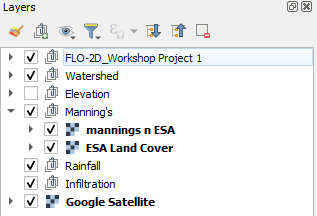
World Land Cover Data - European Satellite Agency (ESA World)
Step 1. Curve Number Generator ESA
Load the Curve Number Generator from the Processing toolbox.
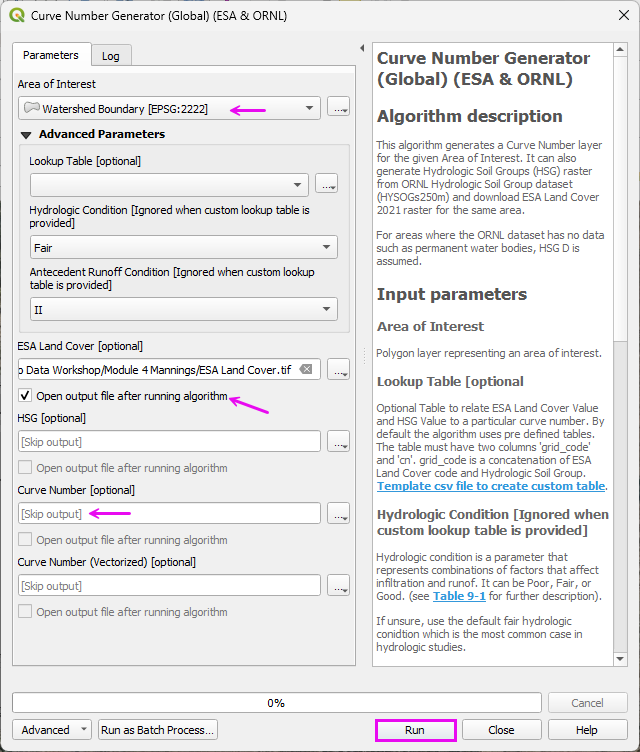
Set the Extent to Grid.
Set the name and path.
Uncheck the other items.
Click Run
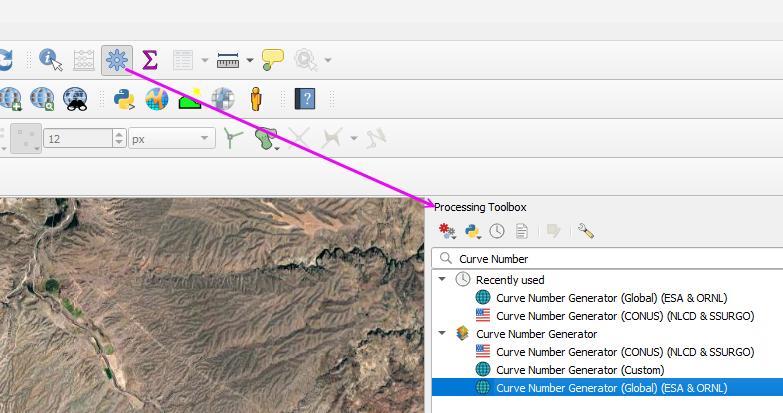
Step 2: Run ESA Land Cover Roughness processor
This processor works on World Data. For Example, use it on the US Mexico boundary.
Open the Processing Toolbox.
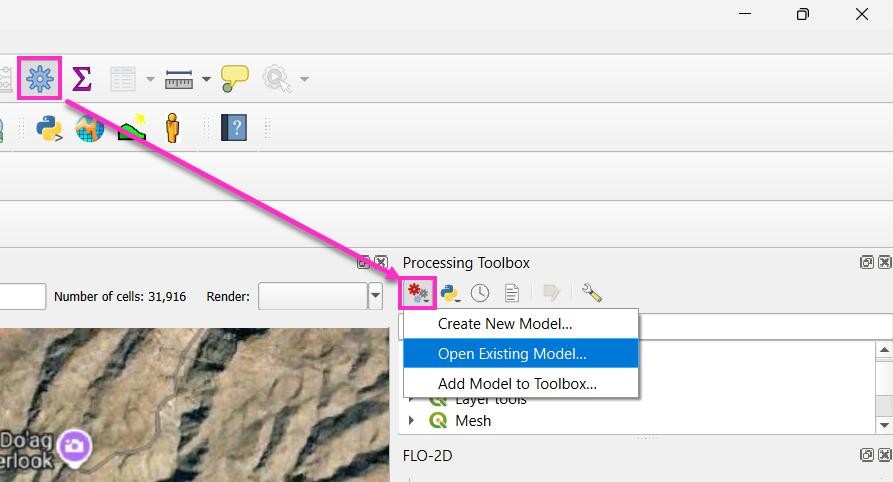
Open the Existing Processor Model.
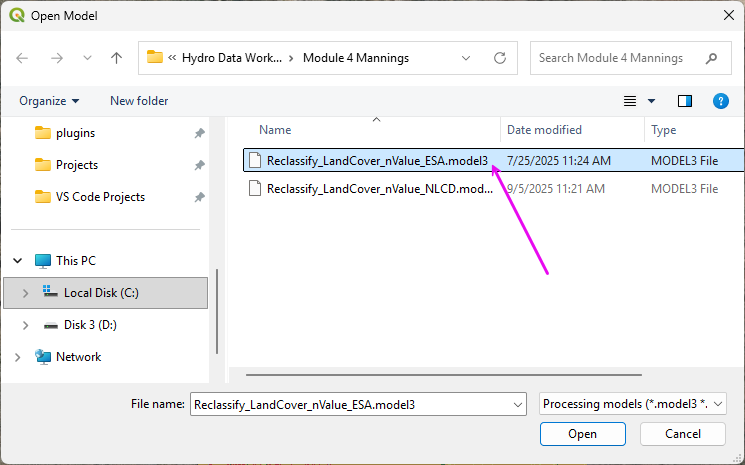
Double click the Reclassify module.
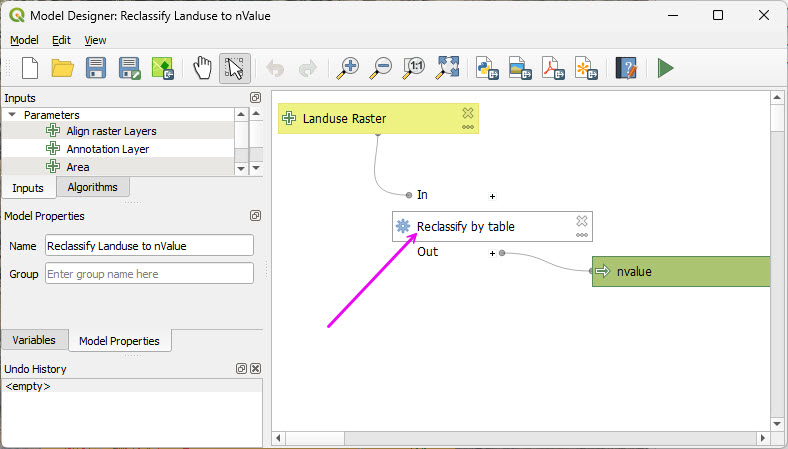
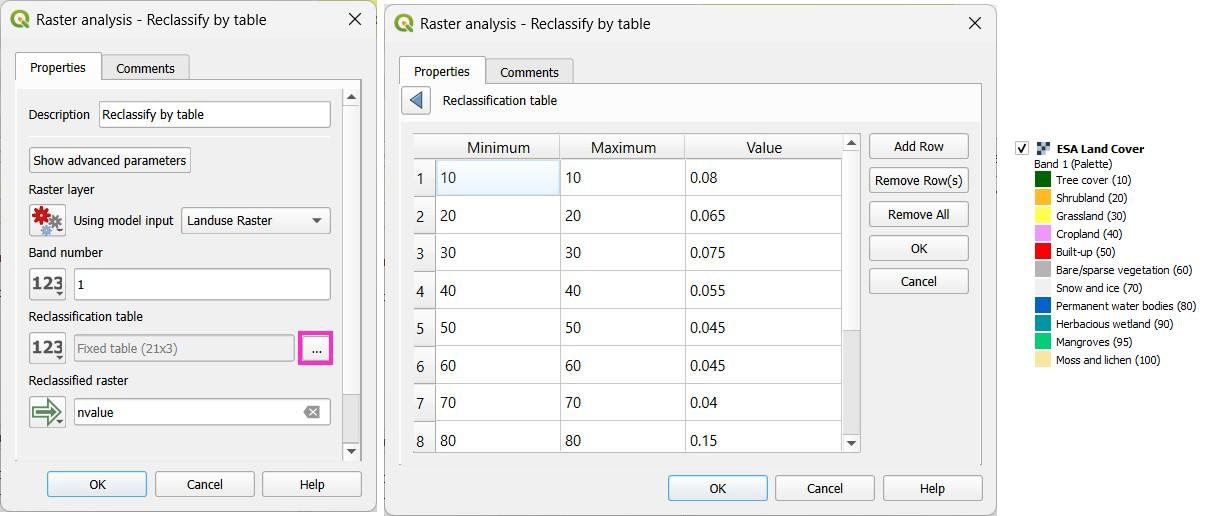
This table can be modified to reflect Local Manning’s n value standards.
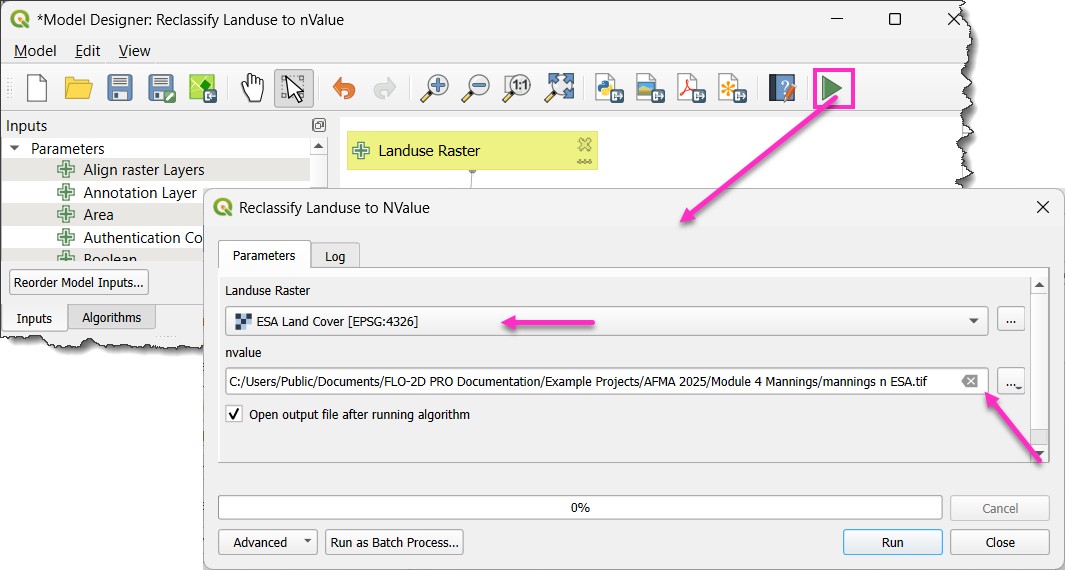
Run the processor model to reclassify the Land Cover data as roughness data.
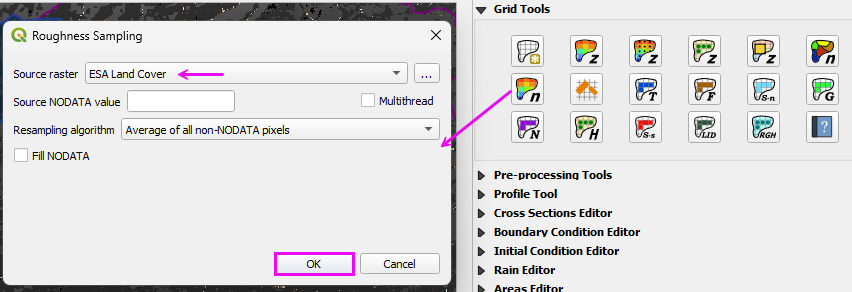
Step 3: Interpolate Manning’s n to the Grid
Run the Roughness Raster processor.
Move the Land Cover and Roughness layers to the Manning’s n group.