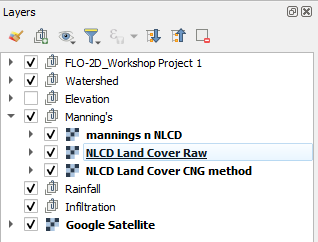
National Land Cover Data (NLCD)
Step 1: Curve Number Generator method
Load the Curve Number Generator from the Processing toolbox.
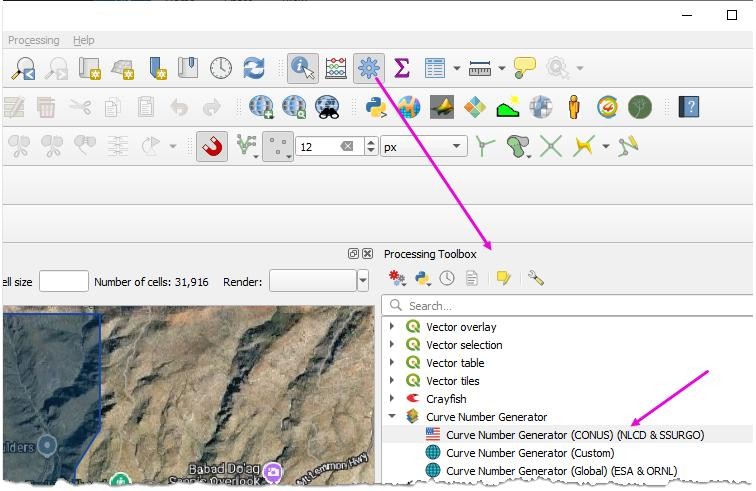
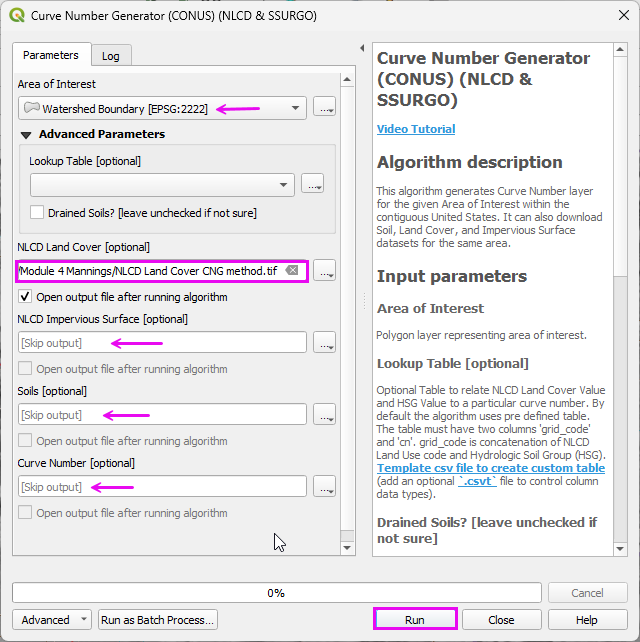
Set the Extent to Watershed Layer.
Set the name and path.
Uncheck the other items.
Click Run
Step 2: Download the USGS data
Connect to the NLCD Land Cover data.
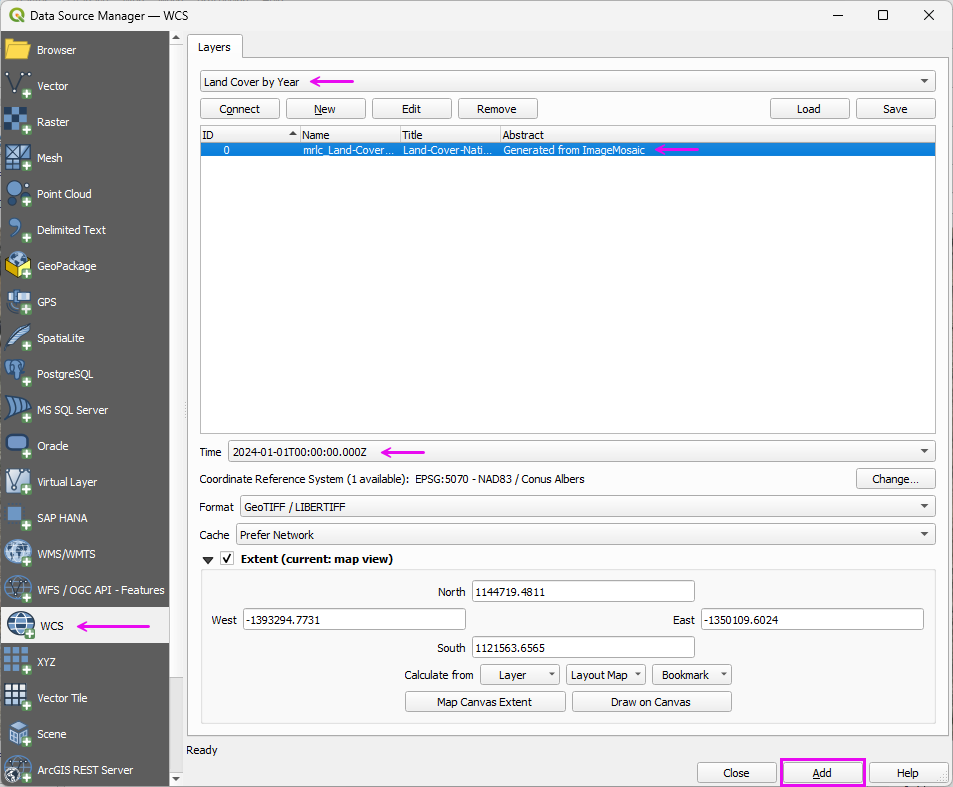
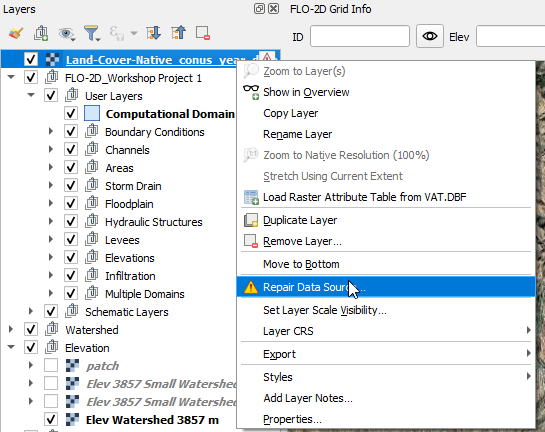
Repair the data Source
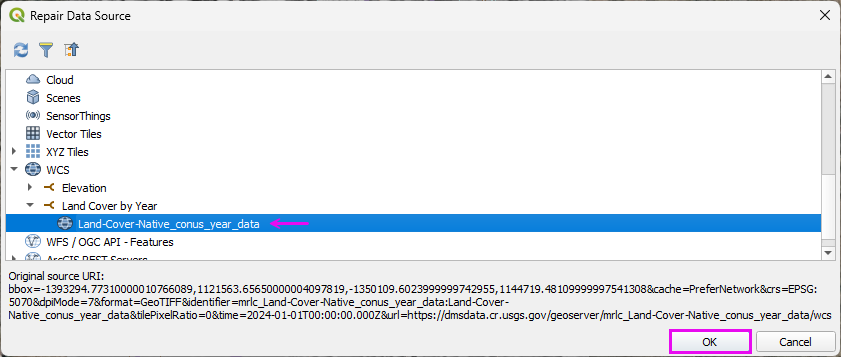
Select the layer and click OK.
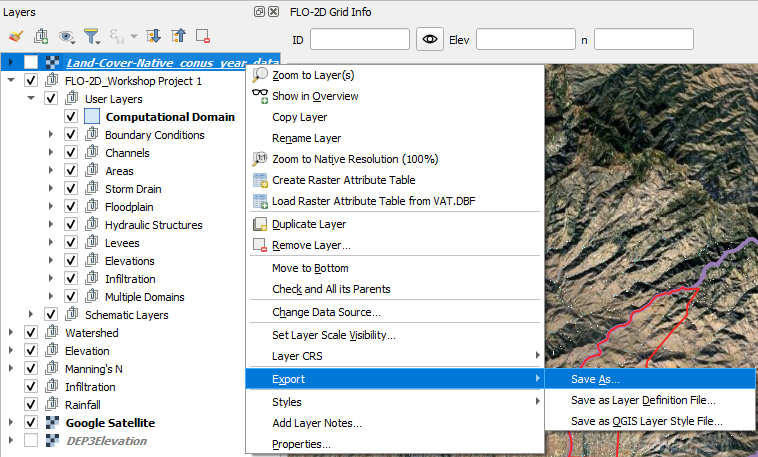
Right click the Land Cover layer and click Export.
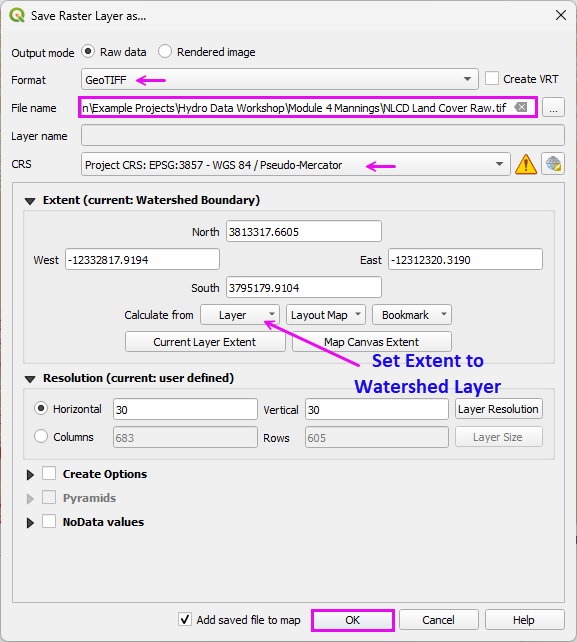
Fill the form and click OK.
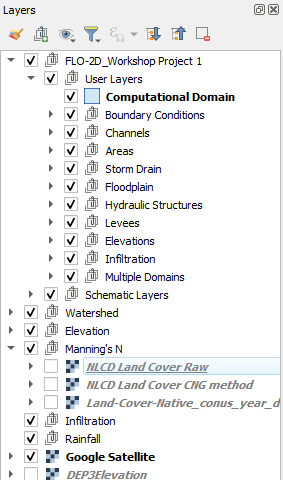
Move the Land Cover layers to the Manning’s group.
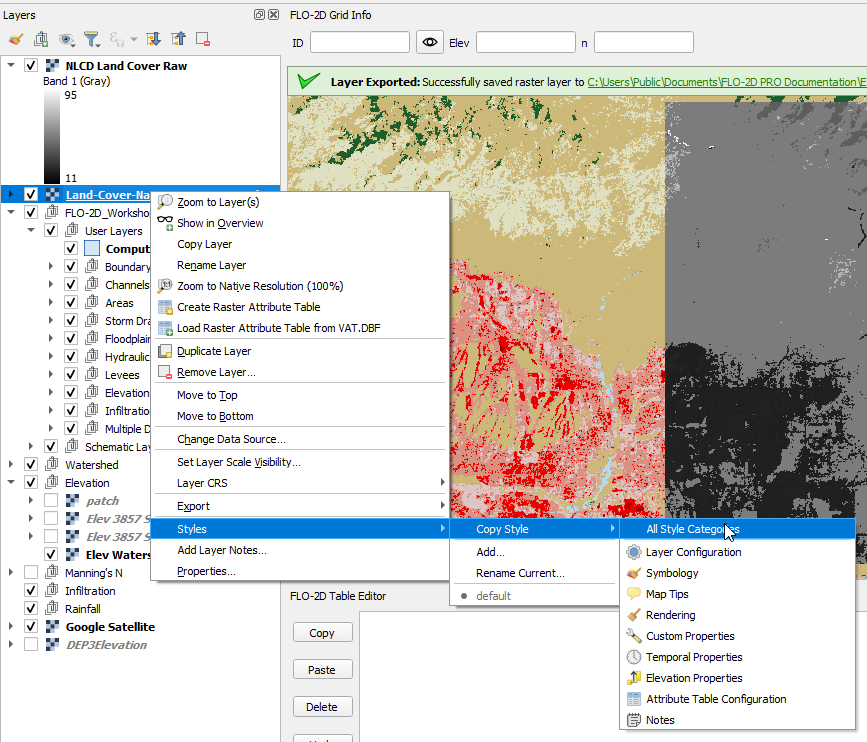
Copy the Style from the NLCD Layer.
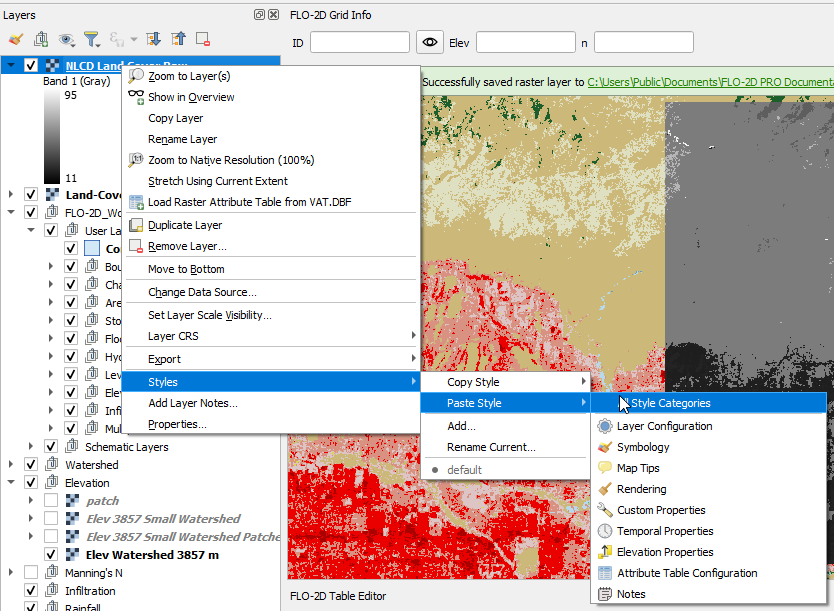
Paste the Style to the Downloaded Layer.
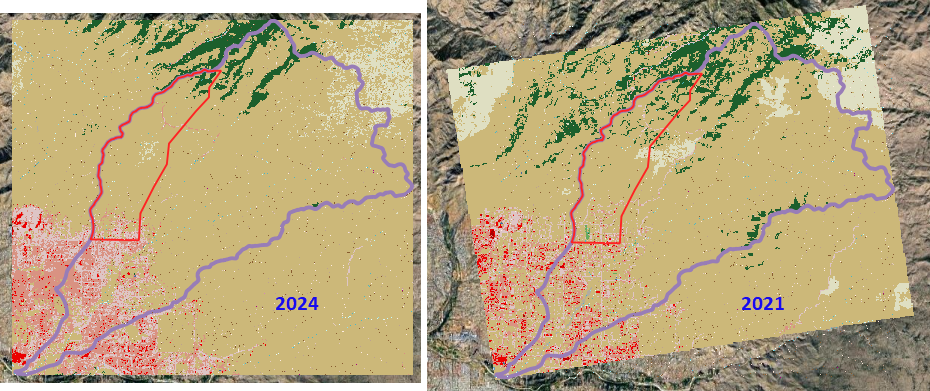
Note the difference between the Curve Number Generator 2021 and the Land Cover NLCD Server 2024 data.
Step 3: Review look-up tables
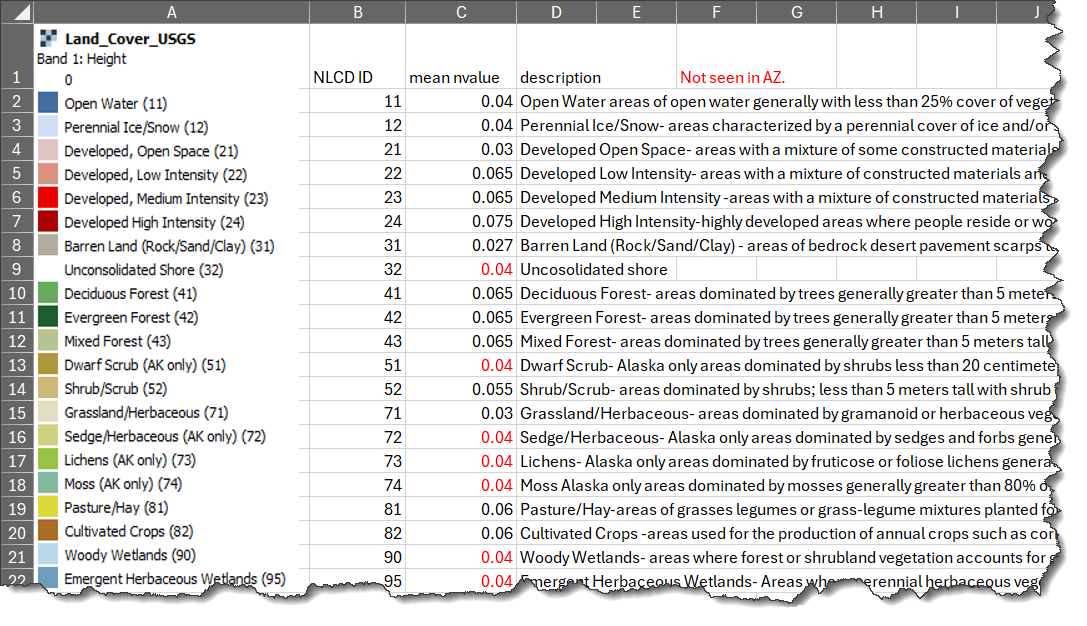
Land cover lookup table. The full table is in the Excel Spreadsheet.
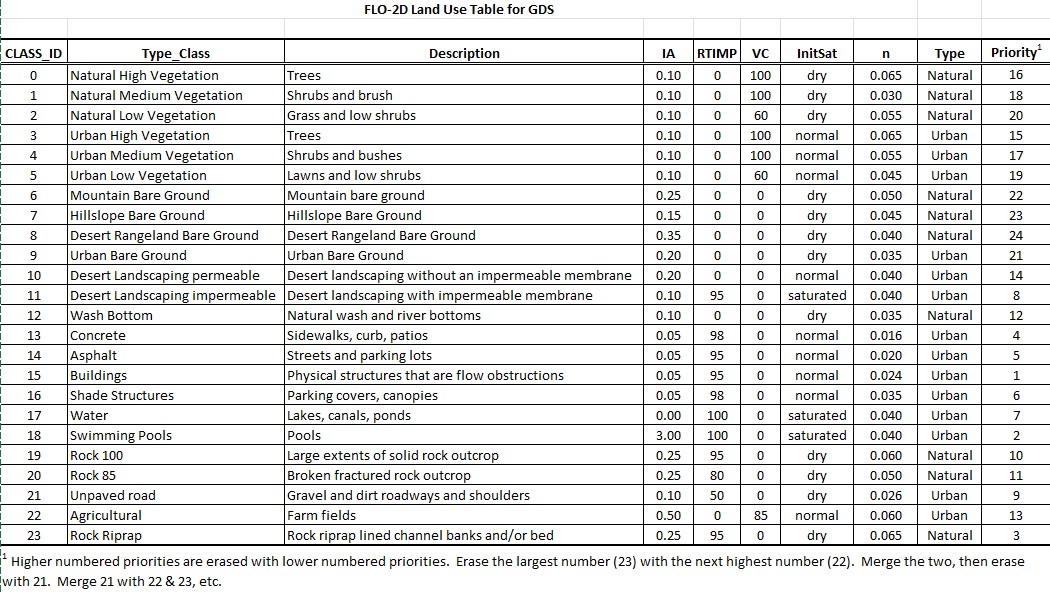
Modify these table per local Flood Control Specifications.
Manning’s roughness for shallow overland flow developed for FLO-2D. (source: FCDMC)
Step 4: Run NLCD Land Cover Roughness processor
Open the Processing Toolbox.
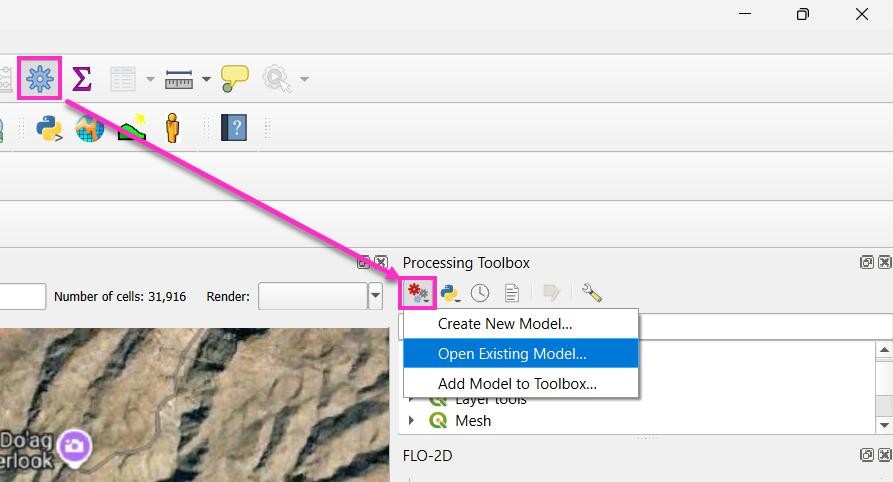
Open the Existing Processor Model.
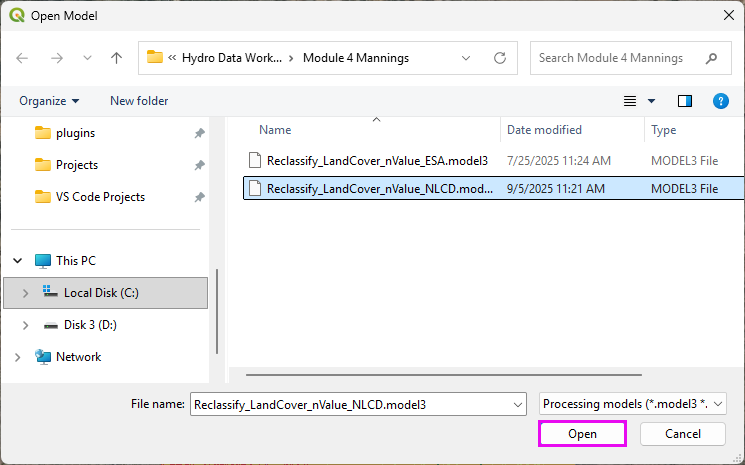
Double click the Reclassify module.
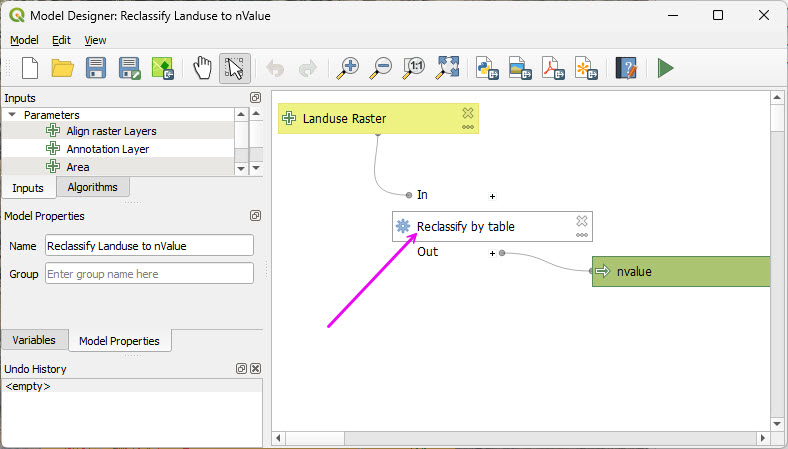
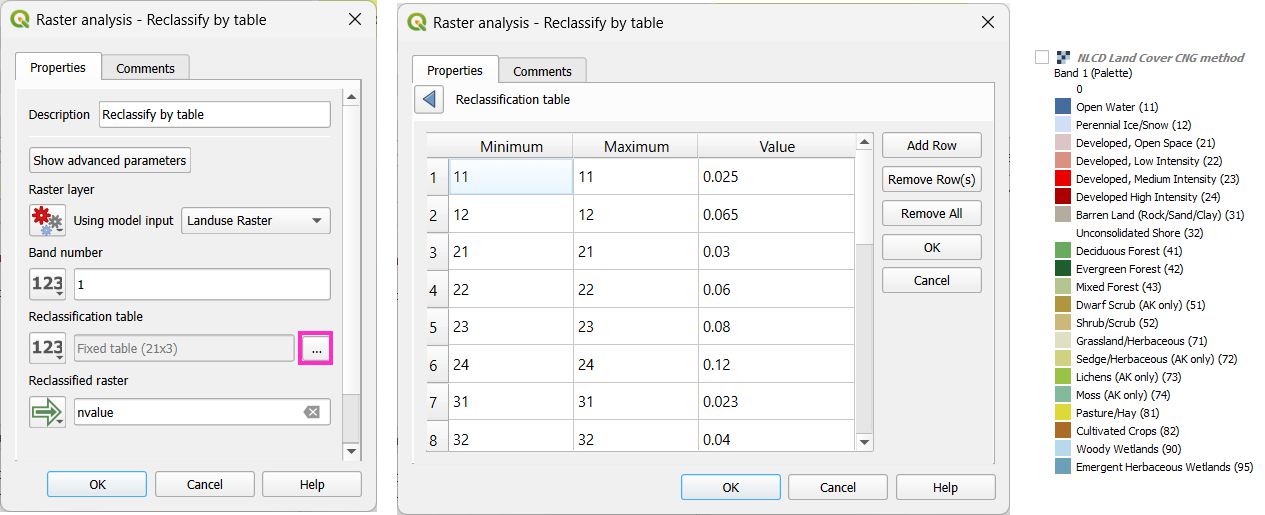
This table may be modified to reflect local Manning’s n value standards.
Note
Every raster value must be explicitly assigned a corresponding Manning’s n value. If one value is omitted, the processor may fail during roughness surface generation.
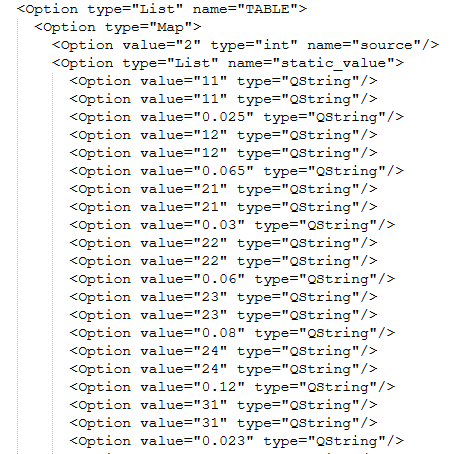
Hint
Processor models are script-based. Editing the table in a plain text editor is often faster than using the graphical interface.
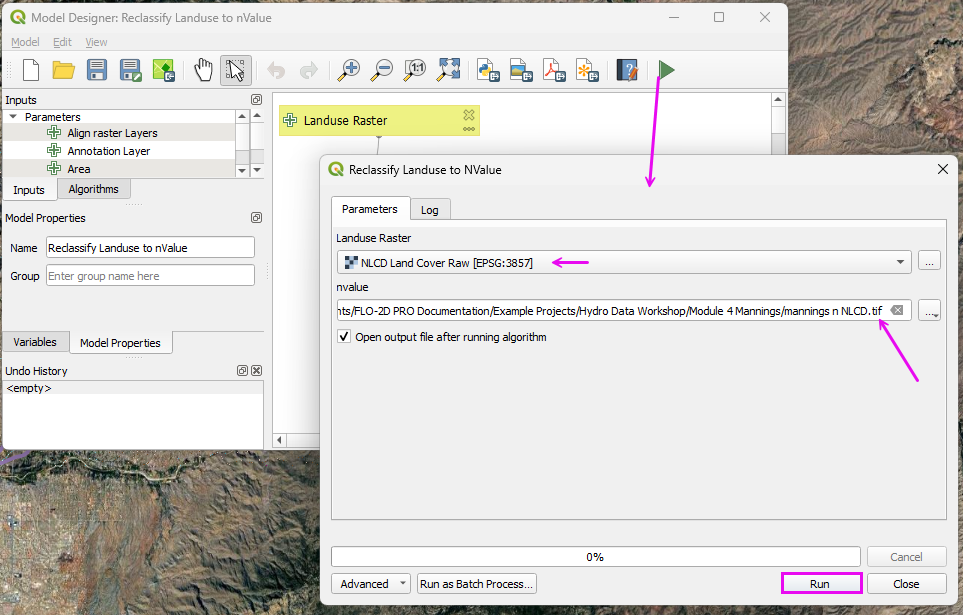
Run the processor model to reclassify the land cover data as roughness data.
Step 5: Interpolate Manning’s n to the Grid
Run the Roughness Raster processor.
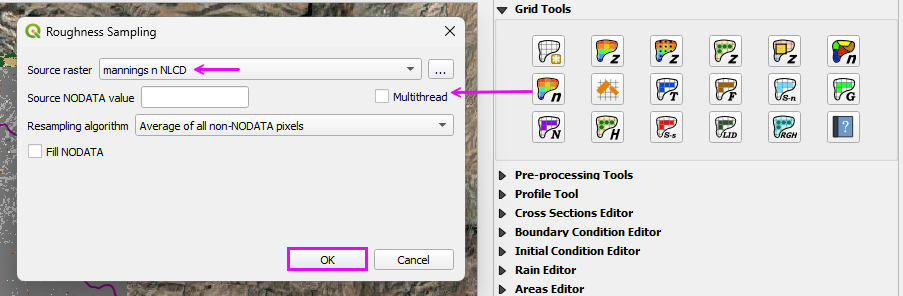
Move the Land Cover and Roughness layers to the Manning’s n group.